

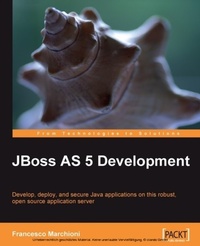
JBoss AS 5 Development
Develop, deploy, and secure Java applications on this robust, open source application server
1st Edition
Published on 13. January 2025
416 pages
978-1-84719-683-5 (ISBN)
Description

Develop, deploy, and secure Java applications on this robust, open source application serverKey Features - A complete guide for JBoss developers covering everything from basic installation to creating, debugging, and securing Java EE applications on this popular, award-winning JBoss application server
- Master the most important areas of Java Enterprise programming including EJB 3.0, web services, the security framework, and more
- Starts with the basics of JBoss AS and moves on to cover important advanced topics with the help of easy-to-understand practical examples
- Written in a very simple and readable style, this book includes essential tips and tricks that will help you master JBoss AS development
Book DescriptionJBoss AS is the most used Java application server on the market meeting high standards of reliability, efficiency, and robustness and is used to build powerful and secure Java EE applications. It supports the most important areas of Java Enterprise programming including EJB 3.0, dependency injection, web services, the security framework, and more. Getting started with JBoss application server development can be challenging; however, with the right approach and guidance, you can easily master it and this book promises that. Written in an easy-to-read style, this book will take you from the basics of JBoss ASósuch as installing core components and plug-insóto the skills that will make you a JBoss developer to be reckoned with, covering advanced topics such as developing applications with JBoss Messaging service, JBoss web services, clustered applications, and more. You will learn the necessary steps to install a suitable environment for developing enterprise applications on JBoss AS. Then, your journey will continue through the heart of the application server, explaining how to customize each service for optimal usage. You will learn how to design Enterprise applications using Eclipse and JBoss plug-ins. You will then learn how to enable distributed communication using JMS. Storing and retrieving objects will be made easier using Hibernate. The core section of the book will take you into the programming arena with tested, real-world examples. The example programs have been carefully crafted to be easy to understand and useful as starting points for your applications. This book will kick-start your productivity and help you to master JBoss AS development. The author's experience with JBoss enables him to share insights on JBoss AS development, in a clear and friendly way. By the end of the book, you will have the confidence to apply all the newest programming techniques to your JBoss applications.What you will learn - Install the server core components and the development environment for JBoss AS easily and quickly
- Master the JBoss core services and tackle most common configuration issues
- Set up, configure, and deploy a complete Java EE Application on JBoss AS
- Learn all the nuts and bolts of the new JMS Provider: JBoss Messaging service
- Seamlessly integrate your Hibernate applications into the application server architecture
- Understand what Managed services are and how they can boost your applications
- Easily develop web applications using JBoss web services
- Learn theory behind clustering and see some concrete programming examples
- Secure your applications using JBoss security framework
Who this book is forIf you are a Java architect or developer who wants to get the most out of the latest release of the JBoss application server or a JBoss administrator who wants a clear and simple reference for JBoss services, this book is for you. You are not expected to have accumulated experience on the application server though you must know the basic concepts of Java EE.
- Master the most important areas of Java Enterprise programming including EJB 3.0, web services, the security framework, and more
- Starts with the basics of JBoss AS and moves on to cover important advanced topics with the help of easy-to-understand practical examples
- Written in a very simple and readable style, this book includes essential tips and tricks that will help you master JBoss AS development
Book DescriptionJBoss AS is the most used Java application server on the market meeting high standards of reliability, efficiency, and robustness and is used to build powerful and secure Java EE applications. It supports the most important areas of Java Enterprise programming including EJB 3.0, dependency injection, web services, the security framework, and more. Getting started with JBoss application server development can be challenging; however, with the right approach and guidance, you can easily master it and this book promises that. Written in an easy-to-read style, this book will take you from the basics of JBoss ASósuch as installing core components and plug-insóto the skills that will make you a JBoss developer to be reckoned with, covering advanced topics such as developing applications with JBoss Messaging service, JBoss web services, clustered applications, and more. You will learn the necessary steps to install a suitable environment for developing enterprise applications on JBoss AS. Then, your journey will continue through the heart of the application server, explaining how to customize each service for optimal usage. You will learn how to design Enterprise applications using Eclipse and JBoss plug-ins. You will then learn how to enable distributed communication using JMS. Storing and retrieving objects will be made easier using Hibernate. The core section of the book will take you into the programming arena with tested, real-world examples. The example programs have been carefully crafted to be easy to understand and useful as starting points for your applications. This book will kick-start your productivity and help you to master JBoss AS development. The author's experience with JBoss enables him to share insights on JBoss AS development, in a clear and friendly way. By the end of the book, you will have the confidence to apply all the newest programming techniques to your JBoss applications.What you will learn - Install the server core components and the development environment for JBoss AS easily and quickly
- Master the JBoss core services and tackle most common configuration issues
- Set up, configure, and deploy a complete Java EE Application on JBoss AS
- Learn all the nuts and bolts of the new JMS Provider: JBoss Messaging service
- Seamlessly integrate your Hibernate applications into the application server architecture
- Understand what Managed services are and how they can boost your applications
- Easily develop web applications using JBoss web services
- Learn theory behind clustering and see some concrete programming examples
- Secure your applications using JBoss security framework
Who this book is forIf you are a Java architect or developer who wants to get the most out of the latest release of the JBoss application server or a JBoss administrator who wants a clear and simple reference for JBoss services, this book is for you. You are not expected to have accumulated experience on the application server though you must know the basic concepts of Java EE.
All prices
More details
Other editions
Additional editions
Francesco Marchioni
Jboss as 5 Development
Book
12/2009
Packt Publishing
€64.00
Shipment within 3-4 weeks
Content
- Intro
- JBoss AS 5 Development
- Table of Contents
- JBoss AS 5 Development
- Credits
- About the Author
- About the Reviewers
- Preface
- What this book covers
- Who this book is for
- Conventions
- Reader feedback
- Customer support
- Errata
- Piracy
- Questions
- 1. Installing Core Components
- Prologue
- What you will get in this book
- JBoss big bang
- Introduction
- Installing the Java environment
- Installing JBoss AS 5
- Starting up JBoss AS
- Stopping JBoss
- Stopping JBoss on a remote machine
- Installing Eclipse
- Plugins: The heart of Eclipse
- Installing JBoss Tools plugins
- Installing JBoss Tools plugins manually
- Connecting Eclipse with JBoss
- Summary
- 2. What's New in JBoss AS 5?
- Application server features
- The core modules of JBoss AS 5
- Cutting edge EJB container
- The new messaging provider
- Rock solid transaction manager
- Enhanced web container
- JBoss Web Services 3.0
- Improved clustering support
- The application server structure
- The next generation application server
- From JMX to the Microcontainer
- The new library configuration
- JBoss AS 5 server configurations
- The "standard" configuration
- The "web" configuration
- The former server configurations
- Creating a custom server configuration
- The starting point: JBoss AS service map
- Custom configuration sample: Adding JMS to the web configuration
- JBoss virtual file system
- Summary
- 3. Customizing JBoss AS Services
- How to monitor JBoss AS services
- The JMX console
- An example: Using the JMX console to display the JNDI tree
- The admin console
- The twiddle utility
- JBoss AS thread pool
- Application server thread pool anatomy
- How many threads for your applications?
- Analyze what your threads are doing
- Configuring logging services
- Appenders
- Console file appender
- Changing the configuration at runtime
- File appenders
- Rolling the file by size
- Other appenders
- Layout of logs
- Logging categories
- Configuring your own logger
- Managing logs through JMX agents
- Configuring the connection to the database
- Configuring a datasource in JBoss AS
- Additional datasource properties
- Setting up a new datasource
- Gathering connection pool statistics
- Managing datasources from the admin console
- Using statistics to tune the connection pool
- Deploying datasources at application level
- High availability datasources
- Clustered RDBMS
- Connecting from a remote client
- Configuring the transaction service
- Preserving data integrity
- Global and local transactions
- Configuring JBoss transactions
- Monitoring transactions
- Summary
- 4. Developing EJB 3 Session Beans
- Java EE made easier
- Developing Enterprise JavaBeans
- Developing Session Beans
- Stateless Session Beans
- Life cycle of a Stateless Session Bean
- Setting up a simple example
- Deploying your application
- Creating a test client
- Adding interceptors to your Bean
- Stateful Session Beans
- Stateful Bean life cycle
- Developing a simple Stateful Session Bean
- Configuring the EJB container
- Configuring Stateless Session Bean pool size
- Specializing the configuration
- Configuring the Stateful Session Bean cache
- How to disable Stateful Bean passivation
- Summary
- 5. Developing JPA Entities
- Data persistence meets a standard
- Working with JPA
- Creating a sample application
- Setting up the database
- Rolling the EJB project
- Configuring the database connection
- Generating entities
- Reverse engineering aftermath
- Configuring persistence
- Creating a Session Bean client
- Creating a test client for our AppStore
- Summary
- 6. Creating a Web Application
- Developing web layout
- Installing JSF on JBoss AS
- Setting up navigation rules
- Adding a JSF managed bean
- Setting up the view
- Assembling and deploying the application
- Running the store
- Configuring JBoss Web Server
- Customizing connectors
- The new Apache Portable Runtime connector
- Installing the APR connector
- Configuring contexts
- Configuring virtual hosts
- Configuring HTTP logs
- Tuning advice
- Disable DNS lookup
- Choose the right HTTP connector
- Set the correct size for your thread pool
- Monitoring your thread pool
- Summary
- 7. Developing Applications with JBoss Messaging Service
- Short introduction to JMS
- The building blocks of JMS
- The new JBoss Messaging system
- Configuring connection factories
- Configuring JMS destinations
- Inspecting destination attributes
- Advanced message configuration
- Scheduled delivery
- Developing JMS applications
- Message-driven beans
- Configuring message-driven beans
- Creating a sample application
- Creating MDB singletons
- Message-driven POJOs
- Advanced JBoss Messaging
- JBoss Messaging bridge
- Adding a remote JMS provider
- Configuring the persistence service
- Securing destinations
- MDB access control
- Summary
- 8. Developing Applications with JBoss and Hibernate
- Introducing Hibernate
- Creating a Hibernate application
- Setting up the database schema
- A new Eclipse project
- Reversing your schema into Java classes
- Adding Hibernate configuration to your project
- Adding a web client to your project
- Packaging and deploying the application
- Using the wizard to generate EJB 3
- Hibernate and EJB: Friends or opponents?
- Using Hibernate with EJB
- Injecting key Hibernate objects
- Summary
- 9. Managing JBoss AS
- Introducing Java Management Extension
- Developing MBeans
- A simple MBean
- Testing your MBean from the JMX console
- Testing your application programmatically
- MBeans dependency
- Sending MBeans notifications
- Receiving heartbeat notifications
- Sending your own notifications
- Service POJOs
- Creating a web test client
- Exposing your service as an EJB
- Service POJO dependency
- JBoss AS Administration Console
- Managing applications
- Deploying/undeploying applications
- Updating an application
- Starting/stopping/restarting an application
- Administering resources
- Adding a new resource
- Managing resources
- Metrics
- Summary
- 10. Developing Applications with JBoss Web Services
- Web Service concepts
- Strategies for building up Web Services
- JBoss Web Services stack
- A brief look at the JAX WS architecture
- Coding Web Services with JBossWS
- Developing a POJO Web Service
- Inspecting the Web Service from the console
- Using JBossWS tools
- External Web Service clients
- Exposing EJB as Web Services
- Handling exceptions in Web Services
- Generating a test client
- Injecting Web Services
- Web Service Handler chains
- Summary
- 11. Clustering JBoss AS
- Cluster basics
- Introducing JBoss AS cluster
- JBoss AS clustering architecture
- Smart proxies
- External load balancer
- JBoss AS 5 cluster configuration
- Starting JBoss AS in cluster mode
- Running cluster nodes on separate machines
- Running cluster nodes on the same machine
- Running multiple clusters on the same network
- JBoss AS clustered services
- JBoss Cache (JBC)
- Cache modes
- Cache configuration
- Configuring HTTP cache management
- Configuring EJB 3.0 Stateful Session Bean cache
- Configuring entity caching
- JBoss cache and concurrency
- The HAPartition service
- Exploring HA singletons
- The HA-JNDI service
- Accessing HA-JNDI
- HA-JNDI configuration
- Clustering web applications
- Configuring HTTP replication
- HttpSession passivation/activation
- Configuring load balancing
- JMS clustering
- Summary
- 12. Developing a Clustered Application
- Clustering Stateless Session Beans
- Clustering Stateful Session Beans
- Deploying a clustered SFSB
- Testing the clustered SFSB
- Programmatic replication of the session
- Clustering entities
- Revisiting the AppStore example
- Inside the second-level cache
- Evicting entities from the cache
- General guidelines for a good cache
- Clustering web applications
- Testing HTTP session replication
- Summary
- 13. JBoss AS Security
- Approaching Java Security API
- The JAAS security model
- Introducing JBossSX
- Securing the JMX console
- Dynamic login configuration
- Stacked login configuration
- Logging and auditing
- Securing the transport layer
- Enabling the Secure Socket Layer on JBoss AS
- Certificate management tools
- Securing the HTTP communication with a self-signed certificate
- Securing the HTTP communication with a certificate signed by a CA
- Securing the RMI transport
- Adding a client truststore
- Summary
- 14. Securing JBoss AS Applications
- Securing the AppStore application
- HTTP role authentication
- Encrypting passwords
- EJB role authorization
- Java EE programmatic security
- Writing secure Java SE clients
- Securing applications at transport level
- Running the AppStore with HTTPS
- Securing the RMI-IIOP transport: SSL BlackJack
- Securing Web Services
- Web Services authorization
- Web Services encryption
- Client and server configuration files
- Encrypting the POJOWebService
- Securing the Web Service
- Securing the client
- Running the example
- Signing SOAP messages
- Debugging SOAP messages
- Summary
- Index

