

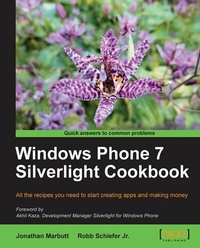
Windows Phone 7 Silverlight Cookbook
All the recipes you need to start creating apps and making money.
1st Edition
Published on 13. January 2025
304 pages
978-1-84969-117-8 (ISBN)
Description

All the recipes you need to start creating apps and making money.Key Features - Build sophisticated Windows Phone apps with clean, optimized code.
- Perform easy to follow recipes to create practical apps.
- Master the entire workflow from designing your app to publishing it.
Book DescriptionSilverlight has revolutionized development using Microsoft technologies. It is an excellent tool for mobile application development. The XAML-based markup and familiar C# code are the perfect combination for building apps efficiently and with minimum hassle.Packed full of recipes containing comprehensive instructions for the tasks required to build modern compelling smartphone apps using Silverlight.Starting with application design and architecture, you will quickly move on to more technical features and APIs you can implement to make your app stand out. You will use the Camera API to scan barcode, location services to pinpoint the user's GPS coordinates and accelerometer to provide feedback based on movement of the phone. All of these features can be provided in a slick user interface through the power of Silverlight. Animations, behaviors and XAML provide all you need and more.What you will learn - Use XAML and Blend along with animations to bring your user interfaces to life.
- Utilize web services for all your data needs.
- Learn how the process of sending Push notifications to users saves time and battery
- Take the power of touch to a whole new level by creating unique touch gestures for your app.
- Generate revenue and share your app with the world through the Windows Phone marketplace.
Who this book is forAll levels of developers and designers will be able to utilize this book. The language and examples are written for beginners but there are plenty of deeper concepts to explore and code to master.
- Perform easy to follow recipes to create practical apps.
- Master the entire workflow from designing your app to publishing it.
Book DescriptionSilverlight has revolutionized development using Microsoft technologies. It is an excellent tool for mobile application development. The XAML-based markup and familiar C# code are the perfect combination for building apps efficiently and with minimum hassle.Packed full of recipes containing comprehensive instructions for the tasks required to build modern compelling smartphone apps using Silverlight.Starting with application design and architecture, you will quickly move on to more technical features and APIs you can implement to make your app stand out. You will use the Camera API to scan barcode, location services to pinpoint the user's GPS coordinates and accelerometer to provide feedback based on movement of the phone. All of these features can be provided in a slick user interface through the power of Silverlight. Animations, behaviors and XAML provide all you need and more.What you will learn - Use XAML and Blend along with animations to bring your user interfaces to life.
- Utilize web services for all your data needs.
- Learn how the process of sending Push notifications to users saves time and battery
- Take the power of touch to a whole new level by creating unique touch gestures for your app.
- Generate revenue and share your app with the world through the Windows Phone marketplace.
Who this book is forAll levels of developers and designers will be able to utilize this book. The language and examples are written for beginners but there are plenty of deeper concepts to explore and code to master.
All prices
More details
Other editions
Additional editions
Robb Schiefer Jr | Jonathan Marbutt
Windows Phone 7 Silverlight Cookbook
Book
08/2011
Packt Publishing
€63.10
Shipment within 3-4 weeks
Persons
Marbutt Jonathan :
At the early age of ten Jonathan began to learn to program building simple games to amuse his friends and family. Twenty years later he still has passion for technology and development. Jonathan loves to share his passion with other developers by writing for his blog and various books as well as speaking at many user groups and technology conferences. Throughout the past three years Jonathans focus has primarily been on working with Silverlight and its most recent version for Windows Phone 7. Through this newest version for Windows Phone 7, Jonathan has been able to work on many high profile applications that are rated as some of the most downloaded applications. Jonathan is also currently the Vice President and Co-founder of WayCool Software, Inc. based in Birmingham, AL, which provides solutions for non-profit organizations. Jonathan also has been providing consulting services through his latest venture JM TechWare, Inc., where he helps provide both User Experience and architectural guidance on Silverlight, Windows Phone 7 and WPF applications. In addition to development, Jonathan has co-authored Visual Basic 2010 and.Net 4 published by Wrox Press.Schiefer Robb :
Robb is a follower of Christ, husband to the perfect wife and father of two beautiful girls. Coincidentally, he is also a successful.NET software developer, which is a better qualification for writing a programming book. His development career started while working part time during college where he learned graphic design basics and built simple data-driven PHP websites. After college he worked for a small startup on a VB6 application for educators and learned.NET by jumping head first into building a complimentary ASP.NET site. Since then he has worked as a.NET developer for a market leading, privately held corporation with a global presence. This enterprise environment has provided many unique challenges and learning opportunities. He currently leads a development team in the company's latest development efforts, mentors many developers and plays a leading role in planning the company's.NET architecture. Prior to the announcement of Windows Phone 7 he had little experience with Silverlight but always wanted to learn it. WP7 provided the perfect opportunity to learn Silverlight in a defined space and on a smaller scale. He currently has several apps in the marketplace and has plans for many more (if he ever gets this book done).
At the early age of ten Jonathan began to learn to program building simple games to amuse his friends and family. Twenty years later he still has passion for technology and development. Jonathan loves to share his passion with other developers by writing for his blog and various books as well as speaking at many user groups and technology conferences. Throughout the past three years Jonathans focus has primarily been on working with Silverlight and its most recent version for Windows Phone 7. Through this newest version for Windows Phone 7, Jonathan has been able to work on many high profile applications that are rated as some of the most downloaded applications. Jonathan is also currently the Vice President and Co-founder of WayCool Software, Inc. based in Birmingham, AL, which provides solutions for non-profit organizations. Jonathan also has been providing consulting services through his latest venture JM TechWare, Inc., where he helps provide both User Experience and architectural guidance on Silverlight, Windows Phone 7 and WPF applications. In addition to development, Jonathan has co-authored Visual Basic 2010 and.Net 4 published by Wrox Press.Schiefer Robb :
Robb is a follower of Christ, husband to the perfect wife and father of two beautiful girls. Coincidentally, he is also a successful.NET software developer, which is a better qualification for writing a programming book. His development career started while working part time during college where he learned graphic design basics and built simple data-driven PHP websites. After college he worked for a small startup on a VB6 application for educators and learned.NET by jumping head first into building a complimentary ASP.NET site. Since then he has worked as a.NET developer for a market leading, privately held corporation with a global presence. This enterprise environment has provided many unique challenges and learning opportunities. He currently leads a development team in the company's latest development efforts, mentors many developers and plays a leading role in planning the company's.NET architecture. Prior to the announcement of Windows Phone 7 he had little experience with Silverlight but always wanted to learn it. WP7 provided the perfect opportunity to learn Silverlight in a defined space and on a smaller scale. He currently has several apps in the marketplace and has plans for many more (if he ever gets this book done).
Content
- Intro
- Windows Phone 7 Silverlight Cookbook
- Table of Contents
- Windows Phone 7 Silverlight Cookbook
- Credits
- Foreword
- About the Authors
- About the Reviewers
- www.PacktPub.com
- Support files, eBooks, discount offers and more
- Why Subscribe?
- Free Access for Packt account holders
- Instant Updates on New Packt Books
- Preface
- What this book covers
- What you need for this book
- Who this book is for
- Conventions
- Reader feedback
- Customer support
- Downloading the example code
- Errata
- Piracy
- Questions
- 1. Layout and Design
- Introduction
- Downloading the tools
- Understanding the tools
- Visual Studio 2010 Express
- Expression Blend for Windows Phone
- Windows Phone Emulator
- Also included in the download
- Creating simple navigation
- Getting ready
- How to do it...
- How it works...
- There's more...
- Using Positioning controls
- Getting ready
- How to do it...
- How it works
- Discovering the various input controls
- Getting ready
- How to do it...
- How it works
- There's more...
- ViewStateManager introduction
- Getting ready
- How to do it...
- How it works...
- There's more...
- Understanding the panorama control
- Getting ready
- How to do it...
- How it works...
- Using the pivot control
- Getting ready
- How to do it...
- How it works...
- 2. Creating Animation
- Introduction
- Using ViewStateManager to create simple animations
- Getting ready
- How to do it...
- How it works...
- The basics of timelines
- Getting ready
- How to do it...
- How it works...
- There's more...
- Using timelines for feedback to users
- Getting ready
- How to do it...
- How it works...
- 3. Behaviors and Events
- Introduction
- Understanding events
- Getting ready
- How to do it...
- How it works...
- There's more...
- Understanding basic behaviors
- Getting ready
- How to do it...
- How it works...
- There's more...
- ControlStoryBoardAction
- GoToStateAction
- PlaySoundAction
- Custom behavior
- Getting ready
- How to do it...
- How it works...
- There's more...
- Physics engine behavior
- Getting ready
- How to do it...
- How it works...
- There's more...
- 4. DataBinding 101/MVVM
- Introduction
- A case for MVVM
- Separation of Concerns
- Testability
- Reusability
- Creating a simple model
- Getting ready
- How to do it...
- There's more...
- Creating a ViewModel
- Getting ready
- How to do it...
- There's more...
- Creating a view
- Getting ready
- How to do it...
- How it works...
- Element-to-element binding
- Getting ready
- How to do it...
- How it works...
- 5. Services, Data, and RSS
- Introduction
- Creating a WCF service to access a SQL database
- Getting ready
- How to do it...
- How it works...
- There's more...
- Using a WCF service in a Windows Phone application
- Getting ready
- How to do it...
- How it works...
- Building a simple RSS reader
- Getting ready
- How to do it...
- How it works...
- 6. Location Services
- Introduction
- Tracking latitude and longitude
- Getting ready
- How to do it...
- How it works...
- See also
- Tracking altitude, speed, and course
- Getting ready
- How to do it...
- How it works...
- There's more.
- See also
- Saving battery by using a location wisely
- Getting ready
- How to do it...
- How it works...
- See also
- Using location services with the emulator
- Getting ready
- How to do it...
- How it works...
- There's more.
- See also
- Mapping your location
- Getting ready
- How to do it...
- How it works...
- 7. Push Notifications to the Phone
- Introduction
- Updating the tile background without push
- Getting ready
- How to do it...
- How it works...
- There's more...
- Creating a service to send notifications
- Getting ready
- How to do it...
- How it works...
- Registering for push notifications
- Getting ready
- How to do it...
- How it works...
- There's more...
- See also
- Creating a notifications helper
- Getting ready
- How to do it...
- How it works...
- See also
- Creating toast notifications
- Getting ready
- How to do it...
- How it works...
- There's more...
- Authenticated Push Notifications
- 8. Launchers and Choosers
- Introduction
- Automating e-mails
- Getting ready
- How to do it...
- How it works...
- Handling common About Us tasks
- Getting ready
- How to do it...
- How it works...
- Scanning barcodes
- Getting ready
- How to do it...
- How it works...
- There's more...
- Debugging tips
- Trigger happy Chooser
- Enabling photo extras
- How to do it...
- How it works...
- There's more...
- Tombstoning
- Getting ready
- How to do it...
- How it works...
- There's more...
- Methods of persisting state
- Not all Launchers and Choosers are the same
- Tombstone events
- 9. Sensing with Sensors
- Introduction
- Orienting your app
- Getting ready
- How to do it...
- How it works...
- There's more...
- PortraitDown orientation
- That mic is hot
- Getting ready
- How to do it...
- How it works...
- Accelerating your apps
- Getting ready
- How to do it...
- How it works...
- Developing the touch
- Getting ready
- How to do it...
- How it works...
- Shaking it up
- Getting ready
- How to do it...
- How it works...
- Pinching with ease
- Getting ready
- How to do it...
- How it works...
- There's more.
- 10. Preparing Apps for the Marketplace
- Introduction
- Configuring capabilities
- Getting ready
- How to do it...
- How it works...
- There's more...
- Automated capabilities detection
- Maintaining responsiveness
- Getting ready
- How to do it...
- How it works...
- Adding trial support
- Getting ready
- How to do it...
- How it works...
- There's more...
- Creating iconography
- Getting ready
- How to do it...
- How it works...
- Submitting an app
- Getting ready
- How to do it...
- How it works...
- There's more...
- Free app submissions
- Getting paid
- Download reports
- Localization
- Index

