

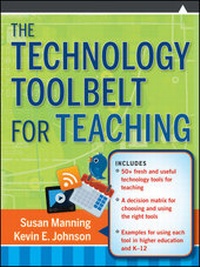
The Technology Toolbelt for Teaching
Description

More details
Other editions
Additional editions
Persons
Content
CHAPTER ONE
Why Web-Based Tools?
For generations, wise old sages have enjoyed telling youngsters about life before the latest innovation, invention, or technology. Teachers are no different. First we told stories about life before the printing press when knowledge was only transmitted orally, then about how students had to write their own notes because we did not have copy machines to reproduce the latest handout, and now we pass on stories about life before the Internet when no one could "Google." And with every invention of new technology and tools, in true teacher fashion, we scratch our heads and wonder where this is leading. In what ways do the latest innovations enhance learning and assist teachers in doing so?
That is the fundamental purpose of this book. We are going to explore a variety of technology tools available to teachers with an eye to instructional design and delivery. It is not enough to know that gizmos and gadgets exist-we must also consider how tools might be used to address instructional problems.
Defining Technology
Before we get too far into the text, we should first define technology, instructional or educational technology, and technology tools. We will address these definitions again in Chapter Two when we relate these to instructional design.
Science and technology are sometimes mentioned in the same breath, but there are notable differences. Science often deals with outcomes that are directly observable through the senses (Arms & Camp, 1998); teaching and learning do not. A better way to look at technology is to consider the International Network for Small and Medium Enterprises' definition of technology as "human innovation in action that involves the generation of knowledge and processes to develop systems that solve problems and extend human capabilities" (2010, p. 1). There may be a science behind how the technology works (such as computer science), and the application to solve problems may be systematic, but the results are not always so neatly observable as to be classified according to our senses.
Employing instructional or educational technology, therefore, is the process by which we use tools to address an instructional problem. This is not new science. As Saettler (2004) reminds us, instructional technology dates far back. Today's examples of technology include communication through e-mail and Voice over Internet Protocol, streaming video and content presentations, and synchronous Web conferencing, to name a few. All of these technologies can support learning as they address instructional problems. Further, if technology is a process, then the specific tools are the instruments we use to implement that process. Skype, YouTube, and Elluminate are specific tools that demonstrate the implementation of the previous examples.
The technology we examine in this book falls into the realm of educational technology in that we will discuss processes by which specific tools are applied to instructional problems. This is increasingly relevant in higher education as more and more courses become "distributed," either as fully online courses or blended courses. Information from the Sloan Consortium reports that "over 4.6 million students were taking at least one online course during the fall 2008" (Allen and Seaman, 2010, p. 1). An article in Campus Technology shared research conducted by Ambient Insight, reporting that there are currently more than twelve million college students engaged in some form of online learning, with projections expecting this number to grow to more than twenty-two million postsecondary students by the year 2014 (Nagel, 2009). If even a fraction of those projections come true, faculty in higher education are going to have to become much more familiar with what technology is available to them and how they might use it to their instructional advantage.
For those of you not currently teaching online or in blended classroom environments, this book serves as a way of enhancing your onground classroom organization and instruction. The advantage of introducing these tools in onground classrooms, even pre-K through grade 12, is that you and your students will be better equipped to handle the learning curve when teaching or taking more tool-driven courses.
The First Webs
What Web are we on (and who cares)? No discussion of educational technology seems to get by without mention of Web 2.0. What difference does the number make in the process of teaching and learning? This is where our old stories come back into play.
The faculty who first began to interact with the Internet were the leading scientists and engineers of the 1960s and 1970s. You had to be a brilliant computer scientist to use very primitive list servers, e-mail protocols, and so forth in order to send or receive information. The general public wasn't online until the early to mid-1990s, when such subscription services as AOL and CompuServe came into existence. Surfing the Web was limited to whatever pages those services wanted to provide to the public. Very quickly, however, Web authoring tools made it possible for the average computer user (or instructor) to author his or her own content and make it available on the Internet. That was the birth of Web 1.0.
A decade later, Web 1.0 is described as the static Internet. Web pages were authored and offered for viewing, but there was little else a reader could do. An individual could bookmark a favorite page for later reference but could not make comments, tag or label the content, or very easily add to that information. In fact, that shift from reading as a consumer to contributing as a producer is one of the defining characteristics of Web 2.0.
Jones (2006) contends that self-expression has always been one of the primary uses for the Web, and offers blog growth to illustrate how the masses have employed technology for this purpose. He reports that in 1997 there were one hundred blogs on the Web site Xanga; by 2005 there were fifty million blogs. When the public learned that they could use the Internet to instantly share their ideas and resources, additional tools began to crop up, such those for sharing music, photos, and other files. Soon it was not enough to offer resources; users wanted to comment on one another's work, "tag" work with descriptive labels, and generally interact with what they were seeing online. Users moved from consuming what was available on the Internet to producing the content on the Internet. In 1993 you may have been able to look at someone's vacation photos. In 2010 you can search for photos using tags, find one and leave a comment for the photographer, download one that comes with a creative common license for reuse, and use it on your personal blog with permissions. The next reader can comment on your work, and so the cycle continues. Hence, "the value of the page is derived from the actions of users" (Elgan, 2006, para. 5).
Clay Shirky, a popular icon in defining and explaining the value of Web 2.0, specifically studies social media. His many presentations reinforce this idea of not only consuming Web media but also producing it. In a 2009 address on the TED Blog (Shirky, 2009), Shirky reminds us, "Every time a new consumer joins this media landscape, a new producer joins as well, because the same equipment, phones, computer lets you consume and produce." Harnessed as an educational tool, technology affords new possibilities for learners of all ages.
The technologies of Web 2.0 have been shaped with the idea of community. Alexander (2006, para. 14) adds that "the desire to discover, publish, and share appears far back in Internet history." Scholarship is predicated on the idea of having one's ideas debated, critiqued, and retooled by colleagues. This same spirit describes the rise of community-oriented technology tools in Web 2.0. These tools fit nicely with the belief that the meaning-making process of learning requires social interaction (Brown & Adler, 2008). From the practice of commenting on blogs to the ability to search within another scholar's bookmarks through social bookmarking sites, Web 2.0 technologies allow us to share and pool resources.
This openness and willingness to share come with a cost: it takes more time to follow the trail of information and ideas. The most significant development for managing time and resources has been rich site summary or Really Simple Syndication (RSS). Simply stated, RSS allows a user to follow information through subscription to the site. It is particularly helpful for organizing content that is updated-routinely or less predictably (Bell, 2009). Every time the content is updated, a notice is delivered to the user. The content could be a blog post, a podcast, or an announcement. That notice includes a title of the new content, metadata describing it, and a hyperlink to find the updated site. By using an RSS aggregator, a subscriber can also have the actual media downloaded automatically. Therefore, by subscribing to a site, the user always knows when new content is added.
RSS also helps authors and developers share their content with consumers more efficiently. By making one's blog posts, podcasts, or other media subscribable through an RSS feed, the author can develop a loyal following. This process of syndication is sometimes called a "pulling technology" (Bell, 2009) because it pulls readers or listeners back to the site repeatedly. No one seems to agree on exactly who should take...
