

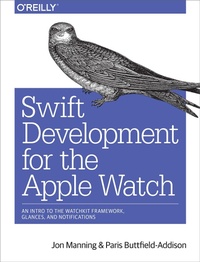
Swift Development for the Apple Watch
An Intro to the WatchKit Framework, Glances, and Notifications
Published on 30. May 2016
88 pages
978-1-4919-2529-4 (ISBN)
Description

Apple Watch is the sort of science-fiction gadget that people used to dream about as kids. What kinds of apps do you envision for this new device? If you're comfortable using OS X, Xcode, and iOS?and familiar with Swift?this concise book shows you the basics of building your own apps for this wrist-mounted computer with Apple's WatchKit framework.
You'll learn what an Apple Watch is, what it isn't, and how and why people might interact with apps you build for it. This practical guide also examines the type of apps most suitable for this device, and shows you how to be a good citizen in the iOS/Watch ecosystem.
- Learn the Watch app lifecycle, and understand how these apps interact with the user's iPhone
- Build a Watch app and its iOS counterpart by adding controls, working with multiple screens, and sharing data
- Design a simple glance, the non-interactive Watch component that provides quick-look information
- Add functionality to the notification system, including actionable items, and display them on the Watch face
- Design and build complications, Watch-face gadgets that can display quick snapshots of information, including future events with Time Travel
More details
Other editions
Additional editions
Jon Swift | Paris Buttfield-Addison
Swift Development for the Apple Watch
An Intro to the Watchkit Framework, Glances, and Notifications
Book
07/2016
O'Reilly
€24.00
Shipment within 10-20 days
Content
- Intro
- Copyright
- Table of Contents
- Preface
- Audience
- Organization of This Book
- Conventions Used in This Book
- Using Code Examples
- Safari® Books Online
- How to Contact Us
- Acknowledgments
- Chapter 1. Understanding the Apple Watch
- How Users Interact with Apple Watch
- How the Apple Watch Works with iPhone
- App Life Cycle
- A watchOS App's Architecture
- Designing for the Apple Watch
- Dealing with the Device and Simulator
- Diving In
- Building for Simulator
- Building for the Device
- Chapter 2. WatchKit Apps
- Displaying Content on the Watch
- Responding to Actions
- Controls
- Text and Labels
- Images
- Menus
- Tables
- Picker Views
- Playing Media
- Getting Text from the User
- Working with Multiple Interface Controllers
- Hierarchical Navigation
- Page-Based Navigation
- Modal Presentation
- Communicating with the Device
- Sending and Receiving Messages
- Moving Between Devices Using Handoff
- Wrapping Up
- Chapter 3. Glances
- Working with Glances
- Creating a Glance
- Creating a Glance Scheme
- Tapping the Glance
- Wrapping Up
- Chapter 4. Notifications
- Creating Notifications for Your iOS App
- Presenting Notifications
- Creating Custom Notification Interfaces
- Static and Dynamic Notification Interfaces
- Setting Up for Testing Notifications
- Creating the Interface Controller
- Wrapping Up
- Chapter 5. Complications
- Designing a Complication
- The Data Provider
- Templates and Timelines
- Building a Complication
- Overthinking Our Food
- Implementing the Complication
- Presenting the Complication
- Creating Timeline Entries
- Supporting Time Travel
- Wrapping Up
- Index
- About the Authors
- Colophon
