

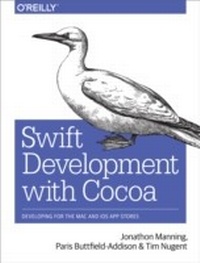
Swift Development with Cocoa
Developing for the Mac and iOS App Stores
1st Edition
Published on 10. December 2014
474 pages
978-1-4919-0970-6 (ISBN)
Description

Ready to build apps for iPhone, iPad, and Mac now that Swift has landed? If youre an experienced programmer whos never touched Apple developer tools, this hands-on book shows you how to use the Swift language to make incredible iOS and OS X apps, using Cocoa and Cocoa Touch.Learn how to use Swift in a wide range of real-world situations, with Cocoa features such as Event Kit and Core Animation. Youll pick up Swift language features and syntax along the way, and understand why using Swift (instead of Objective-C) makes iOS and Mac app development easier, faster, and safer. Youll also work with several exercises to help you practice as you learn.Learn the OS X and iOS application lifecycleUse storyboards to design adaptive interfacesExplore graphics systems, including the built-in 2D and 3D game frameworksDisplay video and audio with AVFoundationStore data locally with the file system, or on the network with iCloudDisplay lists or collections of data with table views and collection viewsBuild apps that let users create, edit, and work with documentsUse MapKit, Core Location, and Core Motion to interact with the world
More details
Other editions
Additional editions
Jonathon Manning | Paris Buttfield-Addison | Tim Nugent
Swift Development with Cocoa
Developing for the Mac and iOS App Stores
Book
01/2015
1st Edition
O'Reilly
€37.50
Shipment within 10-20 days
Content
- Intro
- Copyright
- Table of Contents
- Preface
- Objective-C to Swift
- Audience
- Organization of This Book
- Conventions Used in This Book
- Using Code Examples
- Safari® Books Online
- How to Contact Us
- Acknowledgments
- Chapter 1. Cocoa Development Tools
- The Mac and iOS Developer Programs
- Registering for a Developer Program
- Downloading Xcode
- Creating Your First Project with Xcode
- The Xcode Interface
- Developing a Simple Swift Application
- Designing the Interface
- Connecting the Code
- Using the iOS Simulator
- Testing iOS Apps with TestFlight
- Chapter 2. Programming with Swift
- The Swift Programming Language
- Playgrounds
- Variables and Constants
- Types
- Tuples
- Arrays
- Dictionaries
- Control Flow
- Switches
- Functions and Closures
- Using Functions as Variables
- Closures
- Objects
- Inheritance
- Initialization and Deinitialization
- Properties
- Protocols
- Extensions
- Access Control
- Operators
- Generics
- Interoperating with Objective-C
- Using Objective-C and Swift in the Same Project
- Using Swift Objects in Objective-C
- Using Objective-C Objects in Swift
- Modules
- Memory Management
- Working with Strings
- Comparing Strings
- Searching Strings
- Data
- Loading Data from Files and URLs
- Serialization and Deserialization
- Design Patterns in Cocoa
- Model-View-Controller
- Delegation
- Chapter 3. Applications on OS X and iOS
- What Is an Application?
- Applications, Frameworks, Utilities, and More
- What Are Apps Composed Of?
- Using NSBundle to Find Resources in Applications
- The Application Life Cycle
- OS X Applications
- iOS Applications
- The Application Sandbox
- Application Restrictions
- Notifications with NSNotification
- Chapter 4. Graphical User Interfaces
- Interfaces in OS X and iOS
- MVC and Application Design
- Nib Files and Storyboards
- Structure of a Nib File
- Storyboards
- Outlets and Actions
- How Nib Files and Storyboards Are Loaded
- Constructing an Interface
- Guidelines and Constraints
- Building an App with Nibs and Constraints
- Interfaces on iOS
- Launch Screen Files
- UI Dynamics
- UI and Gravity
- Snapping UI
- Core Animation
- Layers
- Animations
- Chapter 5. Closures and Operation Queues
- Closures in Cocoa
- Concurrency with Operation Queues
- Operation Queues and NSOperation
- Performing Work on Operation Queues
- Putting It All Together
- Chapter 6. Drawing Graphics in Views
- How Drawing Works
- The Pixel Grid
- Retina Displays
- Pixels and Screen Points
- Drawing in Views
- Frame Rectangles
- Bounds Rectangles
- Building a Custom View
- Filling with a Solid Color
- Working with Paths
- Creating Custom Paths
- Multiple Subpaths
- Shadows
- Gradients
- Transforms
- Chapter 7. SpriteKit
- SpriteKit's Architecture
- Making an App That Uses SpriteKit
- Working with SpriteKit Scenes
- SpriteKit Nodes
- Putting Sprites in Scenes
- Responding to Touches
- Working with Textures
- Texture Atlases
- Working with Text
- Animating Content with Actions
- Using Shape Nodes
- Using Image Effect Nodes
- Adding Physics to SpriteKit Objects
- Adding Joints to SpriteKit Objects
- Lighting SpriteKit Scenes
- Constraints
- Using Shaders in SpriteKit
- Using SpriteKit Editor
- Chapter 8. SceneKit
- SceneKit Structure
- Working with SceneKit
- Adding a SceneKit View
- Adding a Scene
- Adding a Camera
- Adding a 3D Object
- Adding Lights
- Animating Content in the Scene
- Creating Text Geometry
- Combining Animations
- Working with Materials
- Normal Mapping
- Hit Testing
- Constraints
- Loading Data from COLLADA Files
- Adding Physics to the Scene
- Chapter 9. Audio and Video
- AV Foundation
- Playing Video with AVPlayer
- AVPlayerLayer
- Putting It Together
- AVKit
- AVKit on iOS
- Playing Sound with AVAudioPlayer
- Speech Synthesis
- Working with the Photo Library
- Capturing Photos and Video from the Camera
- Building a Photo Application
- The Photo Library
- Chapter 10. iCloud and Data Storage
- Preferences
- Registering Default Preferences
- Accessing Preferences
- Setting Preferences
- Working with the Filesystem
- Using NSFileManager
- File Storage Locations
- Working with the Sandbox
- Enabling Sandboxing
- Open and Save Panels
- Security-Scoped Bookmarks
- iCloud
- What iCloud Stores
- Setting Up for iCloud
- Testing Whether iCloud Works
- Storing Settings
- Handling External Changes
- The iOS Counterpart
- iCloud Storage
- iCloud Storage on OS X
- iCloud Storage on iOS
- Document Pickers
- Using iCloud Well
- Chapter 11. Cocoa Bindings
- Binding Views to Models
- A Simple Bindings App
- Binding to Controllers
- Array and Object Controllers
- A More Complex Bindings App
- Chapter 12. Table Views and Collection Views
- Data Sources and Delegates
- Table Views
- UITableView on iOS
- NSTableView on OS X
- Collection Views
- UICollectionView on iOS
- Chapter 13. Document-Based Applications
- The NSDocument and UIDocument Classes
- Document Objects in MVC
- Kinds of Documents
- The Role of Documents
- Document-Based Applications on OS X
- Autosaving and Versions
- Representing Documents with NSDocument
- Saving Simple Data
- Saving More Complex Data
- Document-Based Applications on iOS
- Chapter 14. Networking
- Connections
- NSURL
- NSURLRequest
- NSURLSession
- NSURLResponse and NSHTTPURLResponse
- Building a Networked Application
- Bonjour Service Discovery
- Browsing for Shared iTunes Libraries
- Multipeer Connectivity
- Chapter 15. Working with the Real World
- Working with Location
- Location Hardware
- The Core Location Framework
- Working with Core Location
- Geocoding
- Region Monitoring and iBeacons
- Locations and Privacy
- Maps
- Using Maps
- Annotating Maps
- Maps and Overlays
- Device Motion
- Working with Core Motion
- Using the Built-in Altimeter
- Using the Pedometer
- Printing Documents
- Printing on OS X
- Printing on iOS
- Game Controllers
- App Nap
- Authenticating Using Touch ID
- Handoff
- Chapter 16. EventKit
- Understanding Events
- Accessing the Event Store
- Accessing Calendars
- Accessing Events
- Working with Events
- Building an Events Application
- User Privacy
- Chapter 17. Instruments and the Debugger
- Getting Started with Instruments
- The Instruments Interface
- Observing Data
- Adding Instruments from the Library
- Fixing Problems Using Instruments
- Retain Cycles and Leaks
- Using the Debugger
- Setting Breakpoints
- Inspecting Memory Contents
- Working with the Debugger Console
- View Debugging
- The Testing Framework
- Writing Tests
- Writing Asynchronous Tests
- Performance-Testing Blocks with Tests
- Debug Gauges
- Performance Optimization
- Chapter 18. Sharing and Notifications
- Sharing
- Sharing on iOS
- Sharing on OS X
- Notifications
- Registering Notification Settings
- Push Notifications
- What Happens When a Notification Arrives
- Sending Push Notifications
- Setting Up to Receive Push Notifications
- Receiving Push Notifications
- Local Notifications
- Chapter 19. Nonstandard Apps
- Command-Line Tools
- Preference Panes
- How Preference Panes Work
- Preference Domains
- Building a Sample Preference Pane
- Status Bar Items
- Building a Status Bar App
- iOS Apps with Multiple Windows
- Chapter 20. Working with Text
- Internationalization and Localization
- Strings Files
- Creating a Sample Localized Application
- Formatting Data with NSFormatter
- Testing Different Locales
- Formatting Numbers, Lengths, Mass, Energy, and Data
- NSNumberFormatter
- NSEnergyFormatter, NSMassFormatter, and NSLengthFormatter
- NSByteCountFormatter
- Detecting Data with NSDataDetector
- TextKit
- Index
- About the Authors
