

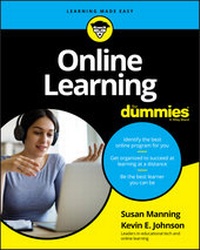
Online Learning For Dummies
Description

New to online academia and need someone to show you around? You're in the right place--and you're not alone! As more of everything goes online--fueled by tech trends as well as unexpected events like the COVID-19 crisis--it's no surprise that many of us are getting our educations there, too. Online Learning For Dummies is here to welcome you to the gigantic (and gigantically exciting!) virtual campus, and help you get settled in by providing an overview of the endless opportunities offered by distance learning, as well as offering practical advice to make sure you have the right equipment, mindset, and study techniques for success.
In a step-by-step style, this friendly guide takes you from the process of determining what sort of online program is right for you, through applying and enrolling, to building the skills you'll need to succeed. You'll learn how to navigate the common features of the online learning classroom, explore the digital etiquette that will help you get the most out of your instructors and fellow students, and discover how to effectively and professionally present your work. You'll also find out how to develop good online study habits to help you avoid distraction, and how to set aside undisturbed time in between juggling the demands of work, family, and social life.
* Evaluate the latest courses and opportunities
* Make sure you have the correct hardware and software
* Develop your online study skills via best practices
* Avoid digital fatigue
Regardless of age or experience, we can all do with a few pointers on how to get more from the vast array of educational opportunities offered online. This book has them all: Get reading, get online, and get the most from that education you've been dreaming about.
More details
Other editions
Additional editions
Persons
Content
- Intro
- Cover
- Online Learning
- Contents at a Glance
- Table of Contents
- Foreword
- Introduction
- Part 1 Introducing a Different Kind of Learning
- 1 Planning for Your Online Learningjourney
- Examining the Characteristics and Advantages of Online Education
- Knowing the Technology and Computer Skills You Need to Succeed
- Seeing How to Go About Becoming an Online Learner
- Becoming a Star Learner
- Looking at a Few Special Situations in Online Education
- 2 The Traits and Benefits of Online Learning
- What Makes Online Learning Different from Traditional Education?
- Who Benefits from Online Learning?
- Getting a Grip on Potential Pitfalls
- Determining Whether You're Ready to join the World of Online Learning
- 3 The Equipment and Skills You Need to Succeed
- Checking Your Technological Readiness
- Testing Your Technological Abilities
- Staying Safe Online
- Part 2 Preparing to Be a Learner
- 4 Discovering What's Available Online
- Examining Different Types of Online Programs and Courses
- Finding Out Which Institutions Offer Online Programs and Courses
- Checking Out Different Structures of Online Courses
- Finishing Your Schooling Faster with Accelerated Programs and Courses
- 5 Doing Your Homework: Evaluating Schools
- Focusing On What You Need in a School
- Finding an Accredited School
- Talking to the Right People to Find the Answers You Need
- Narrowing Your Options
- 6 Applying to School and Securing the Cash
- Applying to an Online Program
- Calculating the Costs of Online Classes
- Figuring Out How You'll Pay for Online Classes
- Applying for Federal Financial Aid
- 7 Getting Accepted and Prepping for Class
- Finding Out Whether You've Been Accepted or Rejected
- Registering for Classes
- Getting Oriented
- Buying Books
- 8 Mentally Preparing and Having a Technology Mind set
- Taking On the Right Attitude
- Knowing the Tools You Might Use
- You Don't Have to Know Everything
- Mastering New Tools Quickly
- Part 3 The Virtual Classroom: Being an A+ Student
- 9 Navigating the Learning Environment
- Reaching Your Virtual Learning Environment
- Locating and Understanding Critical Documents
- Modules and More: Understanding a Course's Content Organization
- Attending Live Sessions
- 10 Meeting the People in (and Around) Your Classroom
- Getting to Know the Folks Who Are Front and Center
- Seeing Who's Behind the Scenes
- 11 Communicating Clearly Online
- Checking Out Methods of Communicating Online
- Creating and Putting Forward an Online Persona
- Participating in Discussions
- Tapping into Social Networks
- 12 Developing Good Study Habits for Online Courses
- Setting Aside Time to Learn
- Navigating the Web Efficiently
- Reading Wisely
- Visiting the Library
- Working Offline
- 13 Getting a Handle on Group Dynamics
- Making Your Online Group Successful
- Resolving Conflicts
- 14 Recognizing We Are Global
- Setting the Stage for Global Learning
- Meeting People around the World
- Accessing the Internet around the World
- Making the Most of Your Class Time
- 15 Understanding Netiquette and Ethical Behavior
- Defining and Using Netiquette
- Recognizing the Importance of Online Ethics
- Avoiding Plagiarism
- 16 Finishing and SubmittingYour Assignments
- Understanding the Ramifications of Rubrics
- Writing 101
- Completing Different Types of Assignments
- Submitting Assignments
- Understand How and When to Use Media
- 17 Building a Portfolio of Work
- Developing a Body of Work to Take with You
- Getting Help with Finding a job
- Part 4 Special Considerations in Online Learning
- 18 Educating Students from Kindergarten through High School
- Understanding Why Kids Are Attending School Online
- Seeing the Differences between K-12 and Adult Online Education
- Checking Out Different Kinds of Virtual Schools for Kids and Teens
- Going Through the K-12 Enrollment Process
- 19 Accessibility in Online Education
- Determining Whether the Courses You Want to Take Are Accessible
- Disclosing a Disability to Your Chosen Online School
- Using Assistive Technology Online
- Part 5 The Part of Tens
- 20 Ten Myths about Online Learning
- Online Learning Is Anytime/Anywhere
- Only Kids Take Online Courses
- An Online Course Is a Helpful Way to Learn How to Use Your Computer
- You Must Be a Computer Geek to Take an Online Course
- Online Learning Is Easier than Face-to-Face Classes
- Online Courses Are Lower in Quality than Face-to-Face Courses
- Online Learning Is Always Independent
- Online Learning Is Less Personal than Traditional Learning
- You Need a Webcam for an Online Class
- Everyone Cheats Online
- 21 Ten Best Practices for Online Learners Including Self-Care
- Treat Learning Like It's a job
- It's Not a Sprint- Irs a Marathon
- Manage Your Own Expectations
- Your Calendar Is Your Best Friend
- Advocate for Yourself: Ask for Help
- Be Present in Class (And Let Your Instructor Know)
- Give Constructive Feedback
- It's Okay to Take a Break
- Sleep Is Good for You
- Say Thank You
- Index
- About the Authors
- Dedication
- Time and Space
- Author's Acknowledgments
Introduction
According to the Babson Survey Research Group, online enrollments had grown for 14 years consecutively. Nearly every college student accesses course documents and resources via online portals. One in three learners in higher education takes at least one fully online course. That's a lot of online learning! And, considering that college is no longer limited to advantaged 18- to 22-year-olds, that means a lot of those online learners may be older and less familiar with the tools that come with the territory. That's why we've written this book - for the many learners who find themselves in school, online, and confused.
And then there's the COVID-19 pandemic of 2020. Overnight, brick-and-mortar schools had to shift to online options. College students were told to finish the term online. Though this kind of emergency instruction was not ideal for faculty or students, it brought about a sensitivity to how different online learning is from face-to-face models.
Furthermore, the ups and downs of the global economy have sent more learners back to school to retool or add credentials to their résumé. However, balancing work, family, and civic commitments with school is an arduous task at best. Online options allow learners to address their professional development needs at a time, and in a manner, that may be more flexible with their lifestyles. This may be part of the reason that online enrollments have mushroomed over the past few years.
Fifteen years ago when we tried to explain to people that we teach college courses online, we were met with, "How does that work?" Today, we hear stories of family members or colleagues taking courses online, but many questions still remain. There's a bit of controversy, too, in that students may not have a choice but to take a course online, and too often they're left to flounder, with inadequate guidance from advisors and faculty.
Regardless of age or experience, learners who know what they want and are willing to work hard are the ultimate winners in the world of education. Online Learning For Dummies helps students become winners in the online classroom by explaining just how it works. We take you from the decision-making process of determining whether this venue is right for you to applying and enrolling and then to the skills you need to succeed.
About This Book
Online Learning For Dummies is not a highly academic book written for scholars. It's a book for everyday people who find themselves faced with online possibilities. You can trust this book when you need to quickly understand something about online learning. Consider these examples:
- If you're a working professional who needs to earn an additional degree or certification for career advancement, we can show you how to put together your application materials and get started in a program.
- If you want to go to school full-time but lack the funding, we can tell you whom to talk to regarding financial aid.
- If you want to take online courses but are unfamiliar with the technology involved, we can walk you through the kinds of tools you'll use to support classroom discussion and submit your assignments.
- If you're a high school student thinking about nontraditional schooling, we can give you the information you need. We also cover students with disabilities.
Depending on who you are and what you need in terms of online learning, you can easily skip around this book to find exactly what you need. (Don't worry - we won't complain if you want to read it from cover to cover!)
Conventions Used in This Book
We use several standard conventions throughout this book:
- New terms are italicized. We try to use as little jargon as possible, but because online education utilizes some slightly new vocabulary, some terms are unavoidable. Italicized words are followed by definitions in layman's terms. (We also italicize any words we want to emphasize.)
- Key words in bulleted and numbered lists are bold so that you skim what's most important.
- You'll see a lot of web addresses - how could you not, when we're talking about online learning? Also, notice we don't always give the entirety of the address, just the basic information you need to type into your browser bar. For example, if you type
www.vimeo.com, you'll get to the page! - We've used gender-neutral language throughout the book. You'll notice "they" as the most common pronoun. That's because teachers and students come in both varieties!
What You're Not to Read
Of course, our egos hope that you read and digest every word. But the realists in us know that you're busy and might want to read only the essential material. So, if you need to skip a few things due to time constraints, here are a couple of suggestions:
- Sidebars (in shaded gray boxes) contain information that is interesting but not critical to understanding online education. You can skip these boxes, especially if you understand the context of the surrounding material.
- We use the Technical Stuff icon for any topic that may require a little more explanation of what it is and how it works. However, providing an understanding of technical details isn't the purpose of this book. Therefore, paragraphs marked with this icon can be skimmed quickly or skipped entirely, if you prefer.
Foolish Assumptions
As a way of helping us focus on what to write, we made several assumptions about you, dear reader, when writing this book:
- You know how to use a computer for the basics. We hope this is true about you. If it isn't true, perhaps you can skim Chapter 3 and then decide whether online education is really for you.
- You're considering going back to school and you're leisurely looking at alternatives. Maybe you're curious about how online learning works and want to get a sense before you select a school or program. In that case, you have plenty of time and may read the book from cover to cover.
- You know which subject you want to study. We know that not everybody knows exactly what they want to study or what career they want to have upon graduation. We've done our best to speak to those who want to participate in a full-fledged online program as well as those who want to explore options and possibly take only one or two classes total.
- You're faced with an online course, have no idea what you're in for, and need the information quickly! This is where the majority of online students find themselves the first time. If you're already enrolled, you may want to jump to Part 3 and learn what you need to excel.
- You're an online instructor (or were recently forced to become one) and are curious about the various ways in which online courses are structured and how students and staff interact in cyberspace. This book can help you see online learning from the student's perspective, and it may inspire you to try a new idea or two. Heck, it may even inspire you to consider taking an online course as a way to grow professionally.
- You're an online instructor and you need your students to be better prepared for taking online courses. Perhaps your students are coming to your virtual classroom unprepared, with false expectations about online learning. In this case, consider recommending this book to your school bookstore to help your future students settle in to your online course quicker.
How This Book Is Organized
Online Learning For Dummies is organized in five parts. The parts are organized so that you can start by looking at the big picture of online learning and then walk through the decision-making and application processes, dive into courses and succeed, and, ultimately, move out of the educational realm to apply your newfound skills and knowledge.
Part 1: Introducing a Different Kind of Learning
In this part, we give you the basic landscape of online learning. In particular, we discuss what you may need to consider about online learning to see whether this is truly a fit for you. In addition, we give you an overview of the technological competencies you should have before taking an online course.
Part 2: Preparing to Be a Learner
If you haven't gone to school in the past ten years, you're in for a surprise! Almost everything is online, from course catalogs to applications to live advisors. This part walks you through the processes you need to follow to select an appropriate program or course, apply, register, and enroll. We also tell you about why you need to have the right attitude for learning online.
Part 3: The Virtual Classroom: Being an A+ Student
This part is where we talk about the specifics of how online learning works. Drawing from years of helping new learners become acclimated to online courses, we walk you through the common activities and processes you need to know as an online learner. This includes communication skills, identifying important documents and resources in a course, and understanding your role and tasks as a learner. Even if you've taken an online course previously, you may be surprised at the details...
