

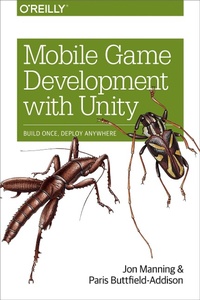
Mobile Game Development with Unity
Build Once, Deploy Anywhere
Published on 2. August 2017
464 pages
978-1-4919-2237-8 (ISBN)
Description

Do you want to build mobile games, but lack game development experience? No problem. This practical guide shows you how to create beautiful, interactive content for iOS and Android devices with the Unity game engine.Authors Jon Manning and Paris Buttfield-Addison (iOS Swift Game Development Cookbook) provide a top-to-bottom overview of Unitys features with specific, project-oriented guidance on how to use them in real game situations. Over the course of this book, youll learn hands-on how to build 2D and 3D games from scratch that will hook and delight players. If you have basic programming skills, youre ready to get started.Explore the basics of Unity, and learn how to structure games, graphics, scripting, sounds, physics, and particle systemsUse 2D graphics and physics features to build a side-scrolling action gameCreate a 3D space combat simulator with projectile shooting and respawning objects, and learn how to manage the appearance of 3D modelsDive into Unitys advanced features, such as precomputed lighting, shading, customizing the editor, and deployment
More details
Other editions
Additional editions
Book
08/2017
O'Reilly
€47.00
Shipment within 10-20 days
Content
- Cover
- Copyright
- Table of Contents
- Preface
- Resources Used in This Book
- Audience and Approach
- Conventions Used in This Book
- Using Code Examples
- O'Reilly Safari
- How to Contact Us
- Acknowledgments
- Part I. The Basics of Unity
- Chapter 1. Introducing Unity
- Hello, Book
- Mobile Games
- Hello, Unity
- What's Unity For?
- Getting Unity
- Chapter 2. A Tour of Unity
- The Editor
- Play Mode and Edit Mode
- The Scene View
- The Mode Selector
- Getting Around
- Handle Controls
- The Hierarchy
- The Project View
- The Inspector
- The Game View
- Wrapping Up
- Chapter 3. Scripting in Unity
- A Crash Course in C#
- Mono and Unity
- MonoDevelop
- Game Objects, Components, and Scripts
- The Inspector
- Components
- Important Methods
- Awake and OnEnable
- Start
- Update and LateUpdate
- Coroutines
- Creating and Destroying Objects
- Instantiation
- Creating an Object from Scratch
- Destroying Objects
- Attributes
- Time in Scripts
- Logging to the Console
- Wrapping Up
- Part II. Building a 2D Game: Gnome on a Rope
- Chapter 4. Getting Started Building the Game
- Game Design
- Creating the Project and Importing Assets
- Creating the Gnome
- Rope
- Coding the Rope
- Configuring the Rope
- Wrapping Up
- Chapter 5. Preparing for Gameplay
- Input
- Unity Remote
- Adding Tilt Control
- Controlling the Rope
- Making the Camera Follow the Gnome
- Scripts and Debugging
- Setting Up the Gnome's Code
- Setting Up the Game Manager
- Setting Up and Resetting the Game
- Creating a New Gnome
- Removing the Old Gnome
- Resetting the Game
- Dealing with Touching
- Reaching the Exit
- Pausing and Unpausing
- Handling the Reset Button
- Preparing the Scene
- Wrapping Up
- Chapter 6. Building Gameplay with Traps and Objectives
- Simple Traps
- Treasure and Exit
- Creating the Exit
- Adding a Background
- Wrapping Up
- Chapter 7. Polishing the Game
- Updating the Gnome's Art
- Updating the Physics
- Background
- Layers
- Creating the Backgrounds
- Different Backgrounds
- The Bottom of the Well
- Updating the Camera
- User Interface
- Invincibility Mode
- Wrapping Up
- Chapter 8. Final Touches on Gnome's Well
- More Traps and Level Objects
- Spikes
- Spinning Blade
- Blocks
- Particle Effects
- Defining the Particle Material
- The Blood Fountain
- The Blood Explosion
- Using the Particle Systems
- Main Menu
- Scene Loading
- Audio
- Wrapping Up and Challenges
- Part III. Building a 3D Game: Space Shooter
- Chapter 9. Building a Space Shooter
- Designing the Game
- Getting the Assets
- Architecture
- Creating the Scene
- Ship
- Space Station
- Skybox
- Canvas
- Wrapping Up
- Chapter 10. Input and Flight Control
- Input
- Adding the Joystick
- The Input Manager
- Flight Control
- Indicators
- Indicator Manager
- Wrapping Up
- Chapter 11. Adding Weapons and Targeting
- Weapons
- Ship Weapons
- Fire Button
- Target Reticle
- Wrapping Up
- Chapter 12. Asteroids and Damage
- Asteroids
- Asteroid Spawner
- Damage-Dealing and Taking
- Explosions
- Wrapping Up
- Chapter 13. Audio, Menus, Death, and Explosions!
- Menus
- Main Menu
- Paused Screen
- Game Over Screen
- Adding a Pause Button
- Game Manager and Death
- Start Points
- Creating the Game Manager
- Setting Up the Scene
- Boundaries
- Creating the UI
- Coding the Boundary
- Final Polish
- Space Dust
- Trail Renderers
- Audio
- Explosions
- Wrapping Up
- Part IV. Advanced Features
- Chapter 14. Lighting and Shaders
- Materials and Shaders
- Fragment-Vertex (Unlit) Shaders
- Global Illumination
- Light Probes
- Thinking About Performance
- The Profiler
- Getting Data from Your Device
- General Tips
- Wrapping Up
- Chapter 15. Creating GUIs in Unity
- How GUIs Work in Unity
- Canvas
- RectTransform
- The Rect Tool
- Anchors
- Controls
- Events and Raycasts
- Responding to Events
- Using the Layout System
- Scaling the Canvas
- Transitioning Between Screens
- Wrapping Up
- Chapter 16. Editor Extensions
- Making a Custom Wizard
- Making a Custom Editor Window
- The Editor GUI API
- The Asset Database
- Making a Custom Property Drawer
- Creating the Class
- Setting the Height of the Property
- Overriding OnGUI
- Getting the Properties
- Creating a property scope
- Drawing the Label
- Calculating the Rectangles
- Getting the Values
- Creating the Change Check
- Drawing the Slider
- Drawing the Fields
- Checking for Changes
- Storing the Properties
- Testing It Out
- Making a Custom Inspector
- Creating a Simple Script
- Creating a Custom Inspector
- Setting Up the Class
- Defining the Colors and Properties
- Setting Up the Variables
- Starting to Draw the GUI
- Drawing the Controls
- Applying Changes
- Testing It Out
- Wrapping Up
- Chapter 17. Beyond the Editor
- The Unity Services Ecosystem
- The Asset Store
- Unity Cloud Build
- Unity Ads
- Deployment
- Setting Up Your Project
- Setting Your Target
- Building for Your Platform
- Where to Go from Here
- Index
- About the Authors
- Colophon
