

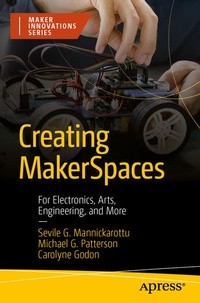
Creating MakerSpaces
Description

Start your own MakerSpace and foster a robust and resilient place for Makers to grow and develop their skills. This book is the perfect guide for those interested in building and making, using a knowledge of art, biology, electronics, or mechanical work.
It's not enough to just buy a few 3D printers or have some electronics. MakerSpaces span a variety of areas, including art, biology, chemistry, electronics, and mechanics. As you start one, you need to make sure you have the right tools, the right supplies, and the right operation. First, you'll explore the variety of tools and supplies available, from low-cost to expensive, and see how to use them. Then select the best tools for your MakerSpace, whether for a library, a school, or to open-up to a community. The next phase is operating a MakerSpace. We'll explore how to lay out your space, control access, and provide training. In addition, this book offers suggestions on how to manage your staff, whether part-time, full-time, or volunteers.
Creating MakerSpaces is your pathway to a safe, well-maintained, and great environment for Makers in your community!
What You'll Learn
- Source the skills you need to help your community of Makers
- Manage your MakerSpace effectively once it's set up
- Provide the right training to use and maintain your space safely
Who This Book Is For
Anyone interested in starting a MakerSpace
More details
Other editions
Additional editions
Persons
Carolyne Godon worked as a graduate student at the University of Pennsylvania's Bioengineering Educational Laboratories and was instrumental in establishing the lab as a Bio-MakerSpace.
Sevile Mannickarottu worked as a design engineer before taking over management of the University of Pennsylvania's Bioengineering Educational Laboratories. Seeing the need for an open space for "making" and learning through making, Sevile turned the lab into Penn's first open MakerSpace, and one of the few Bio-MakerSpaces in the world. Students from across the University have used the space to work on projects and launch successful startups in a variety of fields. Sevile currently serves as the Director for Technological Innovation & Entrepreneurship at Penn's School of Engineering and Applied Science.
Michael Patterson has worked in the University of Pennsylvania's Bioengineering Educational Laboratory for nearly a decade, moving from undergraduate to full-time staff member. Michael worked closely with Sevile to transition the Educational Lab into a thriving Bio-MakerSpace and was instrumental in the creation of lab automations. Michael currently serves as the Lab Director of the Educational Lab.
Content
Chapter 1: Introducing MakerSpaces.- Chapter 2: Space Types.- Chapter 3: Maker Fields.- Chapter 4: Equipment and Tools.- Chapter 5: Organizing MakerSpaces.- Chapter 6: Operating a MakerSpace.- Chapter 7: Building a Maker Community.- Chapter 8: Final Thoughts.
