

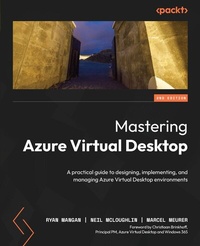
Mastering Azure Virtual Desktop
A practical guide to designing, implementing, and managing Azure Virtual Desktop environments
2nd Edition
Published on 13. January 2025
718 pages
978-1-83588-415-7 (ISBN)
Description

Master Azure Virtual Desktop with expert guidance from industry leaders and MVPs, and unlock its advanced capabilities for cloud virtualization and remote application delivery.Key Features - Learn how to design a strong architecture for your Azure Virtual Desktop
- Implement, monitor, and maintain a virtual desktop environment
- Gain insights into Azure Virtual Desktop and prepare successfully for the AZ-140 exam
- Purchase of the print or Kindle book includes a free PDF eBook
Book DescriptionAcquire in-depth knowledge for designing, building, and supporting Azure Virtual Desktop environments with the updated second edition of Mastering Azure Virtual Desktop. With content aligned with exam objectives, this book will help you ace the Microsoft AZ-140 exam. This book starts with an introduction to Azure Virtual Desktop before delving into the intricacies of planning and architecting its infrastructure. As you progress, you'll learn about the implementation process, with an emphasis on best practices and effective strategies. You'll explore key areas such as managing and controlling access, advanced monitoring with the new Azure Monitoring Agent, and advanced application deployment. You'll also gain hands-on experience with essential features like the MSIX app attach, enhancing user experience and operational efficiency. Beyond advancing your skills, this book is a crucial resource for those preparing for the Microsoft Certified: Azure Virtual Desktop Specialty certification. By the end of this book, you'll have a thorough understanding of the Azure Virtual Desktop environment, from design to implementation.What you will learn - Architect a robust Azure Virtual Desktop setup
- Master the essentials of networking and storage configurations
- Create and configure session host images and host pools
- Gain insights into controlling access and enhancing security
- Implement FSLogix profile containers and Cloud Cache for improved performance
- Discover MSIX app attach for efficient application delivery
- Understand strategies for business continuity and disaster recovery
- Monitor and manage the performance and health of your Azure Virtual Desktop environment
Who this book is forMastering Azure Virtual Desktop is a comprehensive guide designed for IT professionals, modern workspace administrators, architects, and consultants looking to build and manage Azure Virtual Desktop environments. It's also an invaluable resource for individuals aiming to strengthen their cloud virtualization skills or prepare for the Microsoft AZ-140 certification exam.
- Implement, monitor, and maintain a virtual desktop environment
- Gain insights into Azure Virtual Desktop and prepare successfully for the AZ-140 exam
- Purchase of the print or Kindle book includes a free PDF eBook
Book DescriptionAcquire in-depth knowledge for designing, building, and supporting Azure Virtual Desktop environments with the updated second edition of Mastering Azure Virtual Desktop. With content aligned with exam objectives, this book will help you ace the Microsoft AZ-140 exam. This book starts with an introduction to Azure Virtual Desktop before delving into the intricacies of planning and architecting its infrastructure. As you progress, you'll learn about the implementation process, with an emphasis on best practices and effective strategies. You'll explore key areas such as managing and controlling access, advanced monitoring with the new Azure Monitoring Agent, and advanced application deployment. You'll also gain hands-on experience with essential features like the MSIX app attach, enhancing user experience and operational efficiency. Beyond advancing your skills, this book is a crucial resource for those preparing for the Microsoft Certified: Azure Virtual Desktop Specialty certification. By the end of this book, you'll have a thorough understanding of the Azure Virtual Desktop environment, from design to implementation.What you will learn - Architect a robust Azure Virtual Desktop setup
- Master the essentials of networking and storage configurations
- Create and configure session host images and host pools
- Gain insights into controlling access and enhancing security
- Implement FSLogix profile containers and Cloud Cache for improved performance
- Discover MSIX app attach for efficient application delivery
- Understand strategies for business continuity and disaster recovery
- Monitor and manage the performance and health of your Azure Virtual Desktop environment
Who this book is forMastering Azure Virtual Desktop is a comprehensive guide designed for IT professionals, modern workspace administrators, architects, and consultants looking to build and manage Azure Virtual Desktop environments. It's also an invaluable resource for individuals aiming to strengthen their cloud virtualization skills or prepare for the Microsoft AZ-140 certification exam.
All prices
More details
Other editions
Previous edition
Ryan Mangan | Jim Moyle
Mastering Azure Virtual Desktop
The ultimate guide to the implementation and management of Azure Virtual Desktop
E-Book
06/2024
1st Edition
Packt Publishing Limited
from
€29.99
Available for download
Persons
Mangan Ryan :
Ryan Mangan, with over 17 years in the tech industry, specializes in cloud and end-user computing. His deep understanding of end-user computing, virtual desktop products, applications, networks, and virtualization has earned him recognition as a Microsoft MVP and Parallels VIPP, and previously a VMware vExpert, a title held for over a decade. As a Chartered Fellow of the British Computer Society and other industry titles, Ryan's professional dedication is evident. An author and speaker, he shares his knowledge, fostering growth in the community. In 2023, he established Efficient Ether, concentrating on cloud optimization, sustainability, and generative AI, demonstrating his commitment to advancing sustainable technology software solutions.McLoughlin Neil :
Neil McLoughlin boasts over 25 years of experience in the IT industry, with a dedicated focus on VDI, DaaS and end-user computing spanning the last decade. His commitment extends beyond professional realms, as he actively engages with the community, sharing insights and best practices in VDI and DaaS. Currently recognized as a Microsoft MVP, he plays a pivotal role in leading the EUC Forum User Group in the UK, organizing four in-person events annually. He also contributes significantly to the AVD Community newsletter, enriching its content on a weekly basis. Presently, Neil serves as a Principal Technical Account Manager at Nerdio, where he leverages his expertise to address intricate challenges within AVD and Windows 365 deployments.Meurer Marcel :
Marcel Meurer is responsible for the professional IT services business unit at sepago GmbH - a Proact comapny - in Cologne. His technical focus is Microsoft Azure platform services, and he has been a Microsoft Azure MVP since 2016. Since 2021, he has also been running ITProCloud, a Germany-based company that builds solutions to manage Microsoft Azure services. ITProCloud shares knowledge and tools like WVDAdmin and Hydra with customers and the community. In 1995, he started studying electrical engineering. Machine learning and neural networks were some of his favorite topics during his studies. He graduated as an electrical engineer from the University of Applied Science Aachen.
Ryan Mangan, with over 17 years in the tech industry, specializes in cloud and end-user computing. His deep understanding of end-user computing, virtual desktop products, applications, networks, and virtualization has earned him recognition as a Microsoft MVP and Parallels VIPP, and previously a VMware vExpert, a title held for over a decade. As a Chartered Fellow of the British Computer Society and other industry titles, Ryan's professional dedication is evident. An author and speaker, he shares his knowledge, fostering growth in the community. In 2023, he established Efficient Ether, concentrating on cloud optimization, sustainability, and generative AI, demonstrating his commitment to advancing sustainable technology software solutions.McLoughlin Neil :
Neil McLoughlin boasts over 25 years of experience in the IT industry, with a dedicated focus on VDI, DaaS and end-user computing spanning the last decade. His commitment extends beyond professional realms, as he actively engages with the community, sharing insights and best practices in VDI and DaaS. Currently recognized as a Microsoft MVP, he plays a pivotal role in leading the EUC Forum User Group in the UK, organizing four in-person events annually. He also contributes significantly to the AVD Community newsletter, enriching its content on a weekly basis. Presently, Neil serves as a Principal Technical Account Manager at Nerdio, where he leverages his expertise to address intricate challenges within AVD and Windows 365 deployments.Meurer Marcel :
Marcel Meurer is responsible for the professional IT services business unit at sepago GmbH - a Proact comapny - in Cologne. His technical focus is Microsoft Azure platform services, and he has been a Microsoft Azure MVP since 2016. Since 2021, he has also been running ITProCloud, a Germany-based company that builds solutions to manage Microsoft Azure services. ITProCloud shares knowledge and tools like WVDAdmin and Hydra with customers and the community. In 1995, he started studying electrical engineering. Machine learning and neural networks were some of his favorite topics during his studies. He graduated as an electrical engineer from the University of Applied Science Aachen.
Content
- Cover
- Title Page
- Copyright and Credits
- Dedication
- Foreword
- Contributors
- Table of Contents
- Preface
- Part 1: Introduction
- Chapter 1: Introduction to Azure Virtual Desktop
- Desktop virtualization
- Azure Virtual Desktop - What is it?
- Providing the best user experience
- Enhanced security
- Simplifying management
- Managing AVD performance
- What licenses do I need?
- Comparing Windows 365 and Azure Virtual Desktop
- How does Azure Virtual Desktop work?
- What's managed by Microsoft and what you manage
- What Microsoft manages
- What does the customer manage?
- Azure Virtual Desktop Stack HCI
- Summary
- Part 2: Planning an Azure Virtual Desktop Architecture
- Chapter 2: Designing the Azure Virtual Desktop Architecture
- Assessing existing physical and virtual desktop environments
- Assessing AVD deployments
- User personas
- Application groups
- Assessing the network capacity and speed requirements for AVD
- Applications
- Display resolutions
- AVD experience estimator
- RDP bandwidth requirements
- Estimating bandwidth utilization
- Estimating the bandwidth that's used by remote graphics
- Dynamic bandwidth allocation
- Limit network bandwidth use with throttle rate limiting
- Reverse connect transport
- Session host communication channel
- Client connection sequence
- Connection security
- Identifying an OS for an AVD implementation
- Supported Azure OS images
- What is Windows 11 multi-session?
- Customizing the Windows 11 multi-session image for your organization
- Planning and configuring name resolution for AD and Microsoft Entra Domain Services
- Planning a host pool architecture
- App groups
- End users
- Registering the DesktopVirtualization resource provider
- Registering the provider using Azure PowerShell (optional)
- Resource groups, subscriptions, and management group limits
- Configuring the location for the AVD metadata
- Calculating and recommending a configuration for capacity and performance requirements
- Multi-session recommendations
- Recommendations on sizing VMs
- General recommendations for VMs
- Testing workloads
- Summary
- Questions
- Further reading
- Chapter 3: Designing for User Identities and Profiles
- Selecting a licensing model for your Azure Virtual Desktop deployment
- Applying Azure Virtual Desktop licensing to virtual machines
- Azure Files tiers
- Planning for user profiles
- User profiles
- Challenges with previous user profile technologies
- An introduction to FSLogix profile containers
- Azure Files integration with Entra ID DS
- Microsoft Entra Kerberos for hybrid identities
- Planning for user identities
- Planning for Windows Remote Desktop client deployment
- Installing the Windows Remote Desktop client
- Windows App for the Windows Store (currently in public preview)
- Subscribing to a workspace
- Accessing client logs
- Connecting to Azure Virtual Desktop using the web client
- Setting up email discovery to subscribe to the Azure Virtual Desktop feed
- Summarizing the prerequisites for Azure Virtual Desktop
- Summary
- Questions
- Chapter 4: Implementing and Managing Networking for Azure Virtual Desktop
- Implementing Azure VNet connectivity
- Azure VNet
- What is an Azure VNet?
- Communication between Azure resources
- Communication with on-premises networks
- Filtering and routing Azure network traffic
- Understanding what VNet integration is for Azure services
- Managing connectivity to the internet and on-premises networks
- Types of VPNs available to you
- Internet access and outbound connections
- Implementing and managing network security
- Azure network security overview
- Understanding AVD network connectivity
- Managing AVD session hosts using Azure Bastion
- What is Azure Bastion?
- Setting up Azure Bastion
- Connecting to a VM using Azure Bastion
- Monitoring and troubleshooting network connectivity
- Summary
- Questions
- Chapter 5: Implementing and Managing Storage for Azure Virtual Desktop
- Configuring storage for FSLogix components
- FSLogix profile container storage options
- The different Azure Files tiers
- Best practices for Azure Files with AVD
- Configuring storage accounts
- Step 1 - Creating a new storage account
- Step 2 - Configuring the basics
- Step 3 - Configuring advanced settings
- Step 4 - Configuring networking
- Step 5 - Configuring data protection
- Step 6 - Configuring encryption
- Configuring file shares
- Configuring disks
- Ephemeral OS disks
- Creating a VHD image
- Creating a VM
- Creating a local image
- Dynamic disks versus fixed disks
- Summary
- Questions
- Further reading
- Part 3: Implementing an Azure Virtual Desktop Infrastructure
- Chapter 6: Creating Host Pools and Session Hosts
- Creating a host pool by using the Azure portal
- Host pool creation
- Workspace information
- Automating the creation of AVD hosts and host pools
- Setting up PowerShell for AVD
- Creating an AVD host pool with PowerShell
- Summary
- Questions
- Chapter 7: Configuring Azure Virtual Desktop Host Pools
- Windows Server session host licensing
- Configuring host pool settings
- Customizing RDP properties
- Using PowerShell to customize RDP properties
- Using PowerShell to configure load-balancing methods
- Assigning users to host pools via PowerShell
- Configuring automatic assignment
- Re-assigning a personal desktop
- Configuring direct assignment using PowerShell
- Applying OS and application updates on an Azure Virtual Desktop host
- Configuring a validation pool
- Applying security and compliance settings to session hosts
- Summary
- Questions
- Chapter 8: Entra ID Join for Azure Virtual Desktop
- Prerequisites
- Deploying an Entra ID-joined host pool
- Enabling user access
- Connecting to Entra ID-joined session hosts using the Remote Desktop client
- Enabling Microsoft Entra authentication for RDP
- Configuring local admin access
- Summary
- Questions
- Chapter 9: Creating and Managing Session Host Images
- Creating a golden image
- Creating a VM
- Connecting to the VM
- Custom image templates
- Creating your first custom image
- Modifying a session host image
- Disabling automatic updates
- Installing language packs in AVD
- Optimizing an image
- Capturing an image template
- Creating and using an ACG
- Creating your first ACG
- Capturing an image in an ACG
- Creating an image definition from the ACG
- Creating an image version
- Troubleshooting OS issues related to AVD
- VMs are not joined to the domain
- AVD Agent and AVD bootloader are not installed
- AVD Agent is not registering with the AVD service
- Basic performance troubleshooting in AVD
- Networking troubleshooting
- Summary
- Questions
- Part 4: Managing Access and Security
- Chapter 10: Managing Access
- Introduction to Azure RBAC
- Planning and implementing Azure roles and RBAC for AVD
- The delegated access model
- Assigning RBAC roles to IT admins
- The PowerShell way to assign role assignments
- Creating a custom role using the Azure portal
- Managing local roles, groups, and rights assignments on AVD session hosts
- Configuring user restrictions by using Entra ID Domain Services group policies
- Summary
- Questions
- Chapter 11: Managing Security
- Introduction to MFA
- How does Entra MFA Work?
- Security defaults
- Conditional Access
- Planning and implementing MFA
- Creating a Conditional Access policy for MFA
- Managing security by using Microsoft Defender for Cloud
- Securing AVD using Microsoft Defender for Cloud
- Using Microsoft Defender for Cloud and AVD
- Enabling enhanced security for AVD
- Configuring Microsoft Defender Antivirus for session hosts
- What's the difference between Microsoft Defender Antivirus and Microsoft Defender for Endpoint?
- Getting the latest updates
- Setting the scheduled task to run the PowerShell script
- Manually downloading and unpacking
- Configuring quick scans
- Suppressing notifications
- Enabling headless UI mode
- Summary
- Questions
- Part 5: Managing User Environments and Apps
- Chapter 12: Implementing and Managing FSLogix
- Installing and configuring FSLogix
- License requirements for FSLogix profile containers
- FSLogix key capabilities
- FSLogix installation and configuration
- Configuring antivirus exclusions
- Configuring exclusions using PowerShell
- Configuring profile containers
- Cloud Cache
- Configuring Cloud Cache
- Microsoft Teams integration
- Teams exclusions
- FSLogix profile container best practices
- Summary
- Questions
- Chapter 13: Configuring User Experience Settings
- Configuring Universal Print
- Prerequisites for Universal Print
- Universal Print administrator roles
- Setting up Universal Print
- Registering printers using the Universal Print connector
- Assigning permissions and sharing printers
- Adding a Universal Print printer to a Windows device
- Configuring user settings using Microsoft Intune
- Start VM on Connect
- Configuring with the Azure portal
- Supported VM sizes
- Prerequisites for enabling hibernation mode
- Integrating hibernation into AVD
- Enabling screen capture protection for AVD
- Enabling screen capture protection via Intune
- Enabling watermarking
- Prerequisites for watermarking
- Enabling watermarking using Group Policy
- Enabling watermarking via Intune
- Troubleshooting FSLogix profile issues
- Troubleshooting AVD client issues
- Testing connectivity
- Resetting the Remote Desktop client
- The Remote Desktop client is showing no resources
- Summary
- Further reading
- Questions
- Chapter 14: MSIX App Attach
- Configuring dynamic application delivery by using MSIX app attach
- What is MSIX?
- What does it look like inside MSIX?
- What is MSIX app attach?
- MSIX app attach terminology
- An overview on how MSIX app attach works
- Prerequisites
- Creating an MSIX package
- Packaging a simple application in an MSIX container
- Creating an MSIX image
- Configuring Azure Files for MSIX app attach
- Importing the code-signed certificate
- Uploading MSIX images to Azure Files
- Configuring MSIX app attach
- Publishing an MSIX app to a RemoteApp application group
- Troubleshooting MSIX app attach
- Published MSIX app attach applications not showing in the Start menu
- App attach (public preview)
- How app attach works
- Key differences between MSIX app attach and app attach
- Creating an app attach package
- Summary
- Further reading
- Questions
- Chapter 15: Configuring Apps on a Session Host
- Application masking
- Rule types available
- Deploying an application as a RemoteApp application
- Implementing and managing OneDrive for Business for a multi-session environment
- Implementing and managing Microsoft Teams AV redirection
- Implementing and managing multimedia redirection
- Managing internet access for Azure Virtual Desktop sessions
- What are VM applications?
- Summary
- Questions
- Part 6: Monitoring and Maintaining an Azure Virtual Desktop Infrastructure
- Chapter 16: Planning and Implementing Business Continuity and Disaster Recovery
- Designing a backup strategy for Azure Virtual Desktop
- Planning and implementing a disaster recovery plan for Azure Virtual Desktop
- Virtual network
- Virtual machines
- Managing user identities
- Configuring user and app data
- Disaster recovery considerations for MSIX app attach
- Application dependencies
- Configuring backup and restore for FSLogix user profiles, personal virtual desktop infrastructures (VDIs), and golden images
- Virtual machine backup and restore
- Zone-redundant storage
- Azure file backup and restore
- Replicating virtual machine images between regions
- Summary
- Questions
- Chapter 17: Automating Azure Virtual Desktop Management Tasks
- Creating an Automation account for Azure Virtual Desktop
- Giving the Automation account permissions
- Automating the management of host pools, session hosts, and user sessions using PowerShell
- Configuring an Azure automation runbook
- Testing a PowerShell runbook in Azure
- Creating a schedule
- Autoscale - scaling plans
- Giving Microsoft access to start and stop VMs
- Creating a pooled scaling plan (multiuser)
- Creating a personal scaling plan (assigned user)
- Summary
- Questions
- Chapter 18: Monitoring and Managing Performance and Health
- Configuring Azure Monitor for AVD
- Creating a Log Analytics workspace
- Configuring the monitoring of AVD
- Configuring performance counters and event logs
- Using Insights
- Differences between AVD Insights and host pool insights
- Using the host pool insights
- Setting up alerts using alert rules
- Introduction to Kusto
- Connecting Log Analytics to Kusto.Explorer
- Creating queries for AVD using Kusto.Explorer
- Some additional Kusto queries
- Using Azure Advisor for AVD
- Summary
- Questions
- Chapter 19: Azure Virtual Desktop's Quickstart Feature
- How the Quickstart feature works
- Prerequisites
- Using the Quickstart feature with Entra ID Domain Services (Entra ID DS)
- Using the Quickstart feature without an identity provider
- Post-deployment cleanup
- Troubleshooting the Quickstart feature
- Summary
- Questions
- Final Assessment
- Questions
- Answers
- Appendix
- Microsoft Resources and Microsoft Learn
- Azure Virtual Desktop community shout-outs!
- Cool vendors
- Introducing EtherAssist - the premier AI technical assistant
- Specialized support for Azure Virtual Desktop
- Level up at AVD TechFest
- Why attend AVD TechFest?
- Summary
- Index
- Other Books You May Enjoy
