

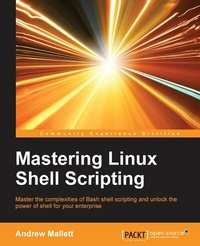
Mastering Linux Shell Scripting
Master the complexities of Bash shell scripting and unlock the power of shell for your enterprise
1st Edition
Published on 13. January 2025
198 pages
978-1-78439-759-3 (ISBN)
Description

Master the complexities of Bash shell scripting and unlock the power of shell for your enterpriseKey Features - [*] Identify the high level steps such as verifying user input, using command lines and conditional statements in creating and executing simple shell scripts
- [*] Create and edit dynamic shell scripts to manage complex and repetitive tasks
- [*] Learn about scripting in Perl and programming in Python as a BASH scripting alternative with this practical, step-by-step guide
Book DescriptionShell scripting is a quick method to prototype a complex application or a problem by automating tasks when working on Linux-based systems. Using both simple one-line commands and command sequences complex problems can be solved with ease, from text processing to backing up sysadmin tools. In this book, you'll discover everything you need to know to master shell scripting and make informed choices about the elements you employ. Get to grips with the fundamentals of creating and running a script in normal mode, and in debug mode. Learn about various conditional statements' code snippets, and realize the power of repetition and loops in your shell script. Implement functions and edit files using the Stream Editor, script in Perl, program in Python - as well as complete coverage of other scripting languages to ensure you can choose the best tool for your project. What you will learn - [*] Use the type command to identify the order of command evaluation
- [*] Create interactive scripts that prompt for user input
- [*] Foster menu structures for operators with little command-line experience
- [*] Develop scripts that dynamically edit web configuration files to produce a new virtual host
- [*] Write scripts that use AWK to search and reports on log files
- [*] Draft effective scripts using functions as building blocks, reducing maintenance and build time
- [*] Make informed choices by comparing different script languages such as Perl and Python with BASH
Who this book is forMastering Linux Shell Scripting has been written for Linux administrators who want to automate tasks in their daily lives, saving time and effort. You'll need to have command-line experience and be familiar with the tasks that you need to automate.
- [*] Create and edit dynamic shell scripts to manage complex and repetitive tasks
- [*] Learn about scripting in Perl and programming in Python as a BASH scripting alternative with this practical, step-by-step guide
Book DescriptionShell scripting is a quick method to prototype a complex application or a problem by automating tasks when working on Linux-based systems. Using both simple one-line commands and command sequences complex problems can be solved with ease, from text processing to backing up sysadmin tools. In this book, you'll discover everything you need to know to master shell scripting and make informed choices about the elements you employ. Get to grips with the fundamentals of creating and running a script in normal mode, and in debug mode. Learn about various conditional statements' code snippets, and realize the power of repetition and loops in your shell script. Implement functions and edit files using the Stream Editor, script in Perl, program in Python - as well as complete coverage of other scripting languages to ensure you can choose the best tool for your project. What you will learn - [*] Use the type command to identify the order of command evaluation
- [*] Create interactive scripts that prompt for user input
- [*] Foster menu structures for operators with little command-line experience
- [*] Develop scripts that dynamically edit web configuration files to produce a new virtual host
- [*] Write scripts that use AWK to search and reports on log files
- [*] Draft effective scripts using functions as building blocks, reducing maintenance and build time
- [*] Make informed choices by comparing different script languages such as Perl and Python with BASH
Who this book is forMastering Linux Shell Scripting has been written for Linux administrators who want to automate tasks in their daily lives, saving time and effort. You'll need to have command-line experience and be familiar with the tasks that you need to automate.
All prices
More details
Other editions
New editions
Mokhtar Ebrahim | Andrew Mallett
Mastering Linux Shell Scripting
A practical guide to Linux command-line, Bash scripting, and Shell programming
E-Book
09/2024
2nd Edition
Packt Publishing Limited
€29.49
Available for download
Additional editions
Andrew Mallett
Mastering Linux Shell Scripting
Book
12/2015
Packt Publishing
€45.20
Shipment within 3-4 weeks
Person
Mallett Andrew :
Andrew Mallett has been working professionally with Linux since 1999; much of that time as an Instructor. He now runs his consultancy where he works with and writes about Linux. He is onto his 5th book with Packt and has 65,000 subscribers on his YouTube channel: theurbanpenguin. You can be assured that he masters Linux and is passionate to share his knowledge with you.
Andrew Mallett has been working professionally with Linux since 1999; much of that time as an Instructor. He now runs his consultancy where he works with and writes about Linux. He is onto his 5th book with Packt and has 65,000 subscribers on his YouTube channel: theurbanpenguin. You can be assured that he masters Linux and is passionate to share his knowledge with you.
Content
- Cover
- Copyright
- Credits
- About the Author
- About the Reviewer
- www.PacktPub.com
- Table of Contents
- Preface
- Chapter 1: What and Why of Scripting with Bash
- Bash vulnerabilities
- The bash command hierarchy
- Command type
- Command PATH
- Preparing text editors for scripting
- Configuring vim
- Configuring nano
- Configuring gedit
- Creating and executing scripts
- Hello World!
- Executing the script
- Checking the exit status
- Ensuring a unique name
- Hello Dolly!
- Running the script with arguments
- The importance of correct quotes
- Printing the script name
- Debugging your scripts
- Summary
- Chapter 2: Creating Interactive Scripts
- Using echo with options
- Basic script using read
- Script comments
- Enhancing scripts with read prompts
- Limiting the number of entered characters
- Controlling the visibility of entered text
- Enhancing learning with simple scripts
- Backing-up with scripts
- Connecting to a server
- Version 1 - ping
- Version 2 - SSH
- Version 3 - MySQL/MariaDB
- Summary
- Chapter 3: Conditions Attached
- Simple decision paths using command-line lists
- Verifying user input with lists
- Using the test shell builtin
- Testing strings
- Testing integers
- Testing file types
- Creating conditional statements using if
- Extending if with else
- More conditions with elif
- Creating the backup2.sh using elif
- Using case statements
- Recipe - building a front-end with grep
- Summary
- Chapter 4: Creating Code Snippets
- Abbreviations
- Using code snippets
- Bringing color to the terminal
- Summary
- Chapter 5: Alternative Syntax
- Recapping test
- Testing files
- Adding logic
- Square brackets as not seen before
- Providing parameter defaults
- Variables
- Special parameters
- Setting defaults
- When in doubt - Quote!
- Advanced test using [[
- Whitespace
- Other advanced features
- Pattern matching
- Regular expressions
- Regular expression script
- Arithmetic operations using ((
- Simple math
- Parameter manipulation
- Standard arithmetic tests
- Summary
- Chapter 6: Iterating with Loops
- For loops
- Controlling the loop
- While loops and until loops
- Reading input from files
- Creating operator menus
- Summary
- Chapter 7: Creating Building Blocks with Functions
- Introducing functions
- Passing parameters to functions
- Returning values from functions
- Using functions in menus
- Summary
- Chapter 8: Introducing sed
- Using grep to display text
- Displaying received data on an interface
- Displaying user account data
- Listing the number of CPUs in a system
- Parsing CSV files
- The CSV file
- Isolating catalog entries
- Using regular expressions
- Working with alternate spellings
- How many words have four consecutive vowels?
- RE anchors
- Understanding the basics of sed
- Substituting command
- Editing the file
- Summary
- Chapter 9: Automating Apache Virtual Hosts
- Apache name-based Virtual Hosts
- Creating the Virtual Hosts template
- First steps
- Isolating lines
- sed script files
- Automating Virtual Host creation
- Prompting for data during site creation
- Summary
- Chapter 10 : AWK Fundamentals
- The history behind awk
- Displaying and filtering content from files
- Formatting output
- Further filtering to display users by UID
- Awk control files
- Summary
- Chapter 11 : Summarizing Logs with awk
- The HTTPD log file format
- Displaying data from web logs
- Selecting entries by date
- Summarizing 404 errors
- Summarizing HTTP access codes
- Displaying the highest ranking IP address
- Displaying the browser data
- Working with e-mail logs
- Summary
- Chapter 12 : A Better lastlog with Awk
- Using awk ranges to exclude data
- The lastlog command
- Horizontal filtering rows with awk
- Counting matched rows
- Conditions based on the number of fields
- Manipulating the awk record separator to report on XML data
- Apache Virtual Hosts
- XML Catalog
- Summary
- Chapter 13 : Using Perl as a Bash Scripting Alternative
- What is Perl?
- Hello World
- Perl arrays
- Program name?
- Argument arrays
- Counting elements in an array
- Looping through an array
- Creating arrays
- Conditional statements in Perl
- Replacing command line lists
- If and unless
- Using functions within Perl
- Prompt for user input
- Creating the function
- Summary
- Chapter 14: Using Python as a Bash Scripting Alternative
- What is Python?
- Saying Hello World the Python way
- Pythonic arguments
- Supplying arguments
- Counting arguments
- Significant whitespace
- Reading user input
- Using Python to write to files
- Summary
- Index

