

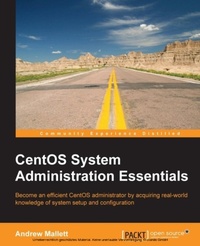
CentOS System Administration Essentials
Become an efficient CentOS administrator by acquiring real-world knowledge of system setup and configuration
Published on 8. July 2025
174 pages
978-1-78398-593-7 (ISBN)
Description

Key Features
Book DescriptionIf you are a Linux administrator who is looking to gain knowledge that differentiates yourself from the crowd, then this is the book for you. Beginners who have a keen interest to learn more about Linux administration will also progress quickly with this resourceful learning guide.What you will learn
Conquer the command line using shortcuts in the shell and within the editor Vim
Analyze the booting of CentOS utilizing MBR, GRUB, and Plymouth
Gain an understanding of the filesystem structure of hard links, inodes, and data using stat and ls
Manage your software installations with YUM
Handle your services as they begin to migrate from System V scripts
Establish centralized account information using openLDAP directory services
Centralize the configuration management of CentOS using Puppet, enabling updates from Puppet Master to be distributed to the clients
Who this book is for
Book DescriptionIf you are a Linux administrator who is looking to gain knowledge that differentiates yourself from the crowd, then this is the book for you. Beginners who have a keen interest to learn more about Linux administration will also progress quickly with this resourceful learning guide.What you will learn
Conquer the command line using shortcuts in the shell and within the editor Vim
Analyze the booting of CentOS utilizing MBR, GRUB, and Plymouth
Gain an understanding of the filesystem structure of hard links, inodes, and data using stat and ls
Manage your software installations with YUM
Handle your services as they begin to migrate from System V scripts
Establish centralized account information using openLDAP directory services
Centralize the configuration management of CentOS using Puppet, enabling updates from Puppet Master to be distributed to the clients
Who this book is for
All prices
More details
Edition
Digital original
Language
English
Place of publication
Birmingham
United Kingdom
Target group
Professional and scholarly
US School Grade: College Graduate Student
Edition type
Digital original
File size
1,74 MB
ISBN-13
978-1-78398-593-7 (9781783985937)
Copyright in bibliographic data and cover images is held by Nielsen Book Services Limited or by the publishers or by their respective licensors: all rights reserved.
Schweitzer Classification
Other editions
Additional editions
Andrew Mallett
CentOS System Administration Essentials
Book
11/2014
Packt Publishing
€34.20
Shipment within 3-4 weeks
Person
Mallett Andrew :
Andrew Mallett has been working professionally with Linux since 1999; much of that time as an Instructor. He now runs his consultancy where he works with and writes about Linux. He is onto his 5th book with Packt and has 65,000 subscribers on his YouTube channel: theurbanpenguin. You can be assured that he masters Linux and is passionate to share his knowledge with you.
Andrew Mallett has been working professionally with Linux since 1999; much of that time as an Instructor. He now runs his consultancy where he works with and writes about Linux. He is onto his 5th book with Packt and has 65,000 subscribers on his YouTube channel: theurbanpenguin. You can be assured that he masters Linux and is passionate to share his knowledge with you.
Content
Table of Contents
Taming the text editor that is Vi
Cold starts
CentOS File Systems : A Deeper Look
YUM : This software look great
Herding cats: or taking control of your services andprocesses
Do you really want to let users loose on your system :really?
openLDAP: A better type a user
Deploying a scalable and performance centric webserver with NGINX
Now you are to be the Puppet Master
Security Central
Graduation day
Taming the text editor that is Vi
Cold starts
CentOS File Systems : A Deeper Look
YUM : This software look great
Herding cats: or taking control of your services andprocesses
Do you really want to let users loose on your system :really?
openLDAP: A better type a user
Deploying a scalable and performance centric webserver with NGINX
Now you are to be the Puppet Master
Security Central
Graduation day

