

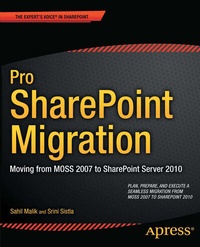
Pro SharePoint Migration
Description

Learn from Pro SharePoint Migration on how to migrate your existing farm - infrastructure, upgrade approaches, code, branding, and impact of new features of SharePoint 2010 - in a strategic way that results in smooth transition. Noted author Sahil Malik, with Srini Sistla, work together to provide detailed strategies and tools to assess, plan and execute a SharePoint 2010 migration that is efficient and cost-effective-and that doesn't use expensive third-party software.
The "clean slate" approach embraced by this book, coupled with flexible tools designed by Microsoft and the author, will provide you with the statistics, charts, and diagrams necessary to perform a meaningful assessment of your current SharePoint 2007 environment. You'll then be able to plan the lowest-cost, least-hassle way to migrate your current environment, and its applications and data, to SharePoint 2010, and how to map your existing use of SharePoint 2007 to the new features and enhancements in SharePoint 2010.
Pro SharePoint Migration will help you:
- Gain a better understanding of high level comparison and changes you need to learn between the two versions
- To migrate or not? Learn about new functionality that might replace your existing custom built code or non-code based solutions.
- Build a strong toolset to create, update, administer, and migrate 90% of the most commonly used SharePoint objects
- Grasp the intricacies of the SharePoint 2010 application programming interface (API)
- Become a better SharePoint 2010 administrator in your newly-migrated environment
More details
Other editions
Additional editions
Persons
Content
- Title Page
- Copyright Page
- Dedication Page
- Contents at a Glance
- Table of Contents
- About the Authors
- About the Technical Reviewer
- Acknowledgments
- Chapter 1 Migration Process
- Comparing MOSS 2007 and SharePoint 201 0
- Overview of Upgrading from MOSS 2007 to Share Point 201 0
- Hardware Requirements
- Preupgrade Check
- Upgrade
- Performing the Post-Upgrade Check
- Hybrid Approach 1
- Hybrid Approach 2
- Visual Upgrade
- Upgrading User Profiles and MySites
- Upgrading User Profiles
- MySites
- Variations on a Publishing Site
- Unsupported Models
- Changes in Key Features
- Checklists and References
- Summary
- Chapter 2 Migration for the IT Administrator
- Maintaining Continuity
- Minimizing Disruption
- Migration Settings: Old to New
- Business Data Catalog (BDC)
- Search
- User Profiles
- SSO to SSS
- Managing Services
- Changes to Alternate Access Mapping (AAM)
- Multiple Authentication Schemes on a Single URL
- Migrating from FBA to Claims-Based FBA
- Setting Up Authentication for a Web Application
- Understanding the Basics of Claims-Based Authentication
- STSADM vs. PowerShell
- Monitoring Your SharePoint 201 0 Environment
- Correlation IDs
- Using the Health Analyzer
- Usage and Health Data Collection
- Configuring the Logging Database
- Developer Dashboard
- Monitoring Workflows
- Summary
- Chapter 3 Branding and Design Changes
- Changes to Themes
- Creating Themes Using PowerPoint 2010
- Changes to Master Pages
- CSS Changes
- Customizing with jQuery
- Changes to Publishing Templates
- Changes to Web Content Management Web Parts
- Content Query Web Part
- Content Editor Web Part
- XML Viewer Web Part
- XSLT List View Web Part
- Complying with WCAG and ARIA
- Creating Cleaner HTML
- Customizing the Ribbon
- Introducing New Styles
- Format Text Tab
- Insert Tab
- Page Tab
- Publish Tab
- Browse Tab
- Branding the Ribbon
- Migrating MOSS 2007 Branding Artifacts
- Summary
- Chapter 4 Migration for the Developer
- Savvy Business User Developers
- SharePoint Designer 2010
- SharePoint Designer Workflows
- Office lnfopath 2010
- Integrating Visio Diagrams and Visio Services with Workflows
- Exporting Customizations As . wsp Files
- Exploring the New ECM Features
- Content Authoring Improvements and Analytics
- Managed Metadata Service
- Enterprise Content Types
- Document IDs and Document Sets
- In-Place Records Management
- . NET Developers
- SharePoint 2010 Development Tools
- Visual Studio 201 0
- Sandbox Solutions
- Refactoring
- Customizing the Ribbon via CustomActions
- What Is New in the SharePoint 2010 API?
- Server-Side API
- LINQ
- Client-Side API
- Summary
- Appendix
- STSADM vs. PowerShell
- Content Placeholders
- Team Site Elements and CSS Classes
- MOSS 2007 Deprecated Methods
- New SharePoint Server Controls
- The Administration Toolkit
- Must-Read Articles and Blogs
- MSDNBlogs
- TechN et Articles
- Other Blogs
- Books
- Authors' Blogs
- Index
