

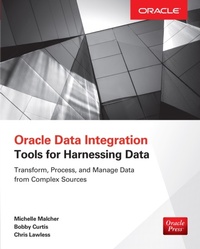
Oracle Data Integration: Tools for Harnessing Data
1st Edition
Published on 5. November 2015
278 pages
978-0-07-184166-5 (ISBN)
Available for download
Description

Deliver continuous access to timely and accurate BI across your enterprise using the detailed information in this Oracle Press guide. Through clear explanations and practical examples, a team of Oracle experts shows how to assimilate data from disparate sources into a single, unified view. Find out how to transform data in real time, handle replication and migration, and deploy Oracle Data Integrator and Oracle GoldenGate. Oracle Data Integration: Tools for Harnessing Data offers complete coverage of the latest big data hardware and software solutions. Efficiently move data both inside and outside an Oracle environment Map sources to database fields using Data Merge and ETL Export schema through transportable tablespaces and Oracle Data Pump Capture and apply changes across heterogeneous systems with Oracle GoldenGate Seamlessly exchange information between databases using Oracle Data Integrator Correct errors and maximize quality through data cleansing and validation Plan and execute successful Oracle Database migrations and replications Handle high-volume transactions with Oracle Big Data Appliance, Oracle NoSQL, and third-party utilities
More details
Other editions
Additional editions
Michelle Malcher | Bobby Curtis | Chris Lawless
Oracle Data Integration: Tools for Harnessing Data
Tools for Harnessing Data
Book
11/2015
McGraw-Hill Inc.,US
€66.70
Shipment within 15-20 days
Content
- Cover
- Title Page
- Copyright Page
- Dedication
- Contents at a Glance
- Contents
- Acknowledgments
- Introduction
- 1 Data Integrations Overview
- What Is a Data Integration?
- History of Data Integration
- Integrations Today
- Decision Flow Chart
- Tools for Harnessing Data
- Summary
- 2 Moving Data Around the Oracle Environment
- Structured Query Language
- SELECT
- Data Manipulation Language
- Data Definition Language
- Data Control Language
- SQL Summary
- PL/SQL
- Functions
- Procedures
- Packages
- Triggers
- The COPY Command
- SPOOL
- SQL*Loader
- Control File
- Dealing with the Bad File
- Invoking SQL*Loader
- External Tables
- Summary
- 3 Moving/Using Data
- Database Links
- Gateways
- Materialized Views
- Export/Import
- Invoking Export from the Command Line
- Invoking Export Interactively from the Command Line
- Invoking Export via Parameter Files
- Data Pump
- Transportable Tablespaces
- Pluggable Databases and Transport Databases
- Logminer
- Advanced Replication
- Oracle Streams
- Oracle GoldenGate
- XStream API
- XStream Out
- XStream In
- Summary
- 4 Oracle Replication (GoldenGate)
- Oracle GoldenGate Use-Cases
- Unidirectional Use-Case
- Consolidation Use-Case
- Data Distribution Use-Case
- Near-Zero-Downtime Migration
- Oracle GoldenGate Architecture
- Capture (Extract) Process
- Data Pump (Extract) Process
- Apply (Replicat) Process
- Trail File
- Transforming Data on the Fly with Oracle GoldenGate
- Configure DEFGEN
- Running DEFGEN
- Using Oracle GoldenGate to Create Flat Files
- Types of Flat Files
- Generating Flat Files
- Generating an ASCII-Formatted File
- Using Oracle GoldenGate to Create Native Database Loader Files
- Extracting for Database Utility Usage
- Oracle GoldenGate User Exit Functions
- Testing Data with Oracle GoldenGate
- Changing Data Using @IF
- Summary
- 5 Oracle Data Integrator
- Architecture
- Repositories
- Users
- Run-Time Agents
- Oracle Data Integrator Console
- Installation
- Deploying the Binaries
- Preparing the Repository
- Verifying the Repository
- Configuring the ODI Agent
- Starting Oracle Data Integrator
- Setting Connections
- Initial Connection and Wallet Configuration
- Configuring a Topology
- Physical Architecture
- Logical Architecture
- Designing Models
- Target Side
- Mappings
- Creating a Project
- Running the Mappings
- Simulation
- Step-by-Step Execution
- Validating That the Data Has Been Integrated
- Summary
- 6 Common Challenges
- Examining the Issues
- Design for Integrations
- Change
- Business Purpose
- Standardization
- Data Problems
- Synchronizing Data and Copies: Multiple Systems
- Latency
- Tool Issues
- Managing Mapping Tables: Metadata
- Testing
- Performance
- Summary
- 7 Data Cleansing
- What Is Data Cleansing?
- Master Data Management
- Process
- Standards
- Governing Data Sources
- Tools for Cleansing
- Developing Other Tools
- Summary
- 8 Big Data
- Oracle Big Data Appliance
- Cloudera
- Oracle NoSQL
- Oracle R Distribution
- Oracle XQuery for Hadoop
- Oracle Loader for Hadoop
- Oracle SQL Connector for Hadoop
- Oracle Big Data SQL
- Hadoop
- Hadoop Distributed File System
- MapReduce
- NoSQL
- HBase
- Big Data Connectors
- Oracle Data Integrator and Big Data
- Oracle GoldenGate and Big Data
- Summary
- Index

