

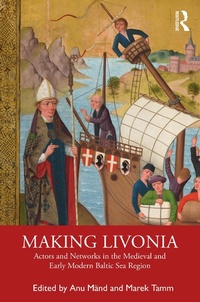
Making Livonia
Actors and Networks in the Medieval and Early Modern Baltic Sea Region
1st Edition
Published on 9. June 2020
364 pages
978-1-000-07687-5 (ISBN)
Description

The region called Livonia (corresponding to modern Estonia and Latvia) emerged out of the rapid transformation caused by the conquest, Christianisation and colonisation on the north-east shore of the Baltic Sea in the late twelfth and the early thirteenth centuries. These radical changes have received increasing scholarly notice over the last few decades. However, less attention has been devoted to the interplay between the new and the old structures and actors in a longer perspective.
This volume aims to study these interplays and explores the history of Livonia by concentrating on various actors and networks from the late twelfth to the seventeenth century. But, on a deeper level, the goal is more ambitious: to investigate the foundation of an increasingly complex and heterogeneous society on the medieval and early modern Baltic frontier - 'the making of Livonia'.
This volume aims to study these interplays and explores the history of Livonia by concentrating on various actors and networks from the late twelfth to the seventeenth century. But, on a deeper level, the goal is more ambitious: to investigate the foundation of an increasingly complex and heterogeneous society on the medieval and early modern Baltic frontier - 'the making of Livonia'.
Reviews / Votes
"This volume is successful in both advancing the history of Livonia and in inspiring one to think more widely about actors and networks on other medieval frontiers of northern Europe; that is highly praiseworthy."Matthew F. Stevens, Zapiski Historyczne
More details
Edition
1. Auflage
Language
English
Place of publication
London
United Kingdom
Publishing group
Taylor & Francis Ltd
Target group
College/higher education
Illustrations
6 Tables, black and white; 38 Halftones, black and white
ISBN-13
978-1-000-07687-5 (9781000076875)
Copyright in bibliographic data and cover images is held by Nielsen Book Services Limited or by the publishers or by their respective licensors: all rights reserved.
Schweitzer Classification
Other editions
Additional editions
Making Livonia
Actors and Networks in the Medieval and Early Modern Baltic Sea Region
Book
08/2020
Taylor & Francis
Unfortunately, price unknown
Available (delivery time upon request)
Anu Maend | Marek Tamm
Making Livonia
Actors and Networks in the Medieval and Early Modern Baltic Sea Region
Book
07/2020
1st Edition
Routledge
€213.20
Shipment within 15-20 days
Anu Maend | Marek Tamm
Making Livonia
Actors and Networks in the Medieval and Early Modern Baltic Sea Region
Book
07/2020
1st Edition
Routledge
€64.50
Shipment within 15-20 days
Persons
Anu Maend is Head of the Centre for Medieval Studies at Tallinn University.
Marek Tamm is Professor of Cultural History at Tallinn University.
Marek Tamm is Professor of Cultural History at Tallinn University.
Content
Introduction: Actors and Networks in the Medieval and Early Modern Baltic Sea Region Part 1: Early Making of Livonia (Thirteenth-Fourteenth Centuries) 1. Mission and Mobility: The Travels and Networking of Bishop Albert of Riga (c. 1165-1229) 2. Political Centres or Nodal Points in Trade Networks? Estonian Hillforts Before and After the Thirteenth-century Conquest 3. Visual Performances of Power in the Period of Danish Crusades 4. Neophytes as Actors in the Livonian Crusades 5. Politics of Emotions and Empathy Walls in Thirteenth-Century Livonia 6. Donating Land to the Church: Topos as a Legal Argument in Thirteenth-Century Livonia 7. Mobility of the Livonian Teutonic Knights 8. Manuscript Fragments as Testimonies of Intellectual Contacts between Tallinn and European Learning Centres in the Thirteenth and Fourteenth Centuries Part 2: Late Making of Livonia (Fifteenth-Seventeenth Centuries) 9. City Scribes and the Management of Information: The Professionalization of a Transgenerational Agency and Its Agents in Tallinn (c. 1250-1558) 10. Cistercian Networks of Memory: Commemoration as a Form of Institutional Bonding in Livonia and Beyond During the Late Middle Ages 11. The 'Hanseatic' Trade of the Finnish Skalm Family in the Fifteenth and Early Sixteenth Centuries 12. Merchants as Political, Social and Cultural Actors: Tallinn Burgomaster Hans Viant (d. 1524) 13. Mintmasters as the Nodes of the Social and Monetary Network: The Life and Career of Paul Gulden (c. 1530-93) 14. Self-Representation and Social Aesthetics: Wealthy Tallinn Burgher Homes in the Early Modern Period Conclusion: From Vineyard of the Lord to Outpost of Empires: Actors and Networks in the Conquest, Government and Society of Livonia (Twelfth-Sixteenth Centuries)
