

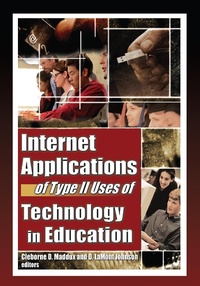
Internet Applications of Type II Uses of Technology in Education
1st Edition
Published on 3. April 2013
196 pages
978-1-136-42436-6 (ISBN)
Description

Give your students a powerful learning resourcethe Internet!
The Internet, though brimming with potential, is still vastly underused as a teaching resource. Internet Applications of Type II Uses of Technology in Education gives teachers new strategies for the Internet's use as a dynamic educational resource. Where Type I teaching applications technologically mimic the procedures previously used by teachers, Type II teaching applications involve innovative thinking in the use of technology in learning. Using Type II applications with the Internet, students are actively empowered to look to its use as an effective partner in their learning process. This book clearly reviews several Type II teaching applications and integrative software for use in all educational levels, including Internet videoconferencing, instant messages, WebQuests, and WebCT.
Though now readily available, even those schools with the capability fail to effectively integrate computer and Internet technology into meaningful classroom activities. Using the Internet as a teaching and learning tool offers a flexibility that can be extremely effective. Internet Applications of Type II Uses of Technology in Education clearly shows how some creative educators have implemented inventive Type II applications in their teaching plans to give their students a more enriching learning experience.
Internet Applications of Type II Uses of Technology in Education explores:
critically evaluating Web site information
how perceptions and behaviors change when Internet access becomes universally available
Internet2 Videoconferencing
integrating online communication into courses
utilizing computer-mediated communication (CMC) tools
structured online class discussions using Instant Messenger (IM)
increasing vocabulary through software and online texts
online learning in second-language acquisition (SLA)
a project in New Zealand in which teachers and students learn Web design with the help of an external expert
WebQuests as a Type II application
WebCT as a Type II application
achievement testing through the computer
the Global Forum on School Leadership (GFSL) as a Type II application
Internet Applications of Type II Uses of Technology in Education is a valuable, idea-generating resource for all academics working in information technology and education, and for K-12 teachers and administrators at all levels.
The Internet, though brimming with potential, is still vastly underused as a teaching resource. Internet Applications of Type II Uses of Technology in Education gives teachers new strategies for the Internet's use as a dynamic educational resource. Where Type I teaching applications technologically mimic the procedures previously used by teachers, Type II teaching applications involve innovative thinking in the use of technology in learning. Using Type II applications with the Internet, students are actively empowered to look to its use as an effective partner in their learning process. This book clearly reviews several Type II teaching applications and integrative software for use in all educational levels, including Internet videoconferencing, instant messages, WebQuests, and WebCT.
Though now readily available, even those schools with the capability fail to effectively integrate computer and Internet technology into meaningful classroom activities. Using the Internet as a teaching and learning tool offers a flexibility that can be extremely effective. Internet Applications of Type II Uses of Technology in Education clearly shows how some creative educators have implemented inventive Type II applications in their teaching plans to give their students a more enriching learning experience.
Internet Applications of Type II Uses of Technology in Education explores:
critically evaluating Web site information
how perceptions and behaviors change when Internet access becomes universally available
Internet2 Videoconferencing
integrating online communication into courses
utilizing computer-mediated communication (CMC) tools
structured online class discussions using Instant Messenger (IM)
increasing vocabulary through software and online texts
online learning in second-language acquisition (SLA)
a project in New Zealand in which teachers and students learn Web design with the help of an external expert
WebQuests as a Type II application
WebCT as a Type II application
achievement testing through the computer
the Global Forum on School Leadership (GFSL) as a Type II application
Internet Applications of Type II Uses of Technology in Education is a valuable, idea-generating resource for all academics working in information technology and education, and for K-12 teachers and administrators at all levels.
More details
Language
English
Place of publication
London
United Kingdom
Publishing group
Taylor & Francis Ltd
Target group
College/higher education
File size
1,20 MB
ISBN-13
978-1-136-42436-6 (9781136424366)
Copyright in bibliographic data and cover images is held by Nielsen Book Services Limited or by the publishers or by their respective licensors: all rights reserved.
Schweitzer Classification
Other editions
Additional editions
Cleborne D. Maddux | D. Lamont Johnson
Internet Applications of Type II Uses of Technology in Education
Book
05/2006
1st Edition
Routledge
€155.99
Shipment within 10-20 days
Cleborne D. Maddux | D. Lamont Johnson
Internet Applications of Type II Uses of Technology in Education
Book
04/2006
1st Edition
Routledge
€60.84
Shipment within 10-20 days
Persons
Cleborne D. Maddux, PhD, is Foundation Professor in the Department of Counseling and Educational Psychology at the University of Nevada, Reno, where he teaches courses on statistics and on integrating technology into education. He has co-authored 10 books with D. LaMont Johnson, including Distance Education: Issues and Concerns and the textbook Educational Computing: Learning with Tomorrow's Technologies, now in its third edition.,
D. LaMont Johnson, PhD, Professor of Educational Technology in the College of Education at the University of Nevada, Reno (UNR), is a leading specialist in the area of educational computing and related tech- nologies. He is the founding editor of Computers in the Schools and is Program Coordinator of the Information Technology in Education pro- gram at UNR. He has co-authored 10 books, including Distance Educa- tion: Issues and Concerns and the textbook Educational Computing: Learning with Tomorrow's Technologies, now in its third edition. A popular speaker and conference presenter, Dr. Johnson is active in sev- eral professional organizations concerned with advancing the use and understanding of educational technology.
D. LaMont Johnson, PhD, Professor of Educational Technology in the College of Education at the University of Nevada, Reno (UNR), is a leading specialist in the area of educational computing and related tech- nologies. He is the founding editor of Computers in the Schools and is Program Coordinator of the Information Technology in Education pro- gram at UNR. He has co-authored 10 books, including Distance Educa- tion: Issues and Concerns and the textbook Educational Computing: Learning with Tomorrow's Technologies, now in its third edition. A popular speaker and conference presenter, Dr. Johnson is active in sev- eral professional organizations concerned with advancing the use and understanding of educational technology.
Content
INTRODUCTION
Type II Applications of Technology in Education: New and Better Ways of Teaching and Learning (Cleborne D. Maddux and D. LaMont Johnson)
Pre-Service Teachers Critically Evaluate Scientific Information on the World Wide Web: What Makes Information Believable? (Marie Iding and E. Barbara Klemm)
Investigating the Perceptions and Behaviors of Elementary Students and Teachers When Internet Access Is Universal (Janice M. Hinson)
Pros and Cons of Internet2 Videoconferencing as a New Generation Distance Education Tool (Betuel C. OEzkan)
Building Online Communication into Courses: Possibilities and Cautions (Janaki Santhiveeran)
Effective Use of CMC Tools in Interactive Online Learning (Judi Repman, Cordelia Zinskie, and Randal D. Carlson)
Type II Technology Applications in Teacher Education: Using Instant Messenger to Implement Structured Online Class Discussions (Lih-Ching Chen Wang and William Beasley)
Inferring New Vocabulary Using Online Texts (Laurel Smith Stvan)
Online Learning as a Demonstration of Type II Technology: Second Language Acquisition (Kulwadee Kongrith and Cleborne D. Maddux)
Secondary School Students, Online Learning, and External Support in New Zealand (Ross Dewstow and Noeline Wright)
Teachers' Attitudes Toward WebQuests as a Method of Teaching (Robert Perkins and Margaret L. McKnight)
The Nature of Discourse as Students Collaborate on a Mathematics WebQuest (Michelle P. Orme and Eula Ewing Monroe)
WebCT and Its Growth as a Type II Application (Irene Chen, Jerry Willis, and Sue Mahoney)
Filling in the Blanks: Using Computers to Test and Teach (Elizabeth Chaney and David Alan Gilman)
Constructing Meaning in a Technology-Rich, Global Learning Environment (Ian W. Gibson)
Index
Reference Notes Included
Type II Applications of Technology in Education: New and Better Ways of Teaching and Learning (Cleborne D. Maddux and D. LaMont Johnson)
Pre-Service Teachers Critically Evaluate Scientific Information on the World Wide Web: What Makes Information Believable? (Marie Iding and E. Barbara Klemm)
Investigating the Perceptions and Behaviors of Elementary Students and Teachers When Internet Access Is Universal (Janice M. Hinson)
Pros and Cons of Internet2 Videoconferencing as a New Generation Distance Education Tool (Betuel C. OEzkan)
Building Online Communication into Courses: Possibilities and Cautions (Janaki Santhiveeran)
Effective Use of CMC Tools in Interactive Online Learning (Judi Repman, Cordelia Zinskie, and Randal D. Carlson)
Type II Technology Applications in Teacher Education: Using Instant Messenger to Implement Structured Online Class Discussions (Lih-Ching Chen Wang and William Beasley)
Inferring New Vocabulary Using Online Texts (Laurel Smith Stvan)
Online Learning as a Demonstration of Type II Technology: Second Language Acquisition (Kulwadee Kongrith and Cleborne D. Maddux)
Secondary School Students, Online Learning, and External Support in New Zealand (Ross Dewstow and Noeline Wright)
Teachers' Attitudes Toward WebQuests as a Method of Teaching (Robert Perkins and Margaret L. McKnight)
The Nature of Discourse as Students Collaborate on a Mathematics WebQuest (Michelle P. Orme and Eula Ewing Monroe)
WebCT and Its Growth as a Type II Application (Irene Chen, Jerry Willis, and Sue Mahoney)
Filling in the Blanks: Using Computers to Test and Teach (Elizabeth Chaney and David Alan Gilman)
Constructing Meaning in a Technology-Rich, Global Learning Environment (Ian W. Gibson)
Index
Reference Notes Included
