

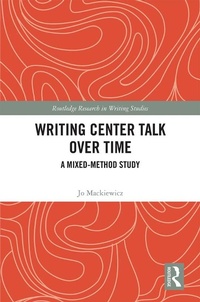
Writing Center Talk over Time
A Mixed-Method Study
1st Edition
Published on 27. June 2018
256 pages
978-0-429-89015-4 (ISBN)
Description

In the last 15 to 20 years, writing centers have placed greater importance on tutor training, focusing on teaching tutors best practices in fostering student writers' engagement and writing skills. Writing Center Talk over Time explores the importance of writing center talk and demonstrates the efficacy of tutor training. The book uses corpus-driven analysis and discourse analysis to examine the changes in writing center talk over time to provide a baseline understanding of the very heart of writing center work: the talk that unfolds between tutors and student writers. It is this talk that, at its best, motivates student writers to continue to improve their writing and scaffolds their learning and that makes tutors proud of the service that they provide. The methods and analysis of this study are intended to inform other researchers so that they may conduct further research into the efficacy of writing center talk.
More details
Series
Edition
1. Auflage
Language
English
Place of publication
London
United Kingdom
Publishing group
Taylor & Francis Ltd
Target group
College/higher education
Illustrations
19 Tables, black and white; 5 Line drawings, black and white; 18 Halftones, black and white
ISBN-13
978-0-429-89015-4 (9780429890154)
Copyright in bibliographic data and cover images is held by Nielsen Book Services Limited or by the publishers or by their respective licensors: all rights reserved.
Schweitzer Classification
Other editions
Additional editions
Book
08/2020
1st Edition
Routledge
€67.80
Shipment within 15-20 days
Book
06/2018
1st Edition
Routledge
€206.50
Shipment within 10-20 days
Person
Jo Mackiewicz is Professor of Rhetoric and Professional Communication and Co-Director of the Advanced Communication Program at Iowa State University, USA. She is the author of The Aboutness of Writing Center Talk and co-author, with Isabelle Thompson, of Talk about Writing.
Content
Acknowledgments
Foreword by Isabelle Thompson
Chapter 1: The UWS Writing Center in Place and Time
Chapter 2: Practice Based in Research
Chapter 3: A Mixed-Method Approach
Chapter 4: Volubility, Variation, and Most Frequent Words
Chapter 5: Tutors' Keywords
Chapter 6: Student Writers' Keywords
Chapter 7: Lexical Bundles in Tutors' and Student Writers' Talk
Chapter 8: Student Writers' Very Long Turns-at-Talk
Chapter 9: Changes in the Aboutness of Talk at the UWS Writing Center
References
Appendix A: Glossary
Appendix B: 2017 Interview Questions
Appendix C: Mackiewicz and Thompson (2015) Coding Scheme for Tutoring Strategies
Appendix D: Letters for Participant Recruitment
Appendix E: Consent Forms and Data Release Form
Appendix F: Demographic Information Sheets
Appendix G: 2017 Training Syllabus
Appendix H: 2017 Consultant Observation Form
Appendix I: Excerpts from the 2017 ESL Training Schedule
Foreword by Isabelle Thompson
Chapter 1: The UWS Writing Center in Place and Time
Chapter 2: Practice Based in Research
Chapter 3: A Mixed-Method Approach
Chapter 4: Volubility, Variation, and Most Frequent Words
Chapter 5: Tutors' Keywords
Chapter 6: Student Writers' Keywords
Chapter 7: Lexical Bundles in Tutors' and Student Writers' Talk
Chapter 8: Student Writers' Very Long Turns-at-Talk
Chapter 9: Changes in the Aboutness of Talk at the UWS Writing Center
References
Appendix A: Glossary
Appendix B: 2017 Interview Questions
Appendix C: Mackiewicz and Thompson (2015) Coding Scheme for Tutoring Strategies
Appendix D: Letters for Participant Recruitment
Appendix E: Consent Forms and Data Release Form
Appendix F: Demographic Information Sheets
Appendix G: 2017 Training Syllabus
Appendix H: 2017 Consultant Observation Form
Appendix I: Excerpts from the 2017 ESL Training Schedule
