

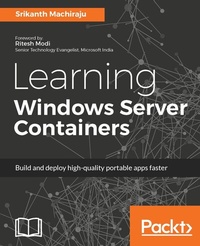
Learning Windows Server Containers
Build and deploy high-quality portable apps faster
Published on 13. January 2025
404 pages
978-1-78588-504-4 (ISBN)
Description

Build, package, and deploy applications as easily manageable and shippable containers.
Key Features
Discover the secret to building highly portable apps that run on any machine with Windows Server 2016 anywhere, from laptops, desktop servers, and public or private clouds, without any changes to the code
Build your company cost-effective, container-based apps that support large-scale, virtual cloud environments
The most up-to-date help on the market, offering developers expert guidance in building and shipping high-quality apps, and also helping admins create infrastructure that's simple to maintain
Book DescriptionWindows Server Containers are independent, isolated, manageable and portable application environments which are light weight and shippable. Decomposing your application into smaller manageable components or MicroServices helps in building scalable and distributed application environments. Windows Server Containers have a significant impact on application developers, development operations (DevOps) and infrastructure management teams. Applications can be built, shipped and deployed in a fast-paced manner on an easily manageable and updatable environment. Learning Windows Server Containers teaches you to build simple to advanced production grade container based application using Asp.Net Core, Visual Studio, Azure, Docker and PowerShell technologies. The book teaches you to build and deploy simple web applications as Windows and Hyper-V containers on Windows 10 and Windows Server 2016 on Azure. You will learn to build on top of Windows Container Base OS Images, integrate with existing images from Docker Hub, create custom images and publish to Hub. You will also learn to work with storage containers built using Volumes and SQL Server as container, create and configure custom networks, integrate with Redis Cache containers, configure continuous integration and deployment pipelines using VSTS and Git Repository. Further you can also learn to manage resources for a container, setting up monitoring and diagnostics, deploy composite container environments using Docker Compose on Windows and manage container clusters using Docker Swarm. The last chapter of the book focuses on building applications using Microsoft's new and thinnest server platform - Nano Servers.What you will learn
Build and deploy ASP.NET web applications as Windows Containers on Windows 10 (Desktop) and Azure using Visual Studio 2015, Docker, and PowerShell
Build and manage custom images using Windows Server Core base OS image and Docker CLI, publish images to Docker, tag images, author Docker files, and so on
Create enterprise-scale, production-grade container environments using Redis Cache containers and SQL Server containers with storage volumes, set up custom container networks, continuous integration, and deployment pipelines using VSTS, Azure, and Git
Deploy a composite container environment using Docker Compose on Windows
Learn to build applications using Microsoft's thinnest server platform - Nano Servers. Build custom Nano Server images and Nano Containers using Windows PowerShell and configure using PowerShell Core, DSC
Who this book is forThis book is for application developers with a basic programming knowledge of C#, ASP.NET, and PowerShell. IT Administrators or DevOps engineers with basic PowerShell experience can benefit by extending their learning to use PowerShell to manage containers on Windows environments and use additional management tools.
Key Features
Discover the secret to building highly portable apps that run on any machine with Windows Server 2016 anywhere, from laptops, desktop servers, and public or private clouds, without any changes to the code
Build your company cost-effective, container-based apps that support large-scale, virtual cloud environments
The most up-to-date help on the market, offering developers expert guidance in building and shipping high-quality apps, and also helping admins create infrastructure that's simple to maintain
Book DescriptionWindows Server Containers are independent, isolated, manageable and portable application environments which are light weight and shippable. Decomposing your application into smaller manageable components or MicroServices helps in building scalable and distributed application environments. Windows Server Containers have a significant impact on application developers, development operations (DevOps) and infrastructure management teams. Applications can be built, shipped and deployed in a fast-paced manner on an easily manageable and updatable environment. Learning Windows Server Containers teaches you to build simple to advanced production grade container based application using Asp.Net Core, Visual Studio, Azure, Docker and PowerShell technologies. The book teaches you to build and deploy simple web applications as Windows and Hyper-V containers on Windows 10 and Windows Server 2016 on Azure. You will learn to build on top of Windows Container Base OS Images, integrate with existing images from Docker Hub, create custom images and publish to Hub. You will also learn to work with storage containers built using Volumes and SQL Server as container, create and configure custom networks, integrate with Redis Cache containers, configure continuous integration and deployment pipelines using VSTS and Git Repository. Further you can also learn to manage resources for a container, setting up monitoring and diagnostics, deploy composite container environments using Docker Compose on Windows and manage container clusters using Docker Swarm. The last chapter of the book focuses on building applications using Microsoft's new and thinnest server platform - Nano Servers.What you will learn
Build and deploy ASP.NET web applications as Windows Containers on Windows 10 (Desktop) and Azure using Visual Studio 2015, Docker, and PowerShell
Build and manage custom images using Windows Server Core base OS image and Docker CLI, publish images to Docker, tag images, author Docker files, and so on
Create enterprise-scale, production-grade container environments using Redis Cache containers and SQL Server containers with storage volumes, set up custom container networks, continuous integration, and deployment pipelines using VSTS, Azure, and Git
Deploy a composite container environment using Docker Compose on Windows
Learn to build applications using Microsoft's thinnest server platform - Nano Servers. Build custom Nano Server images and Nano Containers using Windows PowerShell and configure using PowerShell Core, DSC
Who this book is forThis book is for application developers with a basic programming knowledge of C#, ASP.NET, and PowerShell. IT Administrators or DevOps engineers with basic PowerShell experience can benefit by extending their learning to use PowerShell to manage containers on Windows environments and use additional management tools.
All prices
More details
Edition
Digital original
Language
English
Place of publication
Birmingham
United Kingdom
Target group
Professional and scholarly
US School Grade: College Graduate Student
Edition type
Digital original
File size
13,48 MB
ISBN-13
978-1-78588-504-4 (9781785885044)
Copyright in bibliographic data and cover images is held by Nielsen Book Services Limited or by the publishers or by their respective licensors: all rights reserved.
Schweitzer Classification
Other editions
Additional editions
Srikanth Machiraju
Learning Windows Server Containers
Book
04/2017
Packt Publishing
€63.90
Shipment within 3-4 weeks
Person
Srikanth Machiraju is an ardent techie, DevOps practitioner, and developer consultant on Microsoft Azure and .NET technologies. He works for Microsoft Global Services, Modern Apps team, Hyderabad India. Over the past 9 years he has worked as a lead consultant for design and development of cloud-based application, migrating legacy applications to cloud, corporate trainer on Azure technologies, and speaker at various user group meetings on Microsoft Technologies. He loves to teach and evangelize best practices and patterns in application development. He continues to explore building modern, smart, and cloud-born applications with more reachability and integration using Azure, IoT devices, Artificial Intelligence, deep learning, parallelism, and enterprise level security. When away from work he loves to cook for his family, explore and review new food joints, watch movies, swim, and play Xbox. He is also working on another artwork called Developing Bots using Microsoft Bot Framework which is due for release by end of 2017. The book focuses on building smart and intelligent bots using Microsoft Bot framework and Azure Cognitive Services.
Content
Table of Contents
Exploring Virtualization
Deploying First Container
Working with Container Images
Developing Container Applications
Deploying Container Applications
Storage Volumes
Redis Cache Containers
Container Network
Continuous Integration and Delivery
Manage Resource Allocation and REST API
Composite Containers and Clustering
Nano Server
Exploring Virtualization
Deploying First Container
Working with Container Images
Developing Container Applications
Deploying Container Applications
Storage Volumes
Redis Cache Containers
Container Network
Continuous Integration and Delivery
Manage Resource Allocation and REST API
Composite Containers and Clustering
Nano Server

