

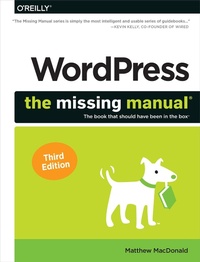
WordPress: The Missing Manual
Published on 18. September 2020
492 pages
978-1-4920-7411-3 (ISBN)
Description

Whether you're a budding blogger or seasoned web designer, WordPress is a brilliant tool for creating websites--once you know how to tap into its impressive features. The latest edition of this jargon-free Missing Manual shows you how to use WordPress's themes, widgets, and plug-ins to build just about any kind of site.The important stuff you need to know:Set up WordPress. Configure WordPress on your web host or get it running on your home computer.Create your site. Get hands-on instructions for building all types of websites, from blogs to business sites with ecommerce features.Jazz it up. Add picture galleries, slideshows, video clips, music players, and podcasts.Add features. Select from thousands of plug-ins to enhance your site's capabilities, from contact forms to a basic shopping cart.Build a truly unique site. Customize a WordPress theme to create a site that looks exactly the way you want.Attract an audience. Use SEO, site statistics, and social sharing to reach more people.Stay safe. Use backup and staging tools to protect your content and avoid catastrophe.
More details
Other editions
Additional editions
Book
11/2020
3rd Edition
O'Reilly
€56.00
Shipment within 15-20 days
Content
- Intro
- The Missing Credits
- Introduction
- Chapter 1: The WordPress Landscape
- How WordPress Works
- What You Can Build with WordPress
- The Last Word
- Chapter 2: Installing WordPress on Your Web Host
- Choosing a Web Host
- Preparing for WordPress
- Installing WordPress
- Keeping WordPress Up-to-Date
- The Last Word
- Chapter 3: Testing WordPress on Your Computer
- The WordPress Stack
- Setting Up a Site with Local
- Managing Your Local Sites
- The Last Word
- Chapter 4: Creating Posts
- Introducing the Admin Area
- Administration Practice
- Adding Your First Post
- Organizing Your Posts
- Working with Several Posts at Once
- How to Get High-Quality Web Addresses
- The Last Word
- Chapter 5: Choosing and Polishing Your Theme
- How Themes Work
- Choosing a Theme
- Tweaking Your Theme
- Customizing Your Widgets
- Responsive Themes
- The Last Word
- Chapter 6: Making Fancier Posts
- Simple Text Formatting
- Understanding Blocks
- Using the Essential Blocks
- Working with More Exotic Blocks
- Managing Your Blocks
- Creating Personalized Blocks
- The Last Word
- Chapter 7: Adding Pictures, Videos, and More
- Adding a Basic Picture
- Working with the Media Library
- Adding Featured Images
- Embedding a Video
- Playing Audio Files
- Embedding Other Types of Content
- The Last Word
- Chapter 8: Creating Pages and Menus
- Understanding Page Basics
- Showing Pages with a Menu
- Changing Your Home Page
- Creating Better Home Pages with Templates
- The Last Word
- Chapter 9: Getting New Features with Plugins
- How Plugins Work
- The Jetpack Plugin
- The Last Word
- Chapter 10: Comments: Letting Your Readers Talk Back
- Allowing or Forbidding Comments
- The Life Cycle of a Comment
- The Ongoing Conversation
- Making Comments More Personal with Gravatars
- Using Facebook and Twitter Comments
- Stamping Out Comment Spam
- The Last Word
- Chapter 11: Collaborating with Multiple Authors
- Adding People to Your Site
- Working with Authors
- Building a Private Community
- Creating a Network of Sites
- The Last Word
- Chapter 12: Attracting a Crowd
- Encouraging Your Readers to Share
- Keeping Readers in the Loop
- Search Engine Optimization
- WordPress Site Statistics
- The Last Word
- Chapter 13: Editing Themes to Customize Your Site
- The Goal: More Flexible Blogs and Sites
- Protecting Yourself with a Child Theme
- Decoding the Style Rules in Your Theme
- Changing the Twenty Twenty Styles
- Editing the Code in Your Theme
- Changing a Twenty Twenty Template
- The Last Word
- Chapter 14: More Tools for Professional Sites
- Disaster Proofing with Backups
- Better Performance with Caching
- Adding Ecommerce to Your Site
- A Final Grab Bag of Useful Plugins
- The Last Word
- Index
