

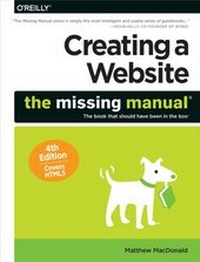
Creating a Website: The Missing Manual
1st Edition
Published on 18. June 2015
622 pages
978-1-4493-7454-9 (ISBN)
Description

You can easily create a professional-looking website with nothing more than an ordinary computer and some raw ambition. Want to build a blog, sell products, create forums, or promote an event? No problem! This friendly, jargon-free book gives you the techniques, tools, and advice you need to build a site and get it up on the Web.The important stuff you need to know:Master the basics. Learn HTML5, the language of the Web.Design good-looking pages. Use styles to build polished layouts.Get it online. Find a reliable web host and pick a good web address.Use time-saving tools. Learn free tools for creating web pages and tracking your visitors.Attract visitors. Make sure people can find your site through popular search engines like Google.Build a community. Encourage repeat visits with social media.Bring in the cash. Host Google ads, sell Amazons wares, or push your own products that people can buy via PayPal.Add pizzazz. Include audio, video, interactive menus, and a pinch of JavaScript.
More details
Other editions
Additional editions
Matthew MacDonald
Creating a Website: The Missing Manual 4e
Book
07/2015
4th Edition
O'Reilly
€37.50
Article not available at the moment
Content
- Intro
- The Missing Credits
- Introduction
- The Glory of Building a Website from Scratch
- About This Book
- About the Online Resources
- Safari® Books Online
- Part One: Building Basic Web Pages
- Chapter 1: Creating Your First Page
- HTML: The Language of the Web
- Tutorial: Creating an HTML File
- Seeing the HTML of a Live Web Page
- A Closer Look at HTML Tags
- Understanding HTML Documents
- Tutorial: Building a Complete HTML Document
- Checking Your Pages for Errors
- Chapter 2: Becoming Fluent in HTML
- Types of Elements
- HTML Elements for Basic Text
- Tutorial: Converting Raw Text to HTML
- HTML Elements for Lists
- HTML Elements for Tables
- Inline Formatting
- Chapter 3: Building a Style Sheet
- Graphic Design on the Web
- Style Sheet Basics
- Tutorial: Attaching a Style Sheet to a Page
- When Styles Overlap
- Class Selectors
- Colors
- Text Alignment and Spacing
- Basic Fonts
- Web Fonts with Google
- Borders
- Chapter 4: Adding Graphics
- Introducing the &img& Element
- Tutorial: Storing Images in a Subfolder
- File Formats for Web Graphics
- Tutorial: Wrapping Text Around an Image
- Background Images
- Finding Free Art
- Chapter 5: Working with a Web Editor
- The Benefits of a Web Editor
- Choosing Your Web Editor
- Getting Started with Dreamweaver
- Setting Up Shop with Expression Web
- Trying Out Brackets
- Part Two: From Web Page to Website
- Chapter 6: Linking Pages
- Understanding the Anchor
- Tutorial: Linking the Pages in a Site
- More Tricks with Links
- Links that Lead to Bookmarks
- When Good Links Go Bad
- Chapter 7: Designing Better Style Sheets
- Planning a Style Sheet
- Building a Complete Style Sheet
- Improving Your Style Sheet
- Tutorial: Becoming a Style Detective
- Chapter 8: Page Layout
- Understanding Style-Based Layout
- Choosing Your Layout
- Tutorial: Creating a Layout with Multiple Columns
- A Few More Layout Techniques
- Putting the Same Content on Multiple Pages
- Chapter 9: Getting Your Site Online
- How Web Hosting Works
- Domain Names
- Getting Web Space
- Transferring Files to Your Site
- Part Three: Connecting with Your Audience
- Chapter 10: Introducing Your Site to the World
- Your Website Promotion Plan
- Making Your Site Search-Engine Friendly
- Registering with Search Engines
- Tracking Visitors
- Chapter 11: Website Promotion
- Spreading the Word
- Transforming a Site into a Community
- Email Newsletters
- Groups
- Chapter 12: Adding a Blog
- Understanding Blogs
- Getting Started with Blogger
- Blog Management
- Reviewing Comments
- Chapter 13: Making Money with Your Site
- Money-Making the Web Way
- Google AdSense
- Amazon Associates
- PayPal Merchant Tools
- Part Four: Interactivity and Multimedia
- Chapter 14: JavaScript: Adding Interactivity
- Understanding JavaScript
- JavaScript 101
- Dynamic HTML
- Scripts on the Web
- Chapter 15: Dynamic Buttons and Menus
- Fancy Buttons
- Choosing Your Approach
- Tutorial: Creating a Rollover Button
- Fancy Menus
- Chapter 16: Audio and Video
- Understanding Multimedia
- Playing Audio Files
- Showing Video Clips
- Fallbacks for Old Browsers
- Uploading Videos to YouTube
- Part Five: Appendixes
- Appendix A: Where to Go From Here
- Appendix B: HTML Quick Reference
- HTML Elements
- HTML5 Semantic Elements
- HTML Character Entities
- Index
