

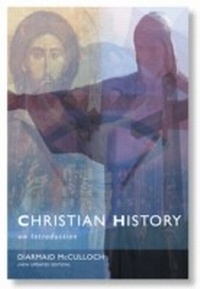
Christian History
An Introductiom to the Western Tradition
1st Edition
Published on 3. January 2013
320 pages
978-0-334-04883-1 (ISBN)
Description

First published in 1987, this book has been a primer for theological college students, undergraduates, lay readers and all interested in the history and development of Christianity. Now published in a new and attractive edition with an updated bibliography, Diarmaid MacCulloch still manages to argue his case convincingly that history need not be boring. He takes his readers from the earliest days of the fledgling Christian Church to the end of the twentieth century and enables readers to put characters, movements and places in their wider context and make connections between them.
More details
Other editions
Additional editions
Book
11/2006
SCM Press
€41.40
Shipment within 10-20 days
Content
- Intro
- Title page
- Copyright page
- Contents
- Preface
- 1 Introduction: What is Christian History?
- Part 1: The Building of a Culture
- 2 The Greek and Roman Roots
- 3 The Jews and the Gentile Mission (to AD 100)
- 4 Folly to the Greeks? (AD 50 to 200)
- 5 Talking about God (second and third centuries AD)
- 6 Prisoner of the Roman World (first to third centuries)
- 7 The Christian State (306 to 451)
- 8 The Parting of the Ways (350 to 1000)
- Part II: Through Two Western Reformations 1000-1700
- 9 The First Reformation (1000 to 1300)
- 10 The Failure of Centralization (1300 to 1500)
- 11 The Second Reformation (1500 to 1600)
- 12 The Expansion of Europe (1500 to 1700)
- 13 Wars and the Future of Protestantism (1550 to 1700)
- Part III: New Worlds
- 14 Science and Sin (1600 to 1800)
- 15 Two Secular Revolutions (1700 to 1900)
- 16 Revolutions of the Mind (1800 to 1900)
- 17 Constantine's Church Crumbles (twentieth century)
- 18 Conclusion
- For further reading
- Index
