

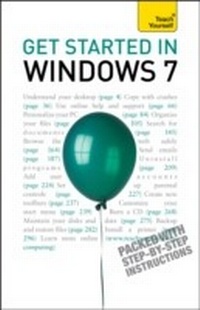
Get Started in Windows 7
An absolute beginner's guide to the Windows 7 operating system
Published on 25. June 2010
240 pages
978-1-4441-2937-3 (ISBN)
Description

Get Started in Windows 7 explains all the key aspects of this operating system from the user's angle including:
- running programs and managing files
- getting online
- managing your email
- maintaining your system
- configuring printers
- customising your system.
- getting help
- using accessories
Written for the new user at home or in the office it covers all the key features of Windows 7 and helps you maximise your use of the system with confidence.
NOT GOT MUCH TIME?
One and five-minute introductions to key principles to get you started.
AUTHOR INSIGHTS
Lots of instant help with common problems and quick tips for success, based on the author's many years of experience.
TEST YOURSELF
Tests in the book and online to keep track of your progress.
EXTEND YOUR KNOWLEDGE
Extra online articles at www.teachyourself.com to give you a richer understanding of Windows 7.
FIVE THINGS TO REMEMBER
Quick refreshers to help you remember the key facts.
TRY THIS
Innovative exercises illustrate what you've learnt and how to use it.
- running programs and managing files
- getting online
- managing your email
- maintaining your system
- configuring printers
- customising your system.
- getting help
- using accessories
Written for the new user at home or in the office it covers all the key features of Windows 7 and helps you maximise your use of the system with confidence.
NOT GOT MUCH TIME?
One and five-minute introductions to key principles to get you started.
AUTHOR INSIGHTS
Lots of instant help with common problems and quick tips for success, based on the author's many years of experience.
TEST YOURSELF
Tests in the book and online to keep track of your progress.
EXTEND YOUR KNOWLEDGE
Extra online articles at www.teachyourself.com to give you a richer understanding of Windows 7.
FIVE THINGS TO REMEMBER
Quick refreshers to help you remember the key facts.
TRY THIS
Innovative exercises illustrate what you've learnt and how to use it.
More details
Edition
Digital original
Language
English
Place of publication
United Kingdom
Publishing group
John Murray Press
Target group
College/higher education
Professional and scholarly
Edition type
Digital original
File size
14,47 MB
ISBN-13
978-1-4441-2937-3 (9781444129373)
Copyright in bibliographic data and cover images is held by Nielsen Book Services Limited or by the publishers or by their respective licensors: all rights reserved.
Schweitzer Classification
Other editions
Additional editions
Peter MacBride
Get Started in Windows 7
An absolute beginner's guide to the Windows 7 operating system
Book
01/2010
TEACH YOURSELF
€32.37
Shipment within 10-20 days
Person
Mac Bride is a successful computer author who brings over 20 years of teaching experience to his writing.
