

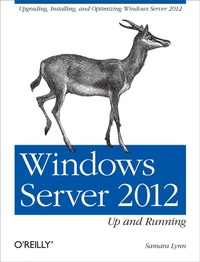
Windows Server 2012: Up and Running
Upgrading, Installing, and Optimizing Windows Server 2012
Published on 12. November 2012
258 pages
978-1-4493-3319-5 (ISBN)
Description

If your organization plans to move to a cloud infrastructure from a LAN or WAN, this book shows you how to do it efficiently with Windows Server 2012. Experienced Windows administrators will learn how to deploy, configure, and manage the servers expanded capabilities and features step-by-step, using clear examples and numerous screen shots. Youll also discover how to integrate employees private mobile devices into your corporate network.Whether you intend to take your infrastructure to a public, private, or hybrid cloud environment, Windows Server 2012 provides the virtualization technology to get you there. This book helps you put it to work.Control your entire Windows infrastructure from the Server Manager consoleLearn how Active Directory Domain Services provide more centralized network administrationUse Dynamic Access Control to manage data and user permissionsProvide data integrity and fault tolerance with Storage Spaces and ReFSGain robust management of virtual environments with Hyper V R3Master networking tools such as IPAM to help you move to the cloudConnect clients to network resources through Unified Remote Access
More details
Other editions
Additional editions
Samara Lynn
Windows Server 2012: Up and Running
Upgrading, Installing, and Optimizing Windows Server 2012
Book
01/2013
1st Edition
O'Reilly
€47.00
Shipment within 10-20 days
Content
- Intro
- Copyright
- Table of Contents
- Preface
- About This Book
- Audience
- Goals of This Book
- Contents of This Book
- Conventions Used in This Book
- Using Code Examples
- Comments and Questions
- Safari® Books Online
- Acknowledgments
- Chapter 1. Windows Server 2012: Overview
- Introducing Windows Server 2012
- New Capabilities and Updated Features
- Installation and Interface
- Management
- Windows PowerShell 3.0
- Storage
- Remote Access
- Networking
- Hyper-V 3.0
- IIS 8
- Security
- Clustering
- Requirements
- Summary
- Chapter 2. Windows Server 2012 Requirements and Installation
- Server 2012 Editions
- Server 2012 Datacenter
- Server 2012 Standard
- Server 2012 Essentials
- Server 2012 Foundation
- Server 2012 Requirements
- Hyper-V 3.0 Requirements
- Installing Server 2012
- Server Core Install
- Server with a GUI Install
- Switching Between Install Modes
- Converting Server Core to Server with a GUI
- Converting Server with a GUI to Server Core
- Deploying Minimal Server Interface
- Customizing the Interface with Features on Demand
- Summary
- Chapter 3. Managing Server 2012
- Server 2012's Interface
- Navigating the Tiled Interface
- Accessing and Running Management Tools
- Customizing the Interface
- Logging Off, Restarting, and Shutting Down
- Performing Searches
- Server Manager
- Launching and Working with Server Manager
- Managing Server 2012 Remotely
- Installing RSAT
- Summary
- Chapter 4. Active Directory
- Deploying Active Directory Domain Services
- Installing Active Directory
- Adding Machines to a Server 2012 Domain
- Joining Windows 7 to a Server 2012-Level Domain
- Joining Windows 8 to a Server 2012-Level Domain
- Joining Server 2012 to a Server 2008 R2-Level Domain
- Managing Active Directory
- Navigating ADAC
- AD Recycle Bin
- Performing Searches in ADAC
- Windows PowerShell History
- Using PowerShell to Deploy Active Directory
- Summary
- Chapter 5. Managing Users and Data with Dynamic Access Control
- The Building Blocks of DAC
- Requirements and Predeployment Pointers
- Deploying DAC
- Preparing Claims
- Configuring Resource Property for Files
- Adding a Resource Property to the Global Resource Property List
- Creating a New Central Access Rule
- Creating a Central Access Policy
- Publishing a Central Access Policy
- Configuring the File Server
- Adding the Central Access Policy to the Folder
- Validating the Configuration
- Access Denied Remediation
- Deploying Access Denied Remediation
- Auditing
- Automatic File Classification
- Encrypting Classified Data
- Summary
- Chapter 6. Storage Management and Clustering
- ReFS Versus NTFS
- Creating a Storage Space
- Clustering
- Installing Failover Clustering
- Creating a Cluster
- Cluster-Aware Updating
- Summary
- Chapter 7. Hyper-V
- Requirements
- Installing the Hyper-V Role
- Creating and Configuring Virtual Machines
- Configuring Virtual Disks
- Creating Virtual Machines
- Managing Virtual Machines and Virtual Disks
- Live-Migrating Virtual Machines
- Hyper-V Replica
- Cloning Virtual Domain Controllers
- Merging Snapshots
- Performance and Virtual Network Management
- Resource Metering
- Summary
- Chapter 8. Networking
- IPAM
- Installing IPAM
- Configuring IPAM
- Using IPAM
- NIC Teaming
- Quality of Service
- QoS Policies
- Hyper-V Extensible Network Switch
- Configuring Private VLANs
- Summary
- Chapter 9. Remote Access
- Unified Remote Access
- Requirements
- DirectAccess
- Deploying DirectAccess
- Configuring DirectAccess
- BranchCache
- Requirements
- Deploying BranchCache
- Configuring the Windows Firewall
- Deploying the BranchCache Role via Server Manager
- Deploying the BranchCache Role with PowerShell
- Prepping and Testing Client Connectivity
- Virtual Desktop Infrastructure
- Remote Desktop Services (RDS)
- Remote Desktop Services Install
- Remote Desktop Services Management
- Associating Apps to a Collection and Publishing Remote Apps
- Adding Published Apps to the RD Web Folder
- Connecting Clients to Remote Apps
- Installing RemoteFX
- Summary
- Chapter 10. Troubleshooting, Securing, and Monitoring
- Server Manager
- Adding a Server
- Creating Server Groups
- The Alert Flag
- Best Practices Analyzer
- Windows PowerShell 3.0
- Security
- BitLocker
- Other Security Enhancements
- Summary
- Index
- About the Author
