

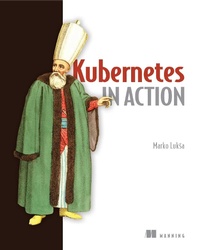
Kubernetes in Action
Deploying and managing containers and cloud-native applications
Published on 14. December 2017
688 pages
978-1-63835-534-2 (ISBN)
Description

Tens of thousands of developers have learned how to develop and run a Kubernetes environment from Kubernetes in Action. This new second edition updates the definitive guide with new, in-depth coverage of the Kubernetes architecture, including the Kubernetes API, and then ins-and-outs of application deployment.
As more and more applications are created using cloud-native and container-based architectures, Kubernetes has become an essential tool for modern developers to master. This book lays out a complete introduction to container technologies and containerized applications along with practical tips for efficient deployment and operation. From building your first cluster, you'll steadily expand your initial application, adding features and deepening your knowledge of Kubernetes architecture.
In it, you'll find:
• Up and running with Kubernetes
• Deploying containers across a cluster
• Securing clusters
• Updating applications with zero downtime
About the technology
Kubernetes is the de facto standard for deploying containerized distributed applications. This powerful platform acts as an operating system for containers and clusters, reducing the need to micro-manage network and server infrastructure. Used daily by millions of developers, administrators, and architects, Kubernetes is must-know enterprise software.
About the book
Kubernetes in Action, Second Edition is the definitive guide to developing and deploying software with Kubernetes. Built on the bestselling first edition, this end-to-end revision provides up-to-date coverage on structuring Kubernetes-based applications and taking advantage of the Kubernetes API. You'll also discover other key topics like configuration, attaching storage, scaling, and zero-downtime maintenance.
What's inside
• Up and running with Kubernetes
• Deploying containers across a cluster
• Updating applications safely
About the reader
Written for intermediate software developers. No prior experience with Kubernetes or containers is required.
About the author
Marko Lukša is an independent software engineer specializing in cloud-native technologies. Kevin Conner is a Senior Principal Software Engineer at Red Hat, focussed on cloud technologies and software supply chain security.
Table of Contents
Part 1
1 Introducing Kubernetes
2 Understanding containers and containerized applications
3 Deploying your first application on Kubernetes
4 Navigating the Kubernetes API and object model
Part 2
5 Running applications with pods
6 Managing the pod life cycle and container health
7 Organizing pods and other resources using namespaces and labels
Part 3
8 Configuring applications with ConfigMaps and Secrets
9 Adding volumes for storage, configuration, and metadata
10 Persisting data with PersistentVolumes
Part 4
11 Exposing pods with services
12 Using Ingress to route traffic to services
13 Routing traffic using the Gateway API
Part 5
14 Scaling and maintaining pods with ReplicaSets
15 Automating application updates with Deployments
16 Handling stateful applications with StatefulSets
17 Deploying per-node workloads with DaemonSets
As more and more applications are created using cloud-native and container-based architectures, Kubernetes has become an essential tool for modern developers to master. This book lays out a complete introduction to container technologies and containerized applications along with practical tips for efficient deployment and operation. From building your first cluster, you'll steadily expand your initial application, adding features and deepening your knowledge of Kubernetes architecture.
In it, you'll find:
• Up and running with Kubernetes
• Deploying containers across a cluster
• Securing clusters
• Updating applications with zero downtime
About the technology
Kubernetes is the de facto standard for deploying containerized distributed applications. This powerful platform acts as an operating system for containers and clusters, reducing the need to micro-manage network and server infrastructure. Used daily by millions of developers, administrators, and architects, Kubernetes is must-know enterprise software.
About the book
Kubernetes in Action, Second Edition is the definitive guide to developing and deploying software with Kubernetes. Built on the bestselling first edition, this end-to-end revision provides up-to-date coverage on structuring Kubernetes-based applications and taking advantage of the Kubernetes API. You'll also discover other key topics like configuration, attaching storage, scaling, and zero-downtime maintenance.
What's inside
• Up and running with Kubernetes
• Deploying containers across a cluster
• Updating applications safely
About the reader
Written for intermediate software developers. No prior experience with Kubernetes or containers is required.
About the author
Marko Lukša is an independent software engineer specializing in cloud-native technologies. Kevin Conner is a Senior Principal Software Engineer at Red Hat, focussed on cloud technologies and software supply chain security.
Table of Contents
Part 1
1 Introducing Kubernetes
2 Understanding containers and containerized applications
3 Deploying your first application on Kubernetes
4 Navigating the Kubernetes API and object model
Part 2
5 Running applications with pods
6 Managing the pod life cycle and container health
7 Organizing pods and other resources using namespaces and labels
Part 3
8 Configuring applications with ConfigMaps and Secrets
9 Adding volumes for storage, configuration, and metadata
10 Persisting data with PersistentVolumes
Part 4
11 Exposing pods with services
12 Using Ingress to route traffic to services
13 Routing traffic using the Gateway API
Part 5
14 Scaling and maintaining pods with ReplicaSets
15 Automating application updates with Deployments
16 Handling stateful applications with StatefulSets
17 Deploying per-node workloads with DaemonSets
More details
Other editions
Additional editions
Persons
Marko Lukša is an engineer at Red Hat working on Kubernetes and OpenShift.
Content
- Intro
- Kubernetes in Action
- Marko Luksa
- Copyright
- Dedication
- Brief Table of Contents
- Table of Contents
- front matter
- Preface
- Acknowledgments
- About This Book
- Who should read this book
- How this book is organized: a roadmap
- About the code
- Book forum
- Other online resources
- About the Author
- About the Cover Illustration
- Part 1. Overview
- Chapter 1. Introducing Kubernetes
- 1.1. Understanding the need for a system like Kubernetes
- 1.1.1. Moving from monolithic apps to microservices
- 1.1.2. Providing a consistent environment to applications
- 1.1.3. Moving to continuous delivery: DevOps and NoOps
- 1.2. Introducing container technologies
- 1.2.1. Understanding what containers are
- 1.2.2. Introducing the Docker container platform
- 1.2.3. Introducing rkt-an alternative to Docker
- 1.3. Introducing Kubernetes
- 1.3.1. Understanding its origins
- 1.3.2. Looking at Kubernetes from the top of a mountain
- 1.3.3. Understanding the architecture of a Kubernetes cluster
- 1.3.4. Running an application in Kubernetes
- 1.3.5. Understanding the benefits of using Kubernetes
- 1.4. Summary
- Chapter 2. First steps with Docker and Kubernetes
- 2.1. Creating, running, and sharing a container image
- 2.1.1. Installing Docker and running a Hello World container
- 2.1.2. Creating a trivial Node.js app
- 2.1.3. Creating a Dockerfile for the image
- 2.1.4. Building the container image
- 2.1.5. Running the container image
- 2.1.6. Exploring the inside of a running container
- 2.1.7. Stopping and removing a container
- 2.1.8. Pushing the image to an image registry
- 2.2. Setting up a Kubernetes cluster
- 2.2.1. Running a local single-node Kubernetes cluster with Minikube
- 2.2.2. Using a hosted Kubernetes cluster with Google Kubernetes Engine
- 2.2.3. Setting up an alias and command-line completion for kubectl
- 2.3. Running your first app on Kubernetes
- 2.3.1. Deploying your Node.js app
- 2.3.2. Accessing your web application
- 2.3.3. The logical parts of your system
- 2.3.4. Horizontally scaling the application
- 2.3.5. Examining what nodes your app is running on
- 2.3.6. Introducing the Kubernetes dashboard
- 2.4. Summary
- Part 2. Core concepts
- Chapter 3. Pods: running containers in Kubernetes
- 3.1. Introducing pods
- 3.1.1. Understanding why we need pods
- 3.1.2. Understanding pods
- 3.1.3. Organizing containers across pods properly
- 3.2. Creating pods from YAML or JSON descriptors
- 3.2.1. Examining a YAML descriptor of an existing pod
- 3.2.2. Creating a simple YAML descriptor for a pod
- 3.2.3. Using kubectl create to create the pod
- 3.2.4. Viewing application logs
- 3.2.5. Sending requests to the pod
- 3.3. Organizing pods with labels
- 3.3.1. Introducing labels
- 3.3.2. Specifying labels when creating a pod
- 3.3.3. Modifying labels of existing pods
- 3.4. Listing subsets of pods through label selectors
- 3.4.1. Listing pods using a label selector
- 3.4.2. Using multiple conditions in a label selector
- 3.5. Using labels and selectors to constrain pod scheduling
- 3.5.1. Using labels for categorizing worker nodes
- 3.5.2. Scheduling pods to specific nodes
- 3.5.3. Scheduling to one specific node
- 3.6. Annotating pods
- 3.6.1. Looking up an object's annotations
- 3.6.2. Adding and modifying annotations
- 3.7. Using namespaces to group resources
- 3.7.1. Understanding the need for namespaces
- 3.7.2. Discovering other namespaces and their pods
- 3.7.3. Creating a namespace
- 3.7.4. Managing objects in other namespaces
- 3.7.5. Understanding the isolation provided by namespaces
- 3.8. Stopping and removing pods
- 3.8.1. Deleting a pod by name
- 3.8.2. Deleting pods using label selectors
- 3.8.3. Deleting pods by deleting the whole namespace
- 3.8.4. Deleting all pods in a namespace, while keeping the namespace
- 3.8.5. Deleting (almost) all resources in a namespace
- 3.9. Summary
- Chapter 4. Replication and other controllers: deploying managed pods
- 4.1. Keeping pods healthy
- 4.1.1. Introducing liveness probes
- 4.1.2. Creating an HTTP-based liveness probe
- 4.1.3. Seeing a liveness probe in action
- 4.1.4. Configuring additional properties of the liveness probe
- 4.1.5. Creating effective liveness probes
- 4.2. Introducing ReplicationControllers
- 4.2.1. The operation of a ReplicationController
- 4.2.2. Creating a ReplicationController
- 4.2.3. Seeing the ReplicationController in action
- 4.2.4. Moving pods in and out of the scope of a ReplicationController
- 4.2.5. Changing the pod template
- 4.2.6. Horizontally scaling pods
- 4.2.7. Deleting a ReplicationController
- 4.3. Using ReplicaSets instead of ReplicationControllers
- 4.3.1. Comparing a ReplicaSet to a ReplicationController
- 4.3.2. Defining a ReplicaSet
- 4.3.3. Creating and examining a ReplicaSet
- 4.3.4. Using the ReplicaSet's more expressive label selectors
- 4.3.5. Wrapping up ReplicaSets
- 4.4. Running exactly one pod on each node with DaemonSets
- 4.4.1. Using a DaemonSet to run a pod on every node
- 4.4.2. Using a DaemonSet to run pods only on certain nodes
- 4.5. Running pods that perform a single completable task
- 4.5.1. Introducing the Job resource
- 4.5.2. Defining a Job resource
- 4.5.3. Seeing a Job run a pod
- 4.5.4. Running multiple pod instances in a Job
- 4.5.5. Limiting the time allowed for a Job pod to complete
- 4.6. Scheduling Jobs to run periodically or once in the future
- 4.6.1. Creating a CronJob
- 4.6.2. Understanding how scheduled jobs are run
- 4.7. Summary
- Chapter 5. Services: enabling clients to discover and talk to pods
- 5.1. Introducing services
- Explaining services with an example
- 5.1.1. Creating services
- 5.1.2. Discovering services
- 5.2. Connecting to services living outside the cluster
- 5.2.1. Introducing service endpoints
- 5.2.2. Manually configuring service endpoints
- 5.2.3. Creating an alias for an external service
- 5.3. Exposing services to external clients
- 5.3.1. Using a NodePort service
- 5.3.2. Exposing a service through an external load balancer
- 5.3.3. Understanding the peculiarities of external connections
- 5.4. Exposing services externally through an Ingress resource
- Understanding why Ingresses are needed
- Understanding that an Ingress controller is required
- 5.4.1. Creating an Ingress resource
- 5.4.2. Accessing the service through the Ingress
- 5.4.3. Exposing multiple services through the same Ingress
- 5.4.4. Configuring Ingress to handle TLS traffic
- 5.5. Signaling when a pod is ready to accept connections
- 5.5.1. Introducing readiness probes
- 5.5.2. Adding a readiness probe to a pod
- 5.5.3. Understanding what real-world readiness probes should do
- 5.6. Using a headless service for discovering individual pods
- 5.6.1. Creating a headless service
- 5.6.2. Discovering pods through DNS
- 5.6.3. Discovering all pods-even those that aren't ready
- 5.7. Troubleshooting services
- 5.8. Summary
- Chapter 6. Volumes: attaching disk storage to containers
- 6.1. Introducing volumes
- 6.1.1. Explaining volumes in an example
- 6.1.2. Introducing available volume types
- 6.2. Using volumes to share data between containers
- 6.2.1. Using an emptyDir volume
- 6.2.2. Using a Git repository as the starting point for a volume
- 6.3. Accessing files on the worker node's filesystem
- 6.3.1. Introducing the hostPath volume
- 6.3.2. Examining system pods that use hostPath volumes
- 6.4. Using persistent storage
- 6.4.1. Using a GCE Persistent Disk in a pod volume
- 6.4.2. Using other types of volumes with underlying persistent storage
- 6.5. Decoupling pods from the underlying storage technology
- 6.5.1. Introducing PersistentVolumes and PersistentVolumeClaims
- 6.5.2. Creating a PersistentVolume
- 6.5.3. Claiming a PersistentVolume by creating a PersistentVolumeClaim
- 6.5.4. Using a PersistentVolumeClaim in a pod
- 6.5.5. Understanding the benefits of using PersistentVolumes and claims
- 6.5.6. Recycling PersistentVolumes
- 6.6. Dynamic provisioning of PersistentVolumes
- 6.6.1. Defining the available storage types through StorageClass resources
- 6.6.2. Requesting the storage class in a PersistentVolumeClaim
- 6.6.3. Dynamic provisioning without specifying a storage class
- 6.7. Summary
- Chapter 7. ConfigMaps and Secrets: configuring applications
- 7.1. Configuring containerized applications
- 7.2. Passing command-line arguments to containers
- 7.2.1. Defining the command and arguments in Docker
- 7.2.2. Overriding the command and arguments in Kubernetes
- 7.3. Setting environment variables for a container
- Making the interval in your fortune image configurable through an- n environment variable
- 7.3.1. Specifying environment variables in a container definition
- 7.3.2. Referring to other environment variables in a variable's value
- 7.3.3. Understanding the drawback of hardcoding environment variables
- 7.4. Decoupling configuration with a ConfigMap
- 7.4.1. Introducing ConfigMaps
- 7.4.2. Creating a ConfigMap
- 7.4.3. Passing a ConfigMap entry to a container as an environment variable
- 7.4.4. Passing all entries of a ConfigMap as environment variables at once
- 7.4.5. Passing a ConfigMap entry as a command-line argument
- 7.4.6. Using a configMap volume to expose ConfigMap entries as files
- 7.4.7. Updating an app's config without having to restart the app
- 7.5. Using Secrets to pass sensitive data to containers
- 7.5.1. Introducing Secrets
- 7.5.2. Introducing the default token Secret
- 7.5.3. Creating a Secret
- 7.5.4. Comparing ConfigMaps and Secrets
- 7.5.5. Using the Secret in a pod
- 7.5.6. Understanding image pull Secrets
- 7.6. Summary
- Chapter 8. Accessing pod metadata and other resources from applications
- 8.1. Passing metadata through the Downward API
- 8.1.1. Understanding the available metadata
- 8.1.2. Exposing metadata through environment variables
- 8.1.3. Passing metadata through files in a downwardAPI volume
- 8.2. Talking to the Kubernetes API server
- 8.2.1. Exploring the Kubernetes REST API
- 8.2.2. Talking to the API server from within a pod
- 8.2.3. Simplifying API server communication with ambassador containers
- 8.2.4. Using client libraries to talk to the API server
- 8.3. Summary
- Chapter 9. Deployments: updating applications declaratively
- 9.1. Updating applications running in pods
- 9.1.1. Deleting old pods and replacing them with new ones
- 9.1.2. Spinning up new pods and then deleting the old ones
- 9.2. Performing an automatic rolling update with a ReplicationController
- 9.2.1. Running the initial version of the app
- 9.2.2. Performing a rolling update with kubectl
- 9.2.3. Understanding why kubectl rolling-update is now obsolete
- 9.3. Using Deployments for updating apps declaratively
- 9.3.1. Creating a Deployment
- 9.3.2. Updating a Deployment
- 9.3.3. Rolling back a deployment
- 9.3.4. Controlling the rate of the rollout
- 9.3.5. Pausing the rollout process
- 9.3.6. Blocking rollouts of bad versions
- 9.4. Summary
- Chapter 10. StatefulSets: deploying replicated stateful applications
- 10.1. Replicating stateful pods
- 10.1.1. Running multiple replicas with separate storage for each
- 10.1.2. Providing a stable identity for each pod
- 10.2. Understanding StatefulSets
- 10.2.1. Comparing StatefulSets with ReplicaSets
- 10.2.2. Providing a stable network identity
- 10.2.3. Providing stable dedicated storage to each stateful instance
- 10.2.4. Understanding StatefulSet guarantees
- 10.3. Using a StatefulSet
- 10.3.1. Creating the app and container image
- 10.3.2. Deploying the app through a StatefulSet
- 10.3.3. Playing with your pods
- 10.4. Discovering peers in a StatefulSet
- Introducing SRV records
- 10.4.1. Implementing peer discovery through DNS
- 10.4.2. Updating a StatefulSet
- 10.4.3. Trying out your clustered data store
- 10.5. Understanding how StatefulSets deal with node failures
- 10.5.1. Simulating a node's disconnection from the network
- 10.5.2. Deleting the pod manually
- 10.6. Summary
- Part 3. Beyond the basics
- Chapter 11. Understanding Kubernetes internals
- 11.1. Understanding the architecture
- Components of the Control Plane
- Components running on the worker nodes
- Add-on components
- 11.1.1. The distributed nature of Kubernetes components
- 11.1.2. How Kubernetes uses etcd
- 11.1.3. What the API server does
- 11.1.4. Understanding how the API server notifies clients of resource changes
- 11.1.5. Understanding the Scheduler
- 11.1.6. Introducing the controllers running in the Controller Manager
- 11.1.7. What the Kubelet does
- 11.1.8. The role of the Kubernetes Service Proxy
- 11.1.9. Introducing Kubernetes add-ons
- 11.1.10. Bringing it all together
- 11.2. How controllers cooperate
- 11.2.1. Understanding which components are involved
- 11.2.2. The chain of events
- 11.2.3. Observing cluster events
- 11.3. Understanding what a running pod is
- 11.4. Inter-pod networking
- 11.4.1. What the network must be like
- 11.4.2. Diving deeper into how networking works
- 11.4.3. Introducing the Container Network Interface
- 11.5. How services are implemented
- 11.5.1. Introducing the kube-proxy
- 11.5.2. How kube-proxy uses iptables
- 11.6. Running highly available clusters
- 11.6.1. Making your apps highly available
- 11.6.2. Making Kubernetes Control Plane components highly available
- 11.7. Summary
- Chapter 12. Securing the Kubernetes API server
- 12.1. Understanding authentication
- 12.1.1. Users and groups
- 12.1.2. Introducing ServiceAccounts
- 12.1.3. Creating ServiceAccounts
- 12.1.4. Assigning a ServiceAccount to a pod
- 12.2. Securing the cluster with role-based access control
- 12.2.1. Introducing the RBAC authorization plugin
- 12.2.2. Introducing RBAC resources
- 12.2.3. Using Roles and RoleBindings
- 12.2.4. Using ClusterRoles and ClusterRoleBindings
- 12.2.5. Understanding default ClusterRoles and ClusterRoleBindings
- 12.2.6. Granting authorization permissions wisely
- 12.3. Summary
- Chapter 13. Securing cluster nodes and the network
- 13.1. Using the host node's namespaces in a pod
- 13.1.1. Using the node's network namespace in a pod
- 13.1.2. Binding to a host port without using the host's network namespace
- 13.1.3. Using the node's PID and IPC namespaces
- 13.2. Configuring the container's security context
- Understanding what's configurable in the security context
- Running a pod without specifying a security context
- 13.2.1. Running a container as a specific user
- 13.2.2. Preventing a container from running as root
- 13.2.3. Running pods in privileged mode
- 13.2.4. Adding individual kernel capabilities to a container
- 13.2.5. Dropping capabilities from a container
- 13.2.6. Preventing processes from writing to the container's filesystem
- 13.2.7. Sharing volumes when containers run as different users
- 13.3. Restricting the use of security-related features in pods
- 13.3.1. Introducing the PodSecurityPolicy resource
- 13.3.2. Understanding runAsUser, fsGroup, and supplementalGroups policies
- 13.3.3. Configuring allowed, default, and disallowed capabilities
- 13.3.4. Constraining the types of volumes pods can use
- 13.3.5. Assigning different PodSecurityPolicies to different users and groups
- 13.4. Isolating the pod network
- 13.4.1. Enabling network isolation in a namespace
- 13.4.2. Allowing only some pods in the namespace to connect to a server pod
- 13.4.3. Isolating the network between Kubernetes namespaces
- 13.4.4. Isolating using CIDR notation
- 13.4.5. Limiting the outbound traffic of a set of pods
- 13.5. Summary
- Chapter 14. Managing pods' computational resources
- 14.1. Requesting resources for a pod's containers
- 14.1.1. Creating pods with resource requests
- 14.1.2. Understanding how resource requests affect scheduling
- 14.1.3. Understanding how CPU requests affect CPU time sharing
- 14.1.4. Defining and requesting custom resources
- 14.2. Limiting resources available to a container
- 14.2.1. Setting a hard limit for the amount of resources a container can use
- 14.2.2. Exceeding the limits
- 14.2.3. Understanding how apps in containers see limits
- 14.3. Understanding pod QoS classes
- 14.3.1. Defining the QoS class for a pod
- 14.3.2. Understanding which process gets killed when memory is low
- 14.4. Setting default requests and limits for pods per namespace
- 14.4.1. Introducing the LimitRange resource
- 14.4.2. Creating a LimitRange object
- 14.4.3. Enforcing the limits
- 14.4.4. Applying default resource requests and limits
- 14.5. Limiting the total resources available in a namespace
- 14.5.1. Introducing the ResourceQuota object
- 14.5.2. Specifying a quota for persistent storage
- 14.5.3. Limiting the number of objects that can be created
- 14.5.4. Specifying quotas for specific pod states and/or QoS classes
- 14.6. Monitoring pod resource usage
- 14.6.1. Collecting and retrieving actual resource usages
- 14.6.2. Storing and analyzing historical resource consumption statistics
- 14.7. Summary
- Chapter 15. Automatic scaling of pods and cluster nodes
- 15.1. Horizontal pod autoscaling
- 15.1.1. Understanding the autoscaling process
- 15.1.2. Scaling based on CPU utilization
- 15.1.3. Scaling based on memory consumption
- 15.1.4. Scaling based on other and custom metrics
- 15.1.5. Determining which metrics are appropriate for autoscaling
- 15.1.6. Scaling down to zero replicas
- 15.2. Vertical pod autoscaling
- 15.2.1. Automatically configuring resource requests
- 15.2.2. Modifying resource requests while a pod is running
- 15.3. Horizontal scaling of cluster nodes
- 15.3.1. Introducing the Cluster Autoscaler
- 15.3.2. Enabling the Cluster Autoscaler
- 15.3.3. Limiting service disruption during cluster scale-down
- 15.4. Summary
- Chapter 16. Advanced scheduling
- 16.1. Using taints and tolerations to repel pods from certain nodes
- 16.1.1. Introducing taints and tolerations
- 16.1.2. Adding custom taints to a node
- 16.1.3. Adding tolerations to pods
- 16.1.4. Understanding what taints and tolerations can be used for
- 16.2. Using node affinity to attract pods to certain nodes
- Comparing node affinity to node selectors
- Examining the default node labels
- 16.2.1. Specifying hard node affinity rules
- 16.2.2. Prioritizing nodes when scheduling a pod
- 16.3. Co-locating pods with pod affinity and anti-affinity
- 16.3.1. Using inter-pod affinity to deploy pods on the same node
- 16.3.2. Deploying pods in the same rack, availability zone, or geographic region
- 16.3.3. Expressing pod affinity preferences instead of hard requirements
- 16.3.4. Scheduling pods away from each other with pod anti-affinity
- 16.4. Summary
- Chapter 17. Best practices for developing apps
- 17.1. Bringing everything together
- 17.2. Understanding the pod's lifecycle
- 17.2.1. Applications must expect to be killed and relocated
- 17.2.2. Rescheduling of dead or partially dead pods
- 17.2.3. Starting pods in a specific order
- 17.2.4. Adding lifecycle hooks
- 17.2.5. Understanding pod shutdown
- 17.3. Ensuring all client requests are handled properly
- 17.3.1. Preventing broken client connections when a pod is starting up
- 17.3.2. Preventing broken connections during pod shut-down
- 17.4. Making your apps easy to run and manage in Kubernetes
- 17.4.1. Making manageable container images
- 17.4.2. Properly tagging your images and using imagePullPolicy wisely
- 17.4.3. Using multi-dimensional instead of single-dimensional labels
- 17.4.4. Describing each resource through annotations
- 17.4.5. Providing information on why the process terminated
- 17.4.6. Handling application logs
- 17.5. Best practices for development and testing
- 17.5.1. Running apps outside of Kubernetes during development
- 17.5.2. Using Minikube in development
- 17.5.3. Versioning and auto-deploying resource manifests
- 17.5.4. Introducing Ksonnet as an alternative to writing YAML/JSON manifests
- 17.5.5. Employing Continuous Integration and Continuous Delivery (CI/CD)
- 17.6. Summary
- Chapter 18. Extending Kubernetes
- 18.1. Defining custom API objects
- 18.1.1. Introducing CustomResourceDefinitions
- 18.1.2. Automating custom resources with custom controllers
- 18.1.3. Validating custom objects
- 18.1.4. Providing a custom API server for your custom objects
- 18.2. Extending Kubernetes with the Kubernetes Service Catalog
- 18.2.1. Introducing the Service Catalog
- 18.2.2. Introducing the Service Catalog API server and Controller Manager
- 18.2.3. Introducing Service Brokers and the OpenServiceBroker API
- 18.2.4. Provisioning and using a service
- 18.2.5. Unbinding and deprovisioning
- 18.2.6. Understanding what the Service Catalog brings
- 18.3. Platforms built on top of Kubernetes
- 18.3.1. Red Hat OpenShift Container Platform
- 18.3.2. Deis Workflow and Helm
- 18.4. Summary
- Appendix A. Using kubectl with multiple clusters
- A.1. Switching between Minikube and Google Kubernetes Engine
- Switching to Minikube
- Switching to GKE
- Going further
- A.2. Using kubectl with multiple clusters or namespaces
- A.2.1. Configuring the location of the kubeconfig file
- A.2.2. Understanding the contents of the kubeconfig file
- A.2.3. Listing, adding, and modifying kube config entries
- A.2.4. Using kubectl with different clusters, users, and contexts
- A.2.5. Switching between contexts
- A.2.6. Listing contexts and clusters
- A.2.7. Deleting contexts and clusters
- Appendix B. Setting up a multi-node cluster with kubeadm
- B.1. Setting up the OS and required packages
- B.1.1. Creating the virtual machine
- B.1.2. Configuring the network adapter for the VM
- B.1.3. Installing the operating system
- B.1.4. Installing Docker and Kubernetes
- B.1.5. Cloning the VM
- B.2. Configuring the master with kubeadm
- Running kubeadm init to initialize the master
- B.2.1. Understanding how kubeadm runs the components
- B.3. Configuring worker nodes with kubeadm
- B.3.1. Setting up the container network
- B.4. Using the cluster from your local machine
- Appendix C. Using other container runtimes
- C.1. Replacing Docker with rkt
- C.1.1. Configuring Kubernetes to use rkt
- C.1.2. Trying out rkt with Minikube
- C.2. Using other container runtimes through the CRI
- C.2.1. Introducing the CRI-O Container Runtime
- C.2.2. Running apps in virtual machines instead of containers
- Appendix D. Cluster Federation
- D.1. Introducing Kubernetes Cluster Federation
- D.2. Understanding the architecture
- D.3. Understanding federated API objects
- D.3.1. Introducing federated versions of Kubernetes resources
- D.3.2. Understanding what federated resources do
- Kubernetes resources covered in the book
- Index
- List of Figures
- List of Tables
- List of Listings
