
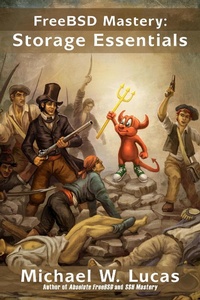
FreeBSD Mastery: Storage Essentials (IT Mastery, #4)
Description
Alles über E-Books | Antworten auf Fragen rund um E-Books, Kopierschutz und Dateiformate finden Sie in unserem Info- & Hilfebereich.
FreeBSD is one of the oldest and most featureful open-source Unix-like operating systems. FreeBSD Mastery: Storage Essentials takes you on a deep dive into FreeBSD's disk management systems. You'll learn about: * identifying your storage hardware * the Common Access Method * GEOM-FreeBSD's powerful and flexible stackable storage system * GUID Partition Tables, the modern disk partitioning standard * MBR/disklabel partitioning, used by older and embedded systems * avoiding common partitioning errors * aligning partitions to the physical disk, for peak performance * the high-performance Unix File System * tuning UFS to fit your environment and load * Two ways to journal filesystems, and when to use each * The GELI and GBDE disk encryption systems, and when to use each * Software-based disk mirroring, striping, RAID-5 and RAID-10. * Custom FreeBSD installs And more! Don't just configure your storage. Understand it. Get FreeBSD Mastery: Storage Essentials today!

More details
System requirements
File format: ePUB
Copy protection: Adobe-DRM (Digital Rights Management)
System requirements:
- Computer (Windows; MacOS X; Linux): Install the free reader Adobe Digital Editions prior to download (see eBook Help).
- Tablet/smartphone (Android; iOS): Install the free app Adobe Digital Editions or the app PocketBook before downloading (see eBook Help).
- E-reader: Bookeen, Kobo, Pocketbook, Sony, Tolino and many more (not Kindle).
The file format ePub works well for novels and non-fiction books – i.e., „flowing” text without complex layout. On an e-reader or smartphone, line and page breaks automatically adjust to fit the small displays.
This eBook uses Adobe-DRM, a „hard” copy protection. If the necessary requirements are not met, unfortunately you will not be able to open the eBook. You will therefore need to prepare your reading hardware before downloading.
Please note: We strongly recommend that you authorise using your personal Adobe ID after installation of any reading software.
For more information, see our ebook Help page.