

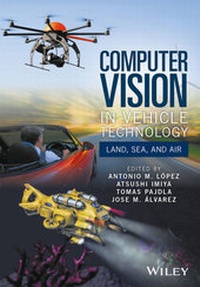
Computer Vision in Vehicle Technology
Description

More details
Other editions
Additional editions
Persons
Content
List of Contributors ix
Preface xi
Abbreviations and Acronyms xiii
1 Computer Vision in Vehicles 1
Reinhard Klette
1.1 Adaptive Computer Vision for Vehicles 1
1.1.1 Applications 1
1.1.2 Traffic Safety and Comfort 2
1.1.3 Strengths of (Computer) Vision 2
1.1.4 Generic and Specific Tasks 3
1.1.5 Multi-module Solutions 4
1.1.6 Accuracy, Precision, and Robustness 5
1.1.7 Comparative Performance Evaluation 5
1.1.8 There Are Many Winners 6
1.2 Notation and Basic Definitions 6
1.2.1 Images and Videos 6
1.2.2 Cameras 8
1.2.3 Optimization 10
1.3 Visual Tasks 12
1.3.1 Distance 12
1.3.2 Motion 16
1.3.3 Object Detection and Tracking 18
1.3.4 Semantic Segmentation 21
1.4 Concluding Remarks 23
Acknowledgments 23
2 Autonomous Driving 24
Uwe Franke
2.1 Introduction 24
2.1.1 The Dream 24
2.1.2 Applications 25
2.1.3 Level of Automation 26
2.1.4 Important Research Projects 27
2.1.5 Outdoor Vision Challenges 30
2.2 Autonomous Driving in Cities 31
2.2.1 Localization 33
2.2.2 Stereo Vision-Based Perception in 3D 36
2.2.3 Object Recognition 43
2.3 Challenges 49
2.3.1 Increasing Robustness 49
2.3.2 Scene Labeling 50
2.3.3 Intention Recognition 52
2.4 Summary 52
Acknowledgments 54
3 Computer Vision for MAVs 55
Friedrich Fraundorfer
3.1 Introduction 55
3.2 System and Sensors 57
3.3 Ego-Motion Estimation 58
3.3.1 State Estimation Using Inertial and Vision Measurements 58
3.3.2 MAV Pose from Monocular Vision 62
3.3.3 MAV Pose from Stereo Vision 63
3.3.4 MAV Pose from Optical Flow Measurements 65
3.4 3D Mapping 67
3.5 Autonomous Navigation 71
3.6 Scene Interpretation 72
3.7 Concluding Remarks 73
4 Exploring the Seafloor with Underwater Robots 75
Rafael Garcia, Nuno Gracias, Tudor Nicosevici, Ricard Prados, Natalia Hurtos, Ricard Campos, Javier Escartin, Armagan Elibol, Ramon Hegedus and Laszlo Neumann
4.1 Introduction 75
4.2 Challenges of Underwater Imaging 77
4.3 Online Computer Vision Techniques 79
4.3.1 Dehazing 79
4.3.2 Visual Odometry 84
4.3.3 SLAM 87
4.3.4 Laser Scanning 91
4.4 Acoustic Imaging Techniques 92
4.4.1 Image Formation 92
4.4.2 Online Techniques for Acoustic Processing 95
4.5 Concluding Remarks 98
Acknowledgments 99
5 Vision-Based Advanced Driver Assistance Systems 100
David Gerónimo, David Vázquez and Arturo de la Escalera
5.1 Introduction 100
5.2 Forward Assistance 101
5.2.1 Adaptive Cruise Control (ACC) and Forward Collision Avoidance (FCA) 101
5.2.2 Traffic Sign Recognition (TSR) 103
5.2.3 Traffic Jam Assist (TJA) 105
5.2.4 Vulnerable Road User Protection 106
5.2.5 Intelligent Headlamp Control 109
5.2.6 Enhanced Night Vision (Dynamic Light Spot) 110
5.2.7 Intelligent Active Suspension 111
5.3 Lateral Assistance 112
5.3.1 Lane Departure Warning (LDW) and Lane Keeping System (LKS) 112
5.3.2 Lane Change Assistance (LCA) 115
5.3.3 Parking Assistance 116
5.4 Inside Assistance 117
5.4.1 Driver Monitoring and Drowsiness Detection 117
5.5 Conclusions and Future Challenges 119
5.5.1 Robustness 119
5.5.2 Cost 121
Acknowledgments 121
6 Application Challenges from a Bird's-Eye View 122
Davide Scaramuzza
6.1 Introduction to Micro Aerial Vehicles (MAVs) 122
6.1.1 Micro Aerial Vehicles (MAVs) 122
6.1.2 Rotorcraft MAVs 123
6.2 GPS-Denied Navigation 124
6.2.1 Autonomous Navigation with Range Sensors 124
6.2.2 Autonomous Navigation with Vision Sensors 125
6.2.3 SFLY: Swarm of Micro Flying Robots 126
6.2.4 SVO, a Visual-Odometry Algorithm for MAVs 126
6.3 Applications and Challenges 127
6.3.1 Applications 127
6.3.2 Safety and Robustness 128
6.4 Conclusions 132
7 Application Challenges of Underwater Vision 133
Nuno Gracias, Rafael Garcia, Ricard Campos, Natalia Hurtos, Ricard Prados, ASM Shihavuddin, Tudor Nicosevici, Armagan Elibol, Laszlo Neumann and Javier Escartin
7.1 Introduction 133
7.2 Offline Computer Vision Techniques for Underwater Mapping and Inspection 134
7.2.1 2D Mosaicing 134
7.2.2 2.5D Mapping 144
7.2.3 3D Mapping 146
7.2.4 Machine Learning for Seafloor Classification 154
7.3 Acoustic Mapping Techniques 157
7.4 Concluding Remarks 159
8 Closing Notes 161
Antonio M. López
References 164
Index 195
Chapter 1
Computer Vision in Vehicles
Reinhard Klette
School of Engineering, Computer and Mathematical Sciences, Auckland University of Technology, Auckland, New Zealand
This chapter is a brief introduction to academic aspects of computer vision in vehicles. It briefly summarizes basic notation and definitions used in computer vision. The chapter discusses a few visual tasks as of relevance for vehicle control and environment understanding.
1.1 Adaptive Computer Vision for Vehicles
Computer vision designs solutions for understanding the real world by using cameras. See Rosenfeld (1969), Horn (1986), Hartley and Zisserman (2003), or Klette (2014) for examples of monographs or textbooks on computer vision.
Computer vision operates today in vehicles including cars, trucks, airplanes, unmanned aerial vehicles (UAVs) such as multi-copters (see Figure 1.1 for a quadcopter), satellites, or even autonomous driving rovers on the Moon or Mars.
Figure 1.1 (a) Quadcopter. (b) Corners detected from a flying quadcopter using a modified FAST feature detector.
Courtesy of Konstantin Schauwecker
In our context, the ego-vehicle is that vehicle where the computer vision system operates in; ego-motion describes the ego-vehicle's motion in the real world.
1.1.1 Applications
Computer vision solutions are today in use in manned vehicles for improved safety or comfort, in autonomous vehicles (e.g., robots) for supporting motion or action control, and also for misusing UAVs for killing people remotely. The UAV technology has also good potentials for helping to save lives, to create three-dimensional (3D) models of the environment, and so forth. Underwater robots and unmanned sea-surface vehicles are further important applications of vision-augmented vehicles.
1.1.2 Traffic Safety and Comfort
Traffic safety is a dominant application area for computer vision in vehicles. Currently, about 1.24 million people die annually worldwide due to traffic accidents (WHO 2013), this is, on average, 2.4 people die per minute in traffic accidents. How does this compare to the numbers Western politicians are using for obtaining support for their "war on terrorism?" Computer vision can play a major role in solving the true real-world problems (see Figure 1.2). Traffic-accident fatalities can be reduced by controlling traffic flow (e.g., by triggering automated warning signals at pedestrian crossings or intersections with bicycle lanes) using stationary cameras, or by having cameras installed in vehicles (e.g., for detecting safe distances and adjusting speed accordingly, or by detecting obstacles and constraining trajectories).
Figure 1.2 The 10 leading causes of death in the world. Chart provided online by the World Health Organization (WHO). Road injury ranked number 9 in 2011
Computer vision is also introduced into modern cars for improving driving comfort. Surveillance of blind spots, automated distance control, or compensation of unevenness of the road are just three examples for a wide spectrum of opportunities provided by computer vision for enhancing driving comfort.
1.1.3 Strengths of (Computer) Vision
Computer vision is an important component of intelligent systems for vehicle control (e.g., in modern cars, or in robots). The Mars rovers "Curiosity" and "Opportunity" operate based on computer vision; "Opportunity" has already operated on Mars for more than ten years. The visual system of human beings provides a proof of existence that vision alone can deliver nearly all of the information required for steering a vehicle. Computer vision aims at creating comparable automated solutions for vehicles, enabling them to navigate safely in the real world. Additionally, computer vision can also work constantly "at the same level of attention," applying the same rules or programs; a human is not able to do so due to becoming tired or distracted.
A human applies accumulated knowledge and experience (e.g., supporting intuition), and it is a challenging task to embed a computer vision solution into a system able to have, for example, intuition. Computer vision offers many more opportunities for future developments in a vehicle context.
1.1.4 Generic and Specific Tasks
There are generic visual tasks such as calculating distance or motion, measuring brightness, or detecting corners in an image (see Figure 1.1b). In contrast, there are specific visual tasks such as detecting a pedestrian, understanding ego-motion, or calculating the free space a vehicle may move in safely in the next few seconds. The borderline between generic and specific tasks is not well defined.
Solutions for generic tasks typically aim at creating one self-contained module for potential integration into a complex computer vision system. But there is no general-purpose corner detector and also no general-purpose stereo matcher. Adaptation to given circumstances appears to be the general way for an optimized use of given modules for generic tasks.
Solutions for specific tasks are typically structured into multiple modules that interact in a complex system.
Example 1.1.1 Specific Tasks in the Context of Visual Lane Analysis
Shin et al. (2014) review visual lane analysis for driver-assistance systems or autonomous driving. In this context, the authors discuss specific tasks such as "the combination of visual lane analysis with driver monitoring..., with ego-motion analysis..., with location analysis..., with vehicle detection..., or with navigation...." They illustrate the latter example by an application shown in Figure 1.3: lane detection and road sign reading, the analysis of GPS data and electronic maps (e-maps), and two-dimensional (2D) visualization are combined into a real-view navigation system (Choi et al. 2010).
Figure 1.3 Two screenshots for real-view navigation.
Courtesy of the authors of Choi et al. (2010)
1.1.5 Multi-module Solutions
Designing a multi-module solution for a given task does not need to be more difficult than designing a single-module solution. In fact, finding solutions for some single modules (e.g., for motion analysis) can be very challenging. Designing a multi-module solution requires:
- 1. that modular solutions are available and known,
- 2. tools for evaluating those solutions in dependency of a given situation (or scenario; see Klette et al. (2011) for a discussion of scenarios) for being able to select (or adapt) solutions,
- 3. conceptual thinking for designing and controlling an appropriate multi-module system,
- 4. a system optimization including a more extensive testing on various scenarios than for a single module (due to the increase in combinatorial complexity of multi-module interactions), and
- 5. multiple modules require control (e.g., when many designers separately insert processors for controlling various operations in a vehicle, no control engineer should be surprised if the vehicle becomes unstable).
1.1.6 Accuracy, Precision, and Robustness
Solutions can be characterized as being accurate, precise, or robust. Accuracy means a systematic closeness to the true values for a given scenario. Precision also considers the occurrence of random errors; a precise solution should lead to about the same results under comparable conditions. Robustness means approximate correctness for a set of scenarios that includes particularly challenging ones: in such cases, it would be appropriate to specify the defining scenarios accurately, for example, by using video descriptors (Briassouli and Kompatsiaris 2010) or data measures (Suaste et al. 2013). Ideally, robustness should address any possible scenario in the real world for a given task.
1.1.7 Comparative Performance Evaluation
An efficient way for a comparative performance analysis of solutions for one task is by having different authors testing their own programs on identical benchmark data. But we not only need to evaluate the programs, we also need to evaluate the benchmark data used (Haeusler and Klette 2010 2012) for identifying their challenges or relevance.
Benchmarks need to come with measures for quantifying performance such that we can compare accuracy on individual data or robustness across a diversity of different input data.
Figure 1.4 illustrates two possible ways for generating benchmarks, one by using computer graphics for rendering sequences with accurately known ground truth,1 and the other one by using high-end sensors (in the illustrated case, ground truth is provided by the use of a laser range-finder).2
Figure 1.4 Examples of benchmark data available for a comparative analysis of computer vision algorithms for motion and distance calculations. (a) Image from a synthetic sequence provided on EISATS with accurate ground truth. (b) Image of a real-world sequence provided on KITTI with approximate ground truth
But those evaluations need to be considered with care since everything is not comparable. Evaluations depend on the benchmark data used; having a few summarizing numbers may not be really of relevance for particular scenarios possibly occurring in the...
