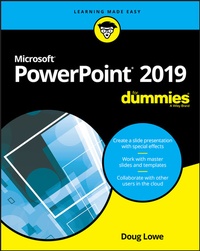
PowerPoint 2019 For Dummies
1st Edition
Published on 2. October 2018
368 pages
978-1-119-51419-0 (ISBN)
Description

Get up and running fast with the PowerPoint 2019
PowerPoint continues to be the go-to tool for business presentations. The software helps anyone who needs to communicate clearly by creating powerful and effective slideshow presentations featuring data in the form of charts, clip art, sound, and video. You can even use it to create presentations for the Web.
In PowerPoint 2019 For Dummies, expert Doug Lowe shows you how to use this popular tool to make show-stopping presentations that will get your message across -- and your audience excited.
* Create a slide presentation with special effects
* Work with master slides and templates
* Collaborate with other users in the cloud
* Add charts, clip art, sound, and video
Want to learn to use PowerPoint quickly and efficiently? Look no further!
PowerPoint continues to be the go-to tool for business presentations. The software helps anyone who needs to communicate clearly by creating powerful and effective slideshow presentations featuring data in the form of charts, clip art, sound, and video. You can even use it to create presentations for the Web.
In PowerPoint 2019 For Dummies, expert Doug Lowe shows you how to use this popular tool to make show-stopping presentations that will get your message across -- and your audience excited.
* Create a slide presentation with special effects
* Work with master slides and templates
* Collaborate with other users in the cloud
* Add charts, clip art, sound, and video
Want to learn to use PowerPoint quickly and efficiently? Look no further!
More details
Other editions
Additional editions