

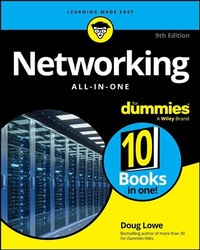
Networking All-in-One For Dummies
Description

The essentials you need to learn about networking-10 books in one!
With over 900 pages of clear and trustworthy information, Networking All-in-One For Dummies is the perfect beginner's guide AND the perfect professional reference book. Small networks, large networks, business networks, cloud networks-it's all covered. Learn how to set up a network and keep it functioning, using Windows Server, Linux, and related technologies. This book also covers best practices for security, managing mobile devices, and beyond. Maybe you're just getting started with networking, or maybe you know what you're doing and need a resource with all the knowledge in one place. Either way, you've found what you need with this Dummies All-in-One
- Plan a network from scratch and learn how to set up all the hardware and software you'll need
- Find explanations and examples of important networking protocols
- Build remote and cloud-based networks of various sizes
- Administer networks with Windows Server and other versions
- Secure your network with penetration testing and planning for cybersecurity incident responses
Every network administrator needs a copy of Networking All-in-One For Dummies, the comprehensive learning resource and reliable desk reference.
Doug Lowe is the information technology director for a civil engineering firm in Clovis, California. He has been managing networks at publishing companies and nonprofits for 40 years. His 50+ technology books include more than 30 in the For Dummies series. Doug has demystified everything from memory management to client/server computing.
More details
Other editions
Additional editions
Person
Doug Lowe is the information technology director for a civil engineering firm in Clovis, California. He has been managing networks at publishing companies and nonprofits for 40 years. His 50+ technology books include more than 30 in the For Dummies series. Doug has demystified everything from memory management to client/server computing.
Content
Introduction 1
Book 1: Getting Started with Networking 5
Chapter 1: Welcome to Networking 7
Chapter 2: Network Infrastructure 23
Chapter 3: Switches, Routers, and VLANs 41
Chapter 4: Cybersecurity. 57
Chapter 5: Servers and Virtualization 69
Chapter 6: Cloud Computing 81
Book 2: Understanding Network Protocols 91
Chapter 1: Network Protocols and Standards 93
Chapter 2: TCP/IP and the Internet 115
Chapter 3: IP Addresses 123
Chapter 4: Routing 145
Chapter 5: Dhcp 155
Chapter 6: Dns 173
Chapter 7: TCP/IP Tools and Commands 207
Book 3: Planning a Network 231
Chapter 1: Local Area Networks 233
Chapter 2: Wide Area Networks 249
Chapter 3: Server Architecture 261
Chapter 4: Virtualization Architecture 271
Chapter 5: Storage Architecture 283
Chapter 6: Backup Architecture 295
Chapter 7: Hyperconverged Infrastructure 313
Book 4: Implementing a Network 325
Chapter 1: Network Hardware 327
Chapter 2: Wireless Networks 339
Chapter 3: Windows Clients 357
Chapter 4: Mac Networking 367
Chapter 5: Network Printers 377
Chapter 6: Virtual Private Networks 385
Book 5: Implementing Virtualization 391
Chapter 1: Hyper-V 393
Chapter 2: VMware 413
Chapter 3: Azure 425
Chapter 4: Amazon Web Services 441
Chapter 5: Desktop Virtualization 459
Book 6: Implementing Windows Server 2025 467
Chapter 1: Installing Windows Server 2025 469
Chapter 2: Configuring Windows Server 2025 487
Chapter 3: Configuring Active Directory 497
Chapter 4: Configuring User Accounts 507
Chapter 5: Configuring a File Server 529
Chapter 6: Using Group Policy 543
Chapter 7: Comandeering Windows Commands 555
Chapter 8: Using PowerShell 583
Book 7: Administering Microsoft 365 603
Chapter 1: Getting Started with Microsoft 365 Administration 605
Chapter 2: Configuring Exchange Online 625
Chapter 3: Administering Teams 641
Book 8: Implementing Linux 657
Chapter 1: Installing a Linux Server 659
Chapter 2: Linux Administration 673
Chapter 3: Basic Linux Network Configuration 705
Chapter 4: Running DHCP and DNS 717
Chapter 5: Linux Commands 725
Book 9: Managing a Network 755
Chapter 1: Welcome to Network Administration 757
Chapter 2: Managing Remotely 771
Chapter 3: Managing Network Assets 791
Chapter 4: Solving Network Problems 801
Book 10: Dealing with Cybersecurity 815
Chapter 1: Securing Your Users 817
Chapter 2: Managing Firewalls and Virus Protection 827
Chapter 3: Dealing with Spam 847
Chapter 4: Managing Disaster Recovery and Business Continuity Planning 861
Chapter 5: Planning for Cybersecurity Incident Response 869
Chapter 6: Penetration Testing 883
Index 895
