

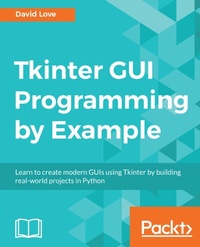
Tkinter GUI Programming by Example
Learn to create modern GUIs using Tkinter by building real-world projects in Python
1st Edition
Published on 23. September 2024
340 pages
978-1-78862-257-8 (ISBN)
Description

Leverage the power of Python and its de facto GUI framework to build highly interactive interfacesKey Features - * The fundamentals of Python and GUI programming with Tkinter.
- * Create multiple cross-platform projects by integrating a host of third-party libraries and tools.
- * Build beautiful and highly-interactive user interfaces that target multiple devices.
Book DescriptionTkinter is a modular, cross-platform application development toolkit for Python. When developing GUI-rich applications, the most important choices are which programming language(s) and which GUI framework to use. Python and Tkinter prove to be a great combination. This book will get you familiar with Tkinter by having you create fun and interactive projects. These projects have varying degrees of complexity. We'll start with a simple project, where you'll learn the fundamentals of GUI programming and the basics of working with a Tkinter application. After getting the basics right, we'll move on to creating a project of slightly increased complexity, such as a highly customizable Python editor. In the next project, we'll crank up the complexity level to create an instant messaging app. Toward the end, we'll discuss various ways of packaging our applications so that they can be shared and installed on other machines without the user having to learn how to install and run Python programs.What you will learn - [*] Create a scrollable frame via theCanvas widget
- [*] Use the pack geometry manager andFrame widget to control layout
- [*] Learn to choose a data structurefor a game
- [*] Group Tkinter widgets, such asbuttons, canvases, and labels
- [*] Create a highly customizablePython editor
- [*] Design and lay out a chat window
Who this book is forThis book is for beginners to GUI programming who haven't used Tkinter yet and are eager to start building great-looking and user-friendly GUIs. Prior knowledge of Python programming is expected.
- * Create multiple cross-platform projects by integrating a host of third-party libraries and tools.
- * Build beautiful and highly-interactive user interfaces that target multiple devices.
Book DescriptionTkinter is a modular, cross-platform application development toolkit for Python. When developing GUI-rich applications, the most important choices are which programming language(s) and which GUI framework to use. Python and Tkinter prove to be a great combination. This book will get you familiar with Tkinter by having you create fun and interactive projects. These projects have varying degrees of complexity. We'll start with a simple project, where you'll learn the fundamentals of GUI programming and the basics of working with a Tkinter application. After getting the basics right, we'll move on to creating a project of slightly increased complexity, such as a highly customizable Python editor. In the next project, we'll crank up the complexity level to create an instant messaging app. Toward the end, we'll discuss various ways of packaging our applications so that they can be shared and installed on other machines without the user having to learn how to install and run Python programs.What you will learn - [*] Create a scrollable frame via theCanvas widget
- [*] Use the pack geometry manager andFrame widget to control layout
- [*] Learn to choose a data structurefor a game
- [*] Group Tkinter widgets, such asbuttons, canvases, and labels
- [*] Create a highly customizablePython editor
- [*] Design and lay out a chat window
Who this book is forThis book is for beginners to GUI programming who haven't used Tkinter yet and are eager to start building great-looking and user-friendly GUIs. Prior knowledge of Python programming is expected.
More details
Other editions
Additional editions
David Love
Tkinter GUI Programming by Example
Book
04/2018
Packt Publishing
€63.40
Shipment within 3-4 weeks
Person
Love David :
David Love is a web developer from Kent, England. He has worked on a multitude of different systems over his career. Programming languages in his arsenal include Python, PHP, and JavaScript. He is well-trained in Linux server management and its relevant technologies, including MySQL, PostgreSQL, NGINX, and supervisor. David has written an e-book called Tkinter By Example, which is available for free under a Creative Commons licenses and maintains an ever-growing blog post named The Tkinter Cookbook, full of small examples on how to perform some specific tasks.
David Love is a web developer from Kent, England. He has worked on a multitude of different systems over his career. Programming languages in his arsenal include Python, PHP, and JavaScript. He is well-trained in Linux server management and its relevant technologies, including MySQL, PostgreSQL, NGINX, and supervisor. David has written an e-book called Tkinter By Example, which is available for free under a Creative Commons licenses and maintains an ever-growing blog post named The Tkinter Cookbook, full of small examples on how to perform some specific tasks.
Content
Table of Contents - Meet Tkinter
- Back to the Command Line
- Jack is Back in Style
- The Finishing Touches
- Creating a Highly Customizable Python Editor
- Color Me Impressed!
- Not Just for Restaurants
- Talk Python to Me
- Connecting
- Making Friends
- Wrapping Up
- Back to the Command Line
- Jack is Back in Style
- The Finishing Touches
- Creating a Highly Customizable Python Editor
- Color Me Impressed!
- Not Just for Restaurants
- Talk Python to Me
- Connecting
- Making Friends
- Wrapping Up
