

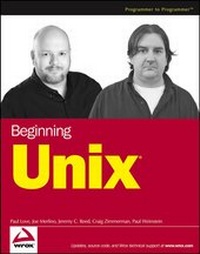
Beginning Unix
Description

Reviews / Votes
"...works from the ground up, covering Apple OS X (which is Unix based) as well as the Linux and Solaris operating systems." (Publishing News, 25th March 2005)More details
Other editions
Additional editions
Persons
Content
Introduction
The new millennium has seen many changes in many areas of computing, from new forms of storage with massive amounts of storage space, to systems that are far more powerful than the first computer users could have ever imagined. Designed and initially created more than 30 years ago, the Unix operating system has been part of the evolution of computers, so it's no accident that Unix is still one of the most popular operating systems for mission-critical tasks.
Unix is the basis for some of the most-used operating systems today, from Apple's Mac OS X to Linux to the more commonly known Unix versions, such as Sun's Solaris Unix and IBM's AIX. Today many of the versions of Unix are available free to users and corporations, allowing for a larger use base than many had imagined when Unix was first being developed. Unix is now seen as a user-friendly, very secure, and robust operating system rather than the cold, command line-only operating system once thought to be useful only to computer experts.
Beginning Unix covers all basic aspects of the Unix operating system. What is unique about this book is that it covers not only the standard Unix systems, such as Sun's Solaris and IBM's AIX, but also Unix derivatives, such as Apple's Mac OS X and the various Linuxes. Additionally, this book includes a unique conversion section explaining how to convert Mac OS X-specific or Windows operating systems commands that you may already know into their Unix equivalents, making the transition from other operating systems much easier.
This book also includes a CD-ROM with the KNOPPIX operating system. This fully functional version of Linux enables you to restart your computer into a Linux environment. KNOPPIX requires no technical experience, and it will not damage or modify your current operating system. Using KNOPPIX is an easy way for you to follow along with the book, learning Unix without the consequences of having to lose any data or operating systems on your computer.
Who Is This Book For?
This book is for anyone who is interested in understanding the concepts and operation of the Unix operating system, including any of the Unix derivatives available today (Apple OS X, Linux, or BSD, for example). It is designed for absolute beginners to the Unix operating system, including those who have only worked with the many graphical user interfaces available for the different Unix systems (Apple's Aqua interface, KDE, GNOME, and so forth). This book can also be useful for veteran Unix users, because no one knows everything about Unix, as a refresher on known concepts or as a tool to fill gaps in some knowledge areas.
No assumptions are made about the reader's skill level or prior use of computers. If you have used computers and other operating systems such as Mac OS X or Microsoft Windows, you will understand some of the concepts faster, but all readers will gain some insight from this book, regardless of their present expertise.
What Does This Book Cover?
This book covers all versions of Unix in their most basic form, as well as commands and concepts common to all versions of Unix and its derivatives, including:
- Apple's Mac OS X
- Red Hat Linux
- Mandrakelinux
- IBM's AIX
- Any version of Linux
- Any version of BSD (FreeBSD, OpenBSD, NetBSD)
Special emphasis is placed on Sun's Solaris, Mac OS X, and Linux because they are the most popular available. The different versions of Unix utilize the same principles and commands with small differences, so any version of Unix can be used with this book.
This book also covers basic programming, including shell scripting and Perl programming, which enable you to automate your system as much as possible-one of the strengths of the Unix operating system. The coverage of these programming concepts creates a firm foundation for more advanced programming covered by other books.
How This Book Is Structured
This book presents basic concepts of the Unix operating system first, progressing to more advanced topics and programming later in the book. If you are familiar with the concepts or commands covered in one chapter, you can simply skip to one that has information you need to learn.
Chapters 1 through 4 provide the fundamental information you need to understand Unix methodology, how Unix is designed, and the basics of logging in to and out of a Unix system.
- Chapter 1: Unix Fundamentals. The basics of Unix, including the history and terminology as well as some of the core concepts of Unix design and philosophy. This chapter helps you understand some of the culture behind the Unix operating system.
- Chapter 2: First Steps. This chapter describes the very first steps you must take to utilize the Unix operating system effectively, including what occurs during the Unix boot process, how to log in, and how the user environment (shell) is structured, as well as how to shut down a Unix system properly.
- Chapter 3: Understanding Users and Groups. Learning how users and groups work within the system is crucial to understanding how you can effectively use your system. This chapter covers all aspects of user accounts and groups, including how to add, modify, and delete user accounts and how to become another user with the
sucommand. - Chapter 4: File System Concepts. The Unix file system is one of the most critical components of the Unix system as a whole. The file system allows you to store and manipulate your files. This chapter shows you what the Unix file system is and how to use it from a user and system administrator point of view. You will learn how to utilize the file system effectively, so that you can prevent some of the common problems associated with file system management.
Chapters 5-7 put you to work, from customizing your working environment to editing files on Unix. These chapters extend your repertoire of Unix commands.
- Chapter 5: Customize Your Working Environment. The shell is the primary environment that you use for day-to-day work in Unix. Unix offers a multitude of ways to customize your working environment to suit your needs and whims. This chapter goes over the many different configuration options available for users in many of the different Unix shells.
- Chapter 6: Unix Commands in Depth. Unix has hundreds of different commands that do many tasks. This chapter provides a foundation for some of the most commonly used commands you will need to understand in order to use the system effectively for day-to-day work.
- Chapter 7: Editing Files with Vi. The vi editor is one of the oldest and most widely used text editors in Unix. It is commonly seen as a monolithic and difficult-to-use editor, but as you will learn, it is a very powerful and fast way to edit files. This chapter explores all aspects of using the vi editor to create and edit files effectively.
With a good foundation in place, you're ready to move on to more-advanced topics. Chapters 8-11 discuss how to use some powerful Unix tools, how to manage processes, and how to schedule programs to run at specific times. Chapter 12 takes on the important subject of security.
- Chapter 8: Advanced Tools. This chapter introduces the concept of regular expressions and covers some of the more advanced tools available to the Unix user.
- Chapter 9: Advanced Unix Commands: sed and awk.
sedandawkare two very powerful tools that enable a user to manipulate files in an efficient manner. These commands are essential, and you will find yourself using them frequently. This chapter goes from the ground up in showing you how to use these commands. - Chapter 10: Job Control and Process Management. This chapter covers the basics of Unix processes and how to control and manage these crucial components of the Unix operating system. As an extension of processes, job control is reviewed and explained.
- Chapter 11: Running Programs at Specified Times. Running programs at specified times without user or administrator intervention provides a user or administrator with the capability to run programs with minimal system impact when the fewest users are utilizing the system. This chapter covers how to run commands at different times and discusses the environmental variables that affect this process.
- Chapter 12: Security. Unix has had security features ingrained for many years, but as with any operating system, it can be made more secure from malicious entities on the outside or inside. This chapter goes over the basics of system security and then covers some of the fundamental steps you can take to make your system more secure.
Chapters 13-17 delve into shell scripting and other methods of "automating" common tasks in Unix systems. Although these tasks often fall within the purview of system administrators, other users, including home users, may benefit.
- Chapter 13: Basic Shell Scripting. Shell scripting is the gateway to more advanced programming languages for many users. This chapter delves into the basics of programming with the major Unix shells, making the transition from user to beginning programmer easier.
- Chapter 14: Advanced Shell Scripting. This chapter takes Chapter 13 one step further, moving you...
