

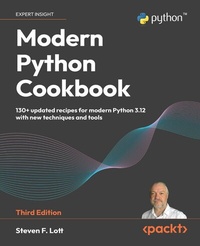
Modern Python Cookbook
Description

Python is the go-to language for developers, engineers, data scientists, and hobbyists worldwide. Known for its versatility, Python can efficiently power applications, offering remarkable speed, safety, and scalability. This book distills Python into a collection of straightforward recipes, providing insights into specific language features within various contexts, making it an indispensable resource for mastering Python and using it to handle real-world use cases. The third edition of Modern Python Cookbook provides an in-depth look into Python 3.12, offering more than 140 new and updated recipes that cater to both beginners and experienced developers. This edition introduces new chapters on documentation and style, data visualization with Matplotlib and Pyplot, and advanced dependency management techniques using tools like Poetry and Anaconda. With practical examples and detailed explanations, this cookbook helps developers solve real-world problems, optimize their code, and get up to date with the latest Python features.
All prices
More details
Other editions
Additional editions
Previous edition
Content
- Cover
- Copyright
- Contributors
- Table of Contents
- Preface
- Chapter 1: Numbers, Strings, and Tuples
- Choosing between float, decimal, and fraction
- Choosing between true division and floor division
- String parsing with regular expressions
- Building complicated strings with f-strings
- Building complicated strings from lists of strings
- Using the Unicode characters that aren't on our keyboards
- Encoding strings - creating ASCII and UTF-8 bytes
- Decoding bytes - how to get proper characters from some bytes
- Using tuples of items
- Using NamedTuples to simplify item access in tuples
- Chapter 2: Statements and Syntax
- Writing Python script and module files - syntax basics
- Writing long lines of code
- Including descriptions and documentation
- Writing better docstrings with RST markup
- Designing complex if...elif chains
- Saving intermediate results with the := "walrus" operator
- Avoiding a potential problem with break statements
- Leveraging exception matching rules
- Avoiding a potential problem with an except: clause
- Concealing an exception root cause
- Managing a context using the with statement
- Chapter 3: Function Definitions
- Function parameters and type hints
- Designing functions with optional parameters
- Using super flexible keyword parameters
- Forcing keyword-only arguments with the * separator
- Defining position-only parameters with the / separator
- Picking an order for parameters based on partial functions
- Writing clear documentation strings with RST markup
- Designing recursive functions around Python's stack limits
- Writing testable scripts with the script-library switch
- Chapter 4: Built-In Data Structures Part 1: Lists and Sets
- Choosing a data structure
- Building lists - literals, appending, and comprehensions
- Slicing and dicing a list
- Shrinking lists - deleting, removing, and popping
- Writing list-related type hints
- Reversing a copy of a list
- Building sets - literals, adding, comprehensions, and operators
- Shrinking sets - remove(), pop(), and difference
- Writing set-related type hints
- Chapter 5: Built-In Data Structures Part 2: Dictionaries
- Creating dictionaries - inserting and updating
- Shrinking dictionaries - the pop() method and the del statement
- Writing dictionary-related type hints
- Understanding variables, references, and assignment
- Making shallow and deep copies of objects
- Avoiding mutable default values for function parameters
- Chapter 6: User Inputs and Outputs
- Using the features of the print() function
- Using input() and getpass() for user input
- Debugging with f"{value=}" strings
- Using argparse to get command-line input
- Using invoke to get command-line input
- Using cmd to create command-line applications
- Using the OS environment settings
- Chapter 7: Basics of Classes and Objects
- Using a class to encapsulate data and processing
- Essential type hints for class definitions
- Designing classes with lots of processing
- Using typing.NamedTuple for immutable objects
- Using dataclasses for mutable objects
- Using frozen dataclasses for immutable objects
- Optimizing small objects with __slots__
- Using more sophisticated collections
- Extending a built-in collection - a list that does statistics
- Using properties for lazy attributes
- Creating contexts and context managers
- Managing multiple contexts with multiple resources
- Chapter 8: More Advanced Class Design
- Choosing between inheritance and composition - the "is-a" question
- Separating concerns via multiple inheritance
- Leveraging Python's duck typing
- Managing global and singleton objects
- Using more complex structures - maps of lists
- Creating a class that has orderable objects
- Deleting from a list of complicated objects
- Chapter 9: Functional Programming Features
- Writing generator functions with the yield statement
- Applying transformations to a collection
- Using stacked generator expressions
- Picking a subset - three ways to filter
- Summarizing a collection - how to reduce
- Combining the map and reduce transformations
- Implementing ``there exists'' processing
- Creating a partial function
- Writing recursive generator functions with the yield from statement
- Chapter 10: Working with Type Matching and Annotations
- Designing with type hints
- Using the built-in type matching functions
- Using the match statement
- Handling type conversions
- Implementing more strict type checks with Pydantic
- Including run-time valid value checks
- Chapter 11: Input/Output, Physical Format, and Logical Layout
- Using pathlib to work with filenames
- Replacing a file while preserving the previous version
- Reading delimited files with the CSV module
- Using dataclasses to simplify working with CSV files
- Reading complex formats using regular expressions
- Reading JSON and YAML documents
- Reading XML documents
- Reading HTML documents
- Chapter 12: Graphics and Visualization with Jupyter Lab
- Starting a Notebook and creating cells with Python code
- Ingesting data into a notebook
- Using pyplot to create a scatter plot
- Using axes directly to create a scatter plot
- Adding details to markdown cells
- Including Unit Test Cases in a Notebook
- Chapter 13: Application Integration: Configuration
- Finding configuration files
- Using TOML for configuration files
- Using Python for configuration files
- Using a class as a namespace for configuration
- Designing scripts for composition
- Using logging for control and audit output
- Chapter 14: Application Integration: Combination
- Combining two applications into one
- Combining many applications using the Command design pattern
- Managing arguments and configuration in composite applications
- Wrapping and combining CLI applications
- Wrapping a program and checking the output
- Chapter 15: Testing
- Using docstrings for testing
- Testing functions that raise exceptions
- Handling common doctest issues
- Unit testing with the unittest module
- Combining unittest and doctest tests
- Unit testing with the pytest module
- Combining pytest and doctest tests
- Testing things that involve dates or times
- Testing things that involve randomness
- Mocking external resources
- Chapter 16: Dependencies and Virtual Environments
- Creating environments using the built-in venv
- Installing packages with a requirements.txt file
- Creating a pyproject.toml file
- Using pip-tools to manage the requirements.txt file
- Using Anaconda and the conda tool
- Using the poetry tool
- Coping with changes in dependencies
- Chapter 17: Documentation and Style
- The bare minimum: a README.rst file
- Installing Sphinx and creating documentation
- Using Sphinx autodoc to create the API reference
- Identifying other CI/CD tools in pyproject.toml
- Using tox to run comprehensive quality checks
- Other Books You May Enjoy
- Packt Page
- Index
- Blank Page
