

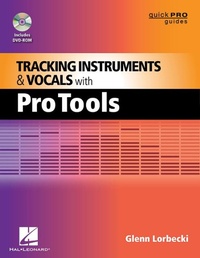
Tracking Instruments and Vocals with Pro Tools
1st Edition
Published on 1. June 2012
180 pages
978-1-4584-7136-9 (ISBN)
Description

Pro Tools 101 Official Courseware, Version 8 (978-1-59863-866-0); Pro Tools for Musicians and Songwriters (978-0-321-33703-0)
More details
Series
Edition
1. Auflage
Language
English
Place of publication
Milwaukee
United States
ISBN-13
978-1-4584-7136-9 (9781458471369)
Copyright in bibliographic data and cover images is held by Nielsen Book Services Limited or by the publishers or by their respective licensors: all rights reserved.
Schweitzer Classification
Other editions
Additional editions
Glenn Lorbecki
Tracking Instruments and Vocals with Pro Tools
Book
08/2012
Hal Leonard Corporation
€22.00
Shipment within 15-20 days
Person
Glenn Lorbecki (Seattle, WA) is an award-winning producer/engineer, musician, and composer. President of Glenn Sound studios, he has been in the recording business since music was recorded on rusty plastic film. Glenn teaches at the University of Washington and is director of studies at MediaLab/Seattle. He currently serves as secretary/treasurer of the Recording Academy Board of Trustees (a.k.a. NARAS, the Grammy people).
Content
- Intro
- Title Page
- Copyright Page
- Contents
- Preface
- Acknowledgments
- Introduction
- What Should You Bring to the Party?
- How to Use This Book and Related DVD Materials
- Terminology
- Video Content
- Session Data and Audio Files
- Additional Materials
- Updates
- Summary of Key Commands
- Chapter 1: Pro Tools Primer
- What's New In Pro Tools?
- Digidesign Is Now AVID
- New Pro Tools Audio Engine
- Aggregate I/O
- Automatic Delay Compensation (ADC)
- Recording and Mixing Options
- Unified Installer
- Session Import/Export
- The Pro Tools System
- Software Overview
- Hardware Overview: Three Levels of Performance
- Level 1: Pro Tools
- Level 2: Pro Tools with Complete Production Toolkit (CPTK)
- Level 3: Pro Tools HD
- Outboard Gear
- iLok
- System Calibration
- Optimizing the Pro Tools Environment
- System Usage Window
- Playback Engine
- Buffer Settings
- Host Processors
- CPU Usage Limit
- Host Engine
- Delay Compensation Engine
- DAE Playback Buffer
- Cache Size
- Plug-in Streaming Buffer
- Apply Changes
- Very Important Note!
- Hardware Settings
- Peripherals
- Sample Rate
- Clock Source
- Optical Format
- Launch Setup App
- Disk Allocation
- I/O Settings
- Handy Pro Tools Functions
- Edit Modes
- Edit Tools
- Pro Tools Conventions
- Key Commands
- Keyboard Focus
- Chapter 1 Review
- Chapter 2: Building and Managing Your Virtual Studio
- Accessing Pro Tools Menus
- Edit Window Menus
- Configuring a Virtual Mixer in Pro Tools
- Tracks
- Stereo Pan Depth
- Groups
- Sub-Masters
- Aux Sends/Returns
- Inserts
- Sends
- Master Faders
- Clearing Clipped Signal Indicators
- Organizing Your Tracks
- Edit Window Layout
- Grid Settings
- Nudge Settings
- Color Palette
- Memory Locations/Markers
- Window Configurations
- Transport Window
- Editing Operations
- Playlists
- Duplicating Tracks
- Cleaning Tracks
- Strip Silence
- Noise Gates
- Manual Editing
- Mute Region vs. Delete Region
- Consolidating Regions
- Summary of Key Commands
- Chapter 2 Review
- Chapter 3: Preparing the Session
- Pre-Production
- Recording a Band-Pre-Session Checklist
- Recording an Individual Performer
- Session Basics
- Working with Session Templates
- Building a Session from Scratch
- Naming Tracks
- Recording Live Performances
- The Recording Process
- Pro Tools Commands for Recording and Playback
- Transport Controls
- Playback Modes
- Recording Modes
- Using Record Modes
- Additional Recording Tools
- Practical Pro Tools
- Recording to a Click-or Not
- The Headphone Mix
- Metering
- Setting Levels
- Recording with Dynamics Processing
- Recording with EQ
- Keeping Track of Tracking Sessions and Files
- Summary of Key Commands
- Chapter 3 Review
- Chapter 4: The Recording Process
- Tracking
- Editing
- Mixing
- Mastering
- Recording Tracks That Sound Good
- Thinking Like a Tracking Engineer
- Keeping an Eye on the Big Picture
- Delivery Format
- What Makes a Recording Sound Bad?
- Calibrating Your Ears
- Basic Tracking Tools
- Microphones
- Direct Boxes
- Signal Chain
- Microphone Pre-Amplifiers
- Compressor/Limiters
- Equalizers
- DAW
- I/O
- Monitor Speakers
- Headphone Mixes for Performers
- Effects Used in Tracking
- Analog Processing
- Digital Effects
- Chapter 4 Review
- Chapter 5: Recording in Pro Tools
- Recording Instruments
- Drums
- Electric Bass
- Acoustic Bass
- Electric Guitar
- Acoustic Guitar
- Piano
- Organ
- Keyboards
- Percussion
- Other Stringed Instruments
- Brass Instruments
- Wind Instruments
- Recording Unfamiliar Instruments
- Advanced Techniques
- Re-Amping
- Using Multiple Tracks for Guitars
- Using a Tuner in Pro Tools
- Hitting the Red Button
- Recording Vocals
- Creating a Welcoming Creative Environment
- Mic Selection
- Headphones and the Art of Singing in Tune
- Vocalist Signal Chain
- Vocalist Headphone Mix
- Keeping Track of Vocal Takes and Keepers
- Assembling and Editing Vocal Takes
- Double-Tracking
- Using Multiple Tracks for Lead Vocals
- Self-Stacking BGVs
- Group BGVs
- To Tune or Not to Tune
- Auto-Tune vs. Melodyne vs. Waves Tune
- Editing Your Recording
- Editing = Making Choices
- Recording Multiple Takes of a Song
- Editing Multiple Takes into a Master Take
- Using Pro Tools Playlists
- Comping with Playlists
- Recording Overdubs and Punch-ins
- Tracking Tips
- Summary of Key Commands
- Chapter 5 Review
- Chapter 6: Signal Processing Tools
- Audio Suite Plug-ins
- Working with Plug-in Inserts
- RTAS: Real Time Audio Suite Plug-ins
- TDM: Time-Division Multiplexing
- Inserting Plug-ins
- Viewing Multiple Plug-in Windows
- Plug-in Manipulation
- Copying Plug-in Settings
- The Secret of the Right Mouse-Click
- Printing Tracks with Real-Time Plug-in Effects
- Side-Chain Effects
- Processing Tools for Your Toolkit
- Frequency Tools
- EQ
- Dynamic Range Control
- Compression/Limiting
- Multi-Band Compression
- Expanders/Noise Gates
- De-Essers
- Pitch Tools
- Pitch Change
- Auto-Pitch Correction
- Creative Use of Pitch Effects
- Time-Based Effects
- Phase-Reverse
- Reverb
- Delay
- Modulation Effects
- Time Compression/Expansion, or TCE
- Other Effects
- Distortion
- Panning
- Other Tools and Plug-ins
- Summary of Key Commands
- Chapter 6 Review
- Chapter 7: Closing Thoughts
- Know Your Tools
- Record Clean Tracks
- Experiment
- Back Up Your Work!
- Have an Opinion
- R.E.S.P.E.C.T.
- Rapport
- Have Fun!
- Glossary
- Appendix: DVD-ROM Video Tutorials and Pro Tools Sessions
- Answer Key for Chapter Review Questions
