

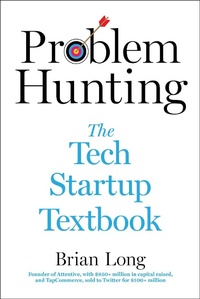
Problem Hunting
The Tech Startup Textbook
Published on 3. October 2023
288 pages
978-1-5107-7866-5 (ISBN)
Description

A unicorn founder gives step-by-step advice on everything from finding product-market fit to managing investors
In Problem Hunting: The Tech Startup Textbook, Brian Long offers a tactical approach to building a tech company based on his experience growing a multi-billion dollar software business and selling another business to Twitter for nine figures. This is a daily playbook that any budding entrepreneur will return to over and over again as a reference when building their business.
Problem Hunting is broken down into chapters giving simple, step-by-step advice for each stage and functional department needed to run a startup tech company:
Built upon learning and anecdotes from a unicorn founder, Problem Hunting has everything prospective entrepreneurs and leaders need to start their business.
In Problem Hunting: The Tech Startup Textbook, Brian Long offers a tactical approach to building a tech company based on his experience growing a multi-billion dollar software business and selling another business to Twitter for nine figures. This is a daily playbook that any budding entrepreneur will return to over and over again as a reference when building their business.
Problem Hunting is broken down into chapters giving simple, step-by-step advice for each stage and functional department needed to run a startup tech company:
- Finding and testing product market fit
- Creating and refining your product
- Selling and marketing your new solution
- Hiring your team and building your culture
- Mobilizing financial, legal, and compliance functions
- Pitching investors and securing funding
Built upon learning and anecdotes from a unicorn founder, Problem Hunting has everything prospective entrepreneurs and leaders need to start their business.
More details
Person
Brian Long is the cofounder and chairman of Attentive, a six-year-old tech startup with 1,000+ employees, $850M+ in capital raised from the best investors in the world, and hundreds of millions of dollars in annual sales serving 5,000+ customers. Attentive has been named to the Top 10 in the Forbes Cloud 100, and #3 on the Deloitte Fast 500. Prior to Attentive, Brian was the CEO and cofounder of TapCommerce, which he sold to Twitter in 2014 for over $100M. Brian is a graduate of the University of Pennsylvania and loves soft pretzels.
