

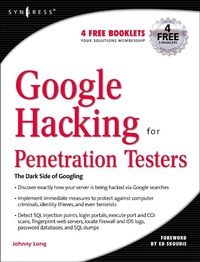
Google Hacking for Penetration Testers
1st Edition
Published on 14. May 2014
529 pages
978-0-08-047805-0 (ISBN)
Description

Google, the most popular search engine worldwide, provides web surfers with an easy-to-use guide to the Internet, with web and image searches, language translation, and a range of features that make web navigation simple enough for even the novice user. What many users don't realize is that the deceptively simple components that make Google so easy to use are the same features that generously unlock security flaws for the malicious hacker. Vulnerabilities in website security can be discovered through Google hacking, techniques applied to the search engine by computer criminals, identity thieves, and even terrorists to uncover secure information. This book beats Google hackers to the punch, equipping web administrators with penetration testing applications to ensure their site is invulnerable to a hacker's search. Penetration Testing with Google Hacks explores the explosive growth of a technique known as "Google Hacking." When the modern security landscape includes such heady topics as "blind SQL injection" and "integer overflows," it's refreshing to see such a deceptively simple tool bent to achieve such amazing results; this is hacking in the purest sense of the word. Readers will learn how to torque Google to detect SQL injection points and login portals, execute port scans and CGI scans, fingerprint web servers, locate incredible information caches such as firewall and IDS logs, password databases, SQL dumps and much more - all without sending a single packet to the target! Borrowing the techniques pioneered by malicious "Google hackers," this talk aims to show security practitioners how to properly protect clients from this often overlooked and dangerous form of information leakage.*First book about Google targeting IT professionals and security leaks through web browsing. *Author Johnny Long, the authority on Google hacking, will be speaking about "Google Hacking" at the Black Hat 2004 Briefing. His presentation on penetrating security flaws with Google is expected to create a lot of buzz and exposure for the topic. *Johnny Long's Web site hosts the largest repository of Google security exposures and is the most popular destination for security professionals who want to learn about the dark side of Google.
More details
Language
English
Place of publication
San Diego
United States
Product notice
Windows
ISBN-13
978-0-08-047805-0 (9780080478050)
Copyright in bibliographic data and cover images is held by Nielsen Book Services Limited or by the publishers or by their respective licensors: all rights reserved.
Schweitzer Classification
Other editions
New editions

Bill Gardner | Johnny Long | Justin Brown
Google Hacking for Penetration Testers
E-Book
11/2015
3rd Edition
Syngress
€42.95
Available for download
Additional editions
Bill Gardner | Johnny Long | Justin Brown
Google Hacking for Penetration Testers
Book
12/2007
Syngress
€63.32
Article exhausted; check for reprint
Book
12/2004
Syngress
€45.99
Article exhausted; check for reprint
Person
Johnny Long is a Christian by grace, a professional hacker by trade, a pirate by blood, a ninja in training, a security researcher and author. He can be found lurking at his website (johnny.ihackstuff.com). He is the founder of Hackers For Charity(ihackcharities.org), an organization that provides hackers with job experience while leveraging their skills for charities that need those skills.
Content
- Cover
- Contents
- Foreword
- Google Searching Basics
- Advanced Operators
- Google Hacking Basics
- Pre-Assessment
- Network Mapping
- Locating Exploits and Finding Targets
- Ten Simple Security Searches That Work
- Tracking Down Web Servers, Login Portals, and Network Hardware
- Usernames, Passwords, and Secret Stuff, Oh My!
- Document Grinding and Database Digging
- Protecting Yourself from Google Hackers
- Automating Google Searches
- Professional Security Testing
- An Introduction to Web Application Security
- Index
- Related Titles
