

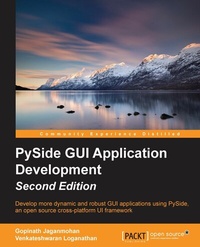
Pyside GUI Application Development- Second Edition
Develop more dynamic and robust GUI applications using PySide, an open source cross-platform UI framework
2nd Edition
Published on 13. January 2025
144 pages
978-1-78528-036-8 (ISBN)
Description

Develop more dynamic and robust GUI applications using PySide, an open source cross-platform UI framework
Key Features
[*]Designed for beginners to help you get started with GUI application development
[*]Develop your own applications by creating customized widgets and dialogs
[*]Written in a simple and elegant structure so you easily understand how to program various GUI components
Book DescriptionElegantly-built GUI applications are always a massive hit among users. PySide is an open source software project that provides Python bindings for the Qt cross-platform UI framework. Combining the power of Qt and Python, PySide provides easy access to the Qt framework for Python developers and also acts as an excellent rapid application development platform. This book will take you through everything you need to know to develop UI applications. You will learn about installing and building PySide in various major operating systems as well as the basics of GUI programming. The book will then move on to discuss event management, signals and slots, and the widgets and dialogs available with PySide. Database interaction and manipulation is also covered. By the end of this book, you will be able to program GUI applications efficiently and master how to develop your own applications and how to run them across platforms. What you will learn
[*]Program GUI applications in an easy and efficient way
[*]Download and install PySide, a cross-platform GUI development toolkit for Python
[*]Create menus, toolbars, status bars, and child windows
[*]Develop a text editor application on your own
[*]Connect your GUI to a database and manage it
[*]Execute SQL queries by handling databases
Who this book is forThis book is written for Python programmers who want to learn about GUI programming. It is also suitable for those who are new to Python but are familiar with object-oriented programming.
Key Features
[*]Designed for beginners to help you get started with GUI application development
[*]Develop your own applications by creating customized widgets and dialogs
[*]Written in a simple and elegant structure so you easily understand how to program various GUI components
Book DescriptionElegantly-built GUI applications are always a massive hit among users. PySide is an open source software project that provides Python bindings for the Qt cross-platform UI framework. Combining the power of Qt and Python, PySide provides easy access to the Qt framework for Python developers and also acts as an excellent rapid application development platform. This book will take you through everything you need to know to develop UI applications. You will learn about installing and building PySide in various major operating systems as well as the basics of GUI programming. The book will then move on to discuss event management, signals and slots, and the widgets and dialogs available with PySide. Database interaction and manipulation is also covered. By the end of this book, you will be able to program GUI applications efficiently and master how to develop your own applications and how to run them across platforms. What you will learn
[*]Program GUI applications in an easy and efficient way
[*]Download and install PySide, a cross-platform GUI development toolkit for Python
[*]Create menus, toolbars, status bars, and child windows
[*]Develop a text editor application on your own
[*]Connect your GUI to a database and manage it
[*]Execute SQL queries by handling databases
Who this book is forThis book is written for Python programmers who want to learn about GUI programming. It is also suitable for those who are new to Python but are familiar with object-oriented programming.
All prices
More details
Edition
2nd Revised edition
Language
English
Place of publication
Birmingham
United Kingdom
Target group
Professional and scholarly
US School Grade: College Graduate Student
Edition type
Revised edition
File size
2,07 MB
ISBN-13
978-1-78528-036-8 (9781785280368)
Copyright in bibliographic data and cover images is held by Nielsen Book Services Limited or by the publishers or by their respective licensors: all rights reserved.
Schweitzer Classification
Other editions
Additional editions
Gopinath Jaganmohan | Venkateshwaran Loganathan
Pyside GUI Application Development - Second Edition
Book
01/2016
Packt Publishing
€38.90
Shipment within 3-4 weeks
Persons
Loganathan Venkateshwaran :
Venkateshwaran Loganathan is an eminent software developer who has been involved in the design, development, and testing of software products for more than five years now. He was introduced to computer programming at an early age of 11 with FoxPro, and he then started to learn and master various computer languages, such as C, C++, Perl, Python, Node.js, and Unix shell scripting. Fascinated by open source development, he has involved himself in contributing to various open source technologies. He is now working for Cognizant Technology Solutions as a technology specialist where he has involved himself in research and development for the Internet of Things domain. He is now actively involved in using RFID devices, Drones, and Google Glass to evolve Future of Technology concepts. Before joining with Cognizant, he worked with few of the IT majors, such as Infosys, Virtusa, and NuVeda. Starting his career as a network developer, he gained expertise in various domains, such as Networking, E-Learning, and HealthCare. He has won various awards and accolades to his merit in the companies he has worked for. Venkateshwaran holds a bachelor's degree in Computer Science and Engineering from Anna University and an M.S in software systems from BITS, Pilani. Apart from programming, he is actively involved in handling various technical and soft skills classes for budding engineers and college students. His hobbies include singing and trekking. He likes to get involved with social servicing and move with people a lot. You can write to him at anandvenkat4@gmail.com.Jaganmohan Gopinath :
Gopinath Jaganmohan is an Internet of Things evangelist and open source distributed-computing architect. He has 14 years of experience in various industries and has architected and lead implementation in Internet of Things platforms and solutions for enterprise in Telematics, Healthcare, and Wearables. He has worked on various technologies starting from C, Python, Lua, to Node.js, and implemented Big Data technologies like Hbase, Couchbase and ZooKeeper for various clients. He is passionate about device programming and device integration. He is lately working on deep learning technologies like Keras, scikit, Torch7 and Pandas in machine learning for device data.
Venkateshwaran Loganathan is an eminent software developer who has been involved in the design, development, and testing of software products for more than five years now. He was introduced to computer programming at an early age of 11 with FoxPro, and he then started to learn and master various computer languages, such as C, C++, Perl, Python, Node.js, and Unix shell scripting. Fascinated by open source development, he has involved himself in contributing to various open source technologies. He is now working for Cognizant Technology Solutions as a technology specialist where he has involved himself in research and development for the Internet of Things domain. He is now actively involved in using RFID devices, Drones, and Google Glass to evolve Future of Technology concepts. Before joining with Cognizant, he worked with few of the IT majors, such as Infosys, Virtusa, and NuVeda. Starting his career as a network developer, he gained expertise in various domains, such as Networking, E-Learning, and HealthCare. He has won various awards and accolades to his merit in the companies he has worked for. Venkateshwaran holds a bachelor's degree in Computer Science and Engineering from Anna University and an M.S in software systems from BITS, Pilani. Apart from programming, he is actively involved in handling various technical and soft skills classes for budding engineers and college students. His hobbies include singing and trekking. He likes to get involved with social servicing and move with people a lot. You can write to him at anandvenkat4@gmail.com.Jaganmohan Gopinath :
Gopinath Jaganmohan is an Internet of Things evangelist and open source distributed-computing architect. He has 14 years of experience in various industries and has architected and lead implementation in Internet of Things platforms and solutions for enterprise in Telematics, Healthcare, and Wearables. He has worked on various technologies starting from C, Python, Lua, to Node.js, and implemented Big Data technologies like Hbase, Couchbase and ZooKeeper for various clients. He is passionate about device programming and device integration. He is lately working on deep learning technologies like Keras, scikit, Torch7 and Pandas in machine learning for device data.
Content
Table of Contents
Getting Started with PySide
Entering GUI Development through Windows
Managing Main Windows and Layout
Event Management and Signals
Creating Dialogs and Widgets
Handling Databases
Getting Started with PySide
Entering GUI Development through Windows
Managing Main Windows and Layout
Event Management and Signals
Creating Dialogs and Widgets
Handling Databases

