

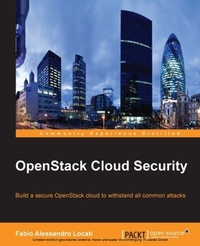
OpenStack Cloud Security
Your OpenStack cloud storage contains all your vital computing resources and potentially sensitive data - secure it with this essential OpenStack tutorial
Published on 7. October 2025
160 pages
978-1-78217-099-0 (ISBN)
Description

Key Features
Book DescriptionIf you are an OpenStack administrator or developer, or wish to build solutions to protect your OpenStack environment, then this book is for you. Experience of Linux administration and familiarity with different OpenStack components is assumed.What you will learn
Secure your servers, data center, and network to improve your environment for the cloud
Gain insights into ISP intercept and social engineering
Explore automated attacks with the help of mass phishing, brute force, and automated exploitation tools
Secure your OpenStack installation from a networking perspective at both low and high levels
Get to know how to secure your OpenStack to use only encrypted communications for APIs
Configure secure communications on the OpenStack API
Harden OpenStack Keystone and Horizon for a more secure environment
Protect the Swift replication mechanism through network hardening
Who this book is forIf you are an OpenStack administrator or developer, or wish to build solutions to protect your OpenStack environment, then this book is for you. Experience of Linux administration and familiarity with different OpenStack components is assumed.
Book DescriptionIf you are an OpenStack administrator or developer, or wish to build solutions to protect your OpenStack environment, then this book is for you. Experience of Linux administration and familiarity with different OpenStack components is assumed.What you will learn
Secure your servers, data center, and network to improve your environment for the cloud
Gain insights into ISP intercept and social engineering
Explore automated attacks with the help of mass phishing, brute force, and automated exploitation tools
Secure your OpenStack installation from a networking perspective at both low and high levels
Get to know how to secure your OpenStack to use only encrypted communications for APIs
Configure secure communications on the OpenStack API
Harden OpenStack Keystone and Horizon for a more secure environment
Protect the Swift replication mechanism through network hardening
Who this book is forIf you are an OpenStack administrator or developer, or wish to build solutions to protect your OpenStack environment, then this book is for you. Experience of Linux administration and familiarity with different OpenStack components is assumed.
All prices
More details
Edition
Digital original
Language
English
Place of publication
Birmingham
United Kingdom
Target group
Professional and scholarly
US School Grade: College Graduate Student
Edition type
Digital original
File size
2,55 MB
ISBN-13
978-1-78217-099-0 (9781782170990)
Copyright in bibliographic data and cover images is held by Nielsen Book Services Limited or by the publishers or by their respective licensors: all rights reserved.
Schweitzer Classification
Other editions
Additional editions
Fabio Alessandro Locati
OpenStack Cloud Security
Book
07/2015
Packt Publishing
€45.00
Shipment within 3-4 weeks
Person
Locati Fabio Alessandro :
Fabio Alessandro Locati - commonly known as Fale - is an EMEA associate principal solutions architect at Red Hat, a public speaker, an author, and an open source contributor. His primary areas of expertise are Linux, automation, security, and cloud technologies. Fale has more than 15 years of working experience in IT, with many of them spent consulting for various organizations, including dozens of Fortune 500 companies. Fale has written Learning Ansible 2.7, Learning Ansible 2, and OpenStack Cloud Security, and has been part of the review process of multiple books.
Fabio Alessandro Locati - commonly known as Fale - is an EMEA associate principal solutions architect at Red Hat, a public speaker, an author, and an open source contributor. His primary areas of expertise are Linux, automation, security, and cloud technologies. Fale has more than 15 years of working experience in IT, with many of them spent consulting for various organizations, including dozens of Fortune 500 companies. Fale has written Learning Ansible 2.7, Learning Ansible 2, and OpenStack Cloud Security, and has been part of the review process of multiple books.
Content
Table of Contents
First Things First - Creating a Safe Environment
OpenStack Security Challenges
Securing OpenStack Networking
Securing OpenStack Communication and Ita API
Securing the OpenStack Identification and Authentication System and Its Dashboard
Securing OpenStack Storage
Securing the Hypervisor
First Things First - Creating a Safe Environment
OpenStack Security Challenges
Securing OpenStack Networking
Securing OpenStack Communication and Ita API
Securing the OpenStack Identification and Authentication System and Its Dashboard
Securing OpenStack Storage
Securing the Hypervisor

