

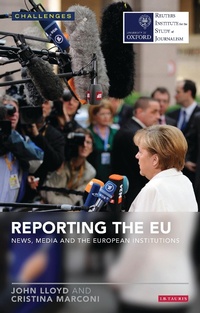
Reporting the EU
News, Media and the European Institutions
1st Edition
Published on 30. September 2014
128 pages
978-0-85772-459-5 (ISBN)
Description

In recent years, media coverage of the European Union has faced its most serious test. The interlinked crises in the Union have severely tested the expertise of the EU press corps, many of whom have struggled to cope with its complexities, and have thrown into sharper relief the differences among the national coverages. At the same time, the crises have deepened trends towards euro scepticism in many EU member states - thus putting pressure on correspondents to be more sceptical, analytical, argumentative and even hostile, in their reporting. This development has revealed a greater gulf between reporters - who are now more sceptical than their predecessors - and the press service and officials of the EU, who remain strongly committed to the narrative of an 'ever-closer union'. Yet - in contrast to the rising euro scepticism - the crises have emphasised the need perceived by European officials and many European politicians for deeper integration, at least among Euro currency members, to cope with the crisis.
This book, based on extensive interviews with EU correspondents, editors, public relations and other EU executives, will reveal for the first time how this powerful group of institutions at the heart of the Union are covered - or are not covered. The analysis and critique of the present coverage also carries a series of recommendations on how it might be made to better serve the citizens of the EU members. The authors highlight the structural and historic difficulties in covering a multinational institution, and the struggle - generally unsuccessful - to develop a journalism which can fully hold the institutions to account, and find an audience which goes beyond the narrow circles of professionals and politicians who are closely concerned with the business of the Union.
This book, based on extensive interviews with EU correspondents, editors, public relations and other EU executives, will reveal for the first time how this powerful group of institutions at the heart of the Union are covered - or are not covered. The analysis and critique of the present coverage also carries a series of recommendations on how it might be made to better serve the citizens of the EU members. The authors highlight the structural and historic difficulties in covering a multinational institution, and the struggle - generally unsuccessful - to develop a journalism which can fully hold the institutions to account, and find an audience which goes beyond the narrow circles of professionals and politicians who are closely concerned with the business of the Union.
More details
Series
Edition
1. Auflage
Language
English
Place of publication
United Kingdom
Publishing group
Bloomsbury Publishing PLC
Target group
College/higher education
ISBN-13
978-0-85772-459-5 (9780857724595)
Copyright in bibliographic data and cover images is held by Nielsen Book Services Limited or by the publishers or by their respective licensors: all rights reserved.
Schweitzer Classification
Other editions
Additional editions
Book
10/2014
I.B. Tauris
€43.51
Shipment within 3-4 weeks
Persons
John Lloyd is the Director of Journalism at the Reuters Institute for the Study of Journalism as well as a contributing editor at the Financial Times, a columnist for Reuters.com and for La Repubblica of Rome. Cristina Marconi is an Italian freelance journalist, writer and researcher, based in London. A former correspondent in Brussels for Italian media TMNews, Il Messaggero and Il Mattino, she now contributes, among other things, to the Italian newspaper Il Foglio.
Content
Preface: Why the coverage of the EU is important
The Way They Were
The Main Players
The Professionalisation of the News Media
The Euro Crisis
The Main Trends
The Way They Were
The Main Players
The Professionalisation of the News Media
The Euro Crisis
The Main Trends
