

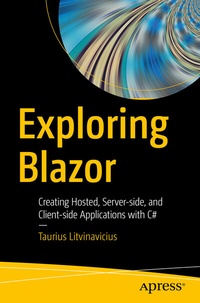
Exploring Blazor
Description

Build and develop web applications with Blazor in C#. This book will cover all three types of Blazor - server-side, client-side, and hosted along with other features of the technology. You'll see that Blazor is a web UI framework based on C#, Razor, and HTML and how it runs front-end logic using C# either on the server or on the browser using WebAssembly.
The author starts by introducing WebAssembly and gives an overview of Blazor along with its various categories. Next, you'll get started with Blazor where you learn the basics, including Razor syntax implementation. Here you will go over the major differences between Blazor and Razor and how the syntax works. A demo of the layout and navigation for server-side Blazor is followed by usage of Razor syntax to control an application in client-side Blazor. Further, you will go through the project layout, navigation, and routes for the API. Here, you will understand how to access the API from the front end and use theshared library for different models.Moving forward, you will discover how Blazor works with storage, files, and JavaScript. Finally, you will create web applications in Blazor using practical implementations and real-life scenarios for server-side, client-side, and hosted applications.
After reading this book you will be able to build web applications with Blazor in C# and .NET Core 3.0.
What You Will Learn
- Bind one-way and two-way data
- Combine Blazor and JavaScript
- Understand layout in server-side and client-side applications
- Execute the general syntax in Razor
Who This Book Is For
C# and .NET Core developers
More details
Other editions
New editions
Additional editions
Person
Taurius is a businessman and technology expert based in Lithuania who has worked with various organizations in building and implementing various projects in software development, sales, and other fields of business. He currently works on a platform called mashdrop, which is a modern way to monetize the influence of an influencer. As with most of his projects this one uses cutting-edge technologies such as Blazor. He is responsible for technological improvements, development of new features, and general management. Taurius is also the director at the Conficiens solutio consulting agency, where he supervises development and maintenance of various projects and activities.
Content
Chapter 1: Introduction. - Chapter 2: Razor Syntax and Basics of Blazor. - Chapter 3: Blazor server-side. - Chapter 4: Blazor client-side. - Chapter 5: Blazor hosted. - Chapter 6: General blazor. - Chapter 7: Practice tasks for server-side. - Chapter 8: Practice tasks for client-side. - Chapter 9: Practice tasks for hosted.
