

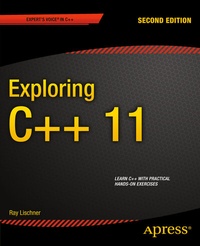
Exploring C++ 11
Description

Exploring C++ divides C++ up into bite-sized chunks that will help you learn the language one step at a time. Assuming no familiarity with C++, or any other C-based language, you'll be taught everything you need to know in a logical progression of small lessons that you can work through as quickly or as slowly as you need.
C++ can be a complicated language. Writing even the most straight-forward of programs requires you to understand many disparate aspects of the language and how they interact with one another. C++ doesn't lend itself to neat compartmentalization the way other languages do. Rather than baffle you with complex chapters explaining functions, classes and statements in isolation we'll focus on teaching you how to achieve results. By learning a little bit of this and a little of that you'll soon have amassed enough knowledge to be writing non-trivial programs and will have built a solid foundation of experience that puts those previously baffling concepts into context.
In this fully-revised second edition of Exploring C++ , you'll learn how to use the standard library early in the book. Next, you'll learn to work with operators, objects and data-sources in increasingly realistic situations. Finally, you'll start putting the pieces together to create sophisticated programs of your own design confident that you've built a firm base of experience from which to grow.
More details
Other editions
Additional editions
Person
Content
- Part 1: The Basics - Honing your tools
- Part 1: The Basics -Reading C++ Code
- Part 1: The Basics -Integer Expressions
- Part 1: The Basics -Strings
- Part 1: The Basics -Simple Input
- Part 1: The Basics -Error Messages
- Part 1: The Basics -For Loops
- Part 1: The Basics -Formatted Output
- Part 1: The Basics -Arrays and Vectors
- Part 1: The Basics -Incrementand Decrement
- Part 1: The Basics -Conditions and Logic
- Part 1: The Basics -Compound Statements
- Part 1: The Basics -Introduction to File I/O
- Part 1: The Basics -The Map Data Structure
- Part 1: The Basics -Type Synonyms
- Part 1: The Basics -Characters
- Part 1: The Basics -Character Categories
- Part 1: The Basics -Case-Folding
- Part 1: The Basics -Writing Functions
- Part 1: The Basics -Function Arguments
- Part 1: The Basics -Using Algorithms
- Part 1: The Basics -Overloading Function Names
- Part 1: The Basics -Big and Little Numbers
- Part 1: The Basics -Very Big and Very Little Numbers
- Part 1: The Basics -Documentation
- Part 1: The Basics -Project1: Body-Mass Index
- Part 2: Custom Types - Custom Types
- Part 2: Custom Types - Overloading Operators
- Part 2: Custom Types - Custom I/O Operators
- Part 2: Custom Types - Assignment and Initialization
- Part 2: Custom Types - Writing Classes
- Part 2: Custom Types - More About Member Functions
- Part 2: Custom Types - Access Levels
- Part 2: Custom Types - Introduction to Object-Oriented Programming
- Part 2: Custom Types - Inheritance
- Part 2: Custom Types - Virtual Functions
- Part 2: Custom Types - Classes and Types
- Part 2: Custom Types - Declarations and Definitions
- Part 2: Custom Types - Using Multiple Source Files
- Part 2: Custom Types - Function Objects
- Part 2: Custom Types - Useful Algorithms
- Part 2: Custom Types - Iterators
- Part 2: Custom Types - Exceptions
- Part 2: Custom Types - More Operators
- Part 2: Custom Types - Project2: Fixed-point Numbers
- Part 3: Generic Programming - Function Templates
- Part 3: Generic Programming - Class Templates
- Part 3: Generic Programming - Template Specialization
- Part 3: Generic Programming - Partial Specialization
- Part 3: Generic Programming - Names and Namespaces
- Part 3: Generic Programming - Containers
- Part 3: Generic Programming - International Characters
- Part 3: Generic Programming - Locales and Facets
- Part 3: Generic Programming - TextI/O
- Part 3: Generic Programming - Project3: Currency Type
- Part 4: Real Programming - Pointers
- Part 4: Real Programming - Dynamic Memory
- Part 4: Real Programming - Exception-Safety
- Part 4: Real Programming - Old-Fashioned Arrays
- Part 4: Real Programming - SmartPointers
- Part 4: Real Programming - Working with Bits
- Part 4: Real Programming - Enumerations
- Part 4: Real Programming - Multiple Inheritance
- Part 4: Real Programming - Traits and Policies
- Part 4: Real Programming - Names and Templates
- Part 4: Real Programming - Overloaded Functions
- Part 4: Real Programming - Metaprogramming
- Part 4: Real Programming - Project4: Calculator
