

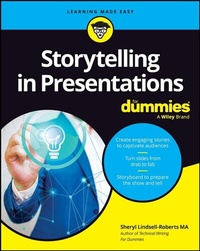
Storytelling in Presentations For Dummies
Description

Storytelling in Presentations For Dummies shows you how to develop and deliver a presentation through storytelling, keeping audience interested, and most importantly, making them heroes that take action towards change. You'll learn how to cull stories from your own experiences, and before you know it, you'll have more stories than Aesop has fables. You'll learn about the latest presentation software, so you can integrate visuals into your presentations and avoid the dreaded "Death by PowerPoint." You'll also learn how to deal with challenging on-the-spot situations, deliver investor pitches and executive briefs, and present a paper at a conference. Additionally, find out how to deliver someone else's content and make it your own.
This book will help you level up anywhere you need to present information by mastering the art of savvy presentations--the most effective business communications tools of our time.
* Identify experiences that can be molded into stories that drive change.
* Prepare powerful openings to hook your audience right away whether delivering in person, online, or hybrid
* Have your audience get the most from your presentation with an effective call to action
* Prepare a storyboard, which is like a frame-by-frame roadmap, that will mesh together what you'll show and what you'll tell
* Leverage software like Canva, Prezi, and Storyboarder to tie your presentation together
* Enjoy the colorful 8-page mini-booklet, "Storytelling to Storyboarding"
This Dummies guide is perfect for any professional who needs to present, and at some time all professionals do. It's also for entrepreneurs who want to build community and grow their business, in addition to students who want to wow teachers and classmates.
More details
Other editions
Additional editions
Person
Sheryl Lindsell-Roberts MA leads writing seminars across the country, including the popular workshop "Stories and Storyboarding: Building Blocks to Influential Presentations." Roberts is also the author of over 25 books and is often quoted in national news outlets and magazines. She is the author of Technical Writing For Dummies.
Content
Part 1: Martians, Stories, and Heroes 5
Chapter 1: Sizzle Your Presentations with Stories 7
Chapter 2: Storyopia: Sharing Stories from What Is to What Can Be 19
Part 2: Nuts 'n' Bolts 31
Chapter 3: Knowing Your Audience to Make Them Heroes 33
Chapter 4: Mining and Crafting Great Stories 47
Chapter 5: Starting Strong for a Groundswell Response 69
Chapter 6: Ending Memorably 89
Chapter 7: Storyboarding: Bringing Stories to Life Frame by Frame 97
Part 3: Adding Flourishes 115
Chapter 8: Slideware: Buying and Applying 117
Chapter 9: Slide Sense: Using Slides Effectually 137
Chapter 10: Handouts and Workbooks: Kick 'Em Up a Notch. 153
Chapter 11: Your Bio: The Story of You 167
Chapter 12: Requesting Feedback: Evaluation Forms 181
Part 4: It's Showtime 191
Chapter 13: Poised to Present 193
Chapter 14: Collaborative Team Presentations 213
Chapter 15: On the Spot: Fielding Difficult Questions and Delivering Bad News 227
Chapter 16: Adding a Splash of Humor 239
Chapter 17: Vive la Différence: Diversity and Inclusion 249
Chapter 18: Journeying from In-Person to Virtual 259
Part 5: Specialized Presentations 271
Chapter 19: Structuring a Training Session or Workshop 273
Chapter 20: Nailing an Executive Briefing 291
Chapter 21: Presenting a Paper at a Conference 303
Chapter 22: Presenting Someone Else's Content 317
Part 6: The Part of Tens 325
Chapter 23: Ten Hints for Combatting Stage Fright 327
Chapter 24: Ten Tips for Telling a Relatable Story 331
Chapter 25: Ten-Plus Ways to Make Your Presentation Interactive 335
Chapter 26: Ten Reasons Presentations Can Fail 339
Part 7: Appendixes 343
Appendix A: Presentation Checklist 345
Appendix B: Glossary. 349
Index 353
Chapter 1
Sizzle Your Presentations with Stories
IN THIS CHAPTER
Sharpening your axe
Avoiding PowerPoint autopilot
Beginnings, middles, and endings
Storyopia to create audience heroes
If history were told in the form of stories, it would never be forgotten.
-RUDYARD KIPLING (ENGLISH WRITER, POET, AND STORYTELLER)
Good storytelling can make your presentations sizzle in ways that slides can't.
Whether you realize it or not, you're already a storyteller. When you meet a friend, have dinner with family, or spend time with a colleague, you share small amusements and calamities of your day or week. It's in our nature to tell stories and share our life's events. And you probably use hyperboles (exaggerations) to make your stories more engaging - peppering them with statements such as, "I nearly died of embarrassment" or "My feet were killing me." While this casual sharing is different from being in front of an audience, you do know how to tell stories. You have lots of them. After all, you started telling stories when you made babbling sounds as a baby.
Storytelling Isn't Just a Buzzword
Storytelling has existed for eons, and it's more than a business buzzword. It's the way get your point across memorably. Think of your presentation as a story. It has a beginning. It has a middle. It has an end. That's a story! Aristotle is credited with having introduced this basic storytelling structure with his three-act plays.
- The opening is the setup, laying out the plot.
- The middle, which is typically the longest, introduces complications, twists, and turns.
- The third act brings the production to a close.
Throughout your lifetime, you'll likely give many types of formal and informal presentations: sales, educational, training, lectures, problem-solving, or simply a talk to a group for pleasure. Even giving toasts at weddings or delivering eulogies at funerals are types of presentations. They can all benefit from storytelling.
Storytelling Is Your Axe; Sharpen It
Abraham Lincoln is perhaps one of the best-known orators and storytellers of all time. He said, "Give me six hours to chop down a tree, and I will spend the first few sharpening the axe." Relating that to presentations, when you spend the time to prepare compelling stories, your presentation will be relevant and memorable, and you'll be able to chop through the clutter.
When you spend time planning properly, you'll become a confident and influential presenter, and you'll get the results and recognition you deserve - perhaps even get standing Os.
Whether presentations are live, virtual, or hybrid, they're one of most effective business communication tools of our time. Strong presentation skills are a hallmark of strong leaders and people who aspire to become leaders. When you want to be seen as a subject matter expert (SME) or knowledge source, a presentation can showcase your skills and potential. Each time you pitch an idea, discuss solutions with a client, or interact with colleagues, you're presenting your skills. This can lead to
- Higher visibility
- Improved confidence
- Better communication skills
- Career growth
- Extended networks
Setting the Stage
At the outset of my signature workshop, "Storytelling and Storyboarding: Building Blocks to Influential Presentations," I divide the group into teams of two or three people and present the following scenario. (Although this may seem a little hokey, there's a method to my madness, so please bear with me and give it a try.)
It's the year 2050 and a group of Martians is scheduled to visit your facility. You plan to be at the space pad to greet them, but an important meeting has called you away. You know the Martians will be hungry after their long and arduous journey, and you'll be out of the office when they arrive. So, you hire a driver to bring them to your location. You need to prepare a presentation teaching them to make something easy - a peanut butter and jelly sandwich. They do speak English.
Grab a pen or pencil and a sheet of paper and briefly show how you'd approach this.
Welcome back . Did you start with a slide presentation? If so, you're in the majority. Most participants spend 5-10 minutes outlining what would become a slide presentation. They begin by instructing the Martians to put down two slices of bread. Open the jar of peanut butter. Smear some on one of the bread slices, etc. On occasion, I'd overhear someone say, "I don't think slides will work. Perhaps a video would work better." While that's insightful, few have thought through the details they take for granted when giving instructions. Here are just a few of the things you may take for granted:
- Although the Martians speak English, would they necessarily know what peanut butter and jelly are? (We only understand the words we've been exposed to.)
- Would they understand how to remove the lids from the jars? (Hmm. hit them with a sledgehammer?) If you said twist the lid, would that be clockwise or counterclockwise?
- How should they spread the peanut butter? (With their fingers?) If you told them to smear the peanut butter with a knife, would they know how to use the knife safely without spewing blood?
Then . once you've identified the level of detail you need to share, the next step is to identify the best means of communicating it. A live, interactive presentation would work best. If that's not possible, a video could be a viable substitute.
When you're faced with a presentation you need to prepare, sharpen your axe. Consider your audience and the best way to present. Think of relevant stories they'll relate to. Chapter 3 offers a full discussion of knowing your audience and how to focus on their needs.
STORYOPIA ARCHIVES: PAIRING PEANUT BUTTER AND JELLY
The history of how peanut butter met jelly is a little uncertain, but one thing is for sure - they're a match made in heaven and are meant to be together. In the early 1900s peanut butter was a delicacy, bought and eaten only by the wealthy. At the time, peanut butter was frequently paired with pimento cheese, celery, cucumbers, and crackers.
Today's beloved pairing of peanut butter and jelly (PB&J) were first mentioned in the Boston Cooking School Magazine of Culinary Science and Domestic Economics written by Julia Davis Chandler in 1901. But the impetus that took the PB&J sandwich over the top came after World War II and the Great Depression. Here's the backstory:
PB&J were on the U.S. military ration menus in World War II. Peanut butter is high-protein, rich in vitamins, minerals, and fiber. Peanut butter also contains healthy fat, but the sweetness comes from the jelly's sugar. These sandwiches were easy to pack for long marches and were yummy to eat due to the bread that holds this dynamic duo together. Thus, after the war, soldiers craved PB&J sandwiches, and they became an American standard.
This sandwich is so ubiquitous that in the U.S. the average schoolchild eats about 15,000 PB&J sandwiches before the end of high school. (The growing number of kids with peanut allergies, however, is now threatening the popularity of this lunchbox staple.)
Lesson learned: Getting back to Kipling's quote, your story (or stories) can become part of your presentation's history - making it unforgettable.
Avoid Defaulting to Slides
Throughout this book I use the term slides to represent any presentation software.
Old habits die hard. When people hear the word "presentation," most of them automatically plummet into the slide abyss. When you ask these same slide-abyss people to describe the last presentations they attended, they use words like boring, humdrum, uninteresting, waste of time, too many slides, too much text, no interaction, and other negative phrases.
Poll everywhere, real-time audience response software, estimates that .
- 30 million PowerPoint presentations are shown each day.
- 500 million people view PowerPoint presentations every day.
- The average presentation lasts 4 hours.
- The average slide has 40 words.
If you think slides don't get in the way of good conversation, try showing a few at your next dinner party and see how well it goes over.
Eliminating slidezillas
Slidezillas are the presentation equivalents of Godzilla. Just as Godzilla is the towering, reptilian monster that plagued Japan, slidezillas are the data-laden technology monsters that plague audiences.
It's the twenty-first century. Don't continue inflicting boring, linear, static, text-laden slides on your audiences. Every presentation should be a conversation - a sharing of information - with active participants (the audience) and a facilitator (you).
As mentioned in the introduction, industry giants such as Amazon, Google, Apple, Starbucks, Airbnb, Netflix, Zappos, Facebook, LinkedIn, GlaxoSmithKline, and others have banned slidezilla-type slides from...
