

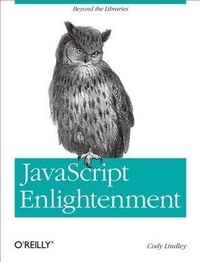
JavaScript Enlightenment
From Library User to JavaScript Developer
Published on 19. December 2012
166 pages
978-1-4493-4444-3 (ISBN)
Description

If youre an advanced beginner or intermediate JavaScript developer, JavaScript Enlightenment will solidify your understanding of the languageespecially if you use a JavaScript library. In this concise book, JavaScript expert Cody Lindley (jQuery Cookbook) provides an accurate view of the language by examining its objects and supporting nuances.Libraries and frameworks help you build web applications quickly and efficiently, but when things go wrong or performance becomes an issue, knowing how and why they work is critical. If youre ready to go under the hood and get your hands dirty with JavaScript internals, this is your book.Get a short and digestible summary of ECMA-262, Edition 3, backed by real code you can run instantlyExamine the creation of JavaScript objectsLearn complex values, primitive values, scope, and inheritanceUnderstand the importance of the head objectWork with string, number, and Boolean objects and valuesDiscover how to use the null value and the built-in math objectGet into the detailsbeyond Mozillas reference guide for JavaScript 1.5
More details
Other editions
Additional editions
Book
02/2013
1st Edition
O'Reilly
€14.50
Shipment within 10-20 days
Content
- Intro
- Copyright
- Table of Contents
- Preface
- Introduction
- Why Did I Write This Book?
- Who Should Read This Book?
- Why JavaScript 1.5 and ECMAScript 3 Edition?
- Why Didn't I Cover the Date(), Error(), and RegEx() Objects?
- More Code, Fewer Words
- Exhaustive Code and Repetition
- Color-Coding Conventions
- jsFiddle, JS Bin, and Firebug lite-dev
- Conventions Used in This Book
- Using Code Examples
- Safari® Books Online
- How to Contact Us
- About the Author
- About the Technical Editors
- Michael Richardson
- Kyle Simpson
- Nathan Smith
- Ben Nadel
- Ryan Florence
- Nathan Logan
- Chapter 1. JavaScript Objects
- Creating Objects
- JavaScript Constructors Construct and Return Object Instances
- The JavaScript Native/Built-In Object Constructors
- User-Defined/Non-Native Object Constructor Functions
- Instantiating Constructors Using the new Operator
- Creating Shorthand/Literal Values from Constructors
- Primitive (a.k.a. Simple) Values
- The Primitive Values null, undefined, "string", 10, true, and false Are Not Objects
- How Primitive Values Are Stored/Copied in JavaScript
- Primitive Values Are Equal by Value
- The String, Number, and Boolean Primitive Values Act Like Objects When Used Like Objects
- Complex (a.k.a. Composite) Values
- How Complex Values Are Stored/Copied in JavaScript
- Complex Objects Are Equal by Reference
- Complex Objects Have Dynamic Properties
- The typeof Operator Used on Primitive and Complex Values
- Dynamic Properties Allow for Mutable Objects
- All Constructor Instances Have Constructor Properties that Point to Their Constructor Function
- Verify that an Object Is an Instance of a Particular Constructor Function
- An Instance Created From a Constructor Can Have Its Own Independent Properties (Instance Properties)
- The Semantics of "JavaScript Objects" and "Object() Objects"
- Chapter 2. Working with Objects and Properties
- Complex Objects Can Contain Most of the JavaScript Values as Properties
- Encapsulating Complex Objects in a Programmatically Beneficial Way
- Getting/Setting/Updating an Object's Properties Using Dot Notation or Bracket Notation
- Deleting Object Properties
- How References to Object Properties Are Resolved
- Using hasOwnProperty, Verify That an Object Property Is Not From the Prototype Chain
- Checking If an Object Contains a Given Property Using the in Operator
- Enumerate (Loop Over) an Object's Properties using the for in Loop
- Host Objects versus Native Objects
- Enhancing and Extending Objects with Underscore.js
- Chapter 3. Object()
- Conceptual Overview of Using Object() Objects
- Object() Parameters
- Object() Properties and Methods
- Object() Object Instance Properties and Methods
- Creating Object() Objects Using "Object Literals"
- All Objects Inherit From Object.prototype
- Chapter 4. Function()
- Conceptual Overview of Using Function() Objects
- Function() Parameters
- Function() Properties and Methods
- Function Object Instance Properties and Methods
- Functions Always Return a Value
- Functions Are First-Class Citizens (Not Just Syntax but Values)
- Passing Parameters to a Function
- this and arguments Values Available To All Functions
- The arguments.callee Property
- The Function Instance length Property and arguments.length
- Redefining Function Parameters
- Return a Function Before It Is Done (Cancel Function Execution)
- Defining a Function (Statement, Expression, or Constructor)
- Invoking a Function [Function, Method, Constructor, or call() and apply()]
- Anonymous Functions
- Self-Invoking Function Expression
- Self-Invoking Anonymous Function Statements
- Functions Can Be Nested
- Passing Functions to Functions and Returning Functions from Functions
- Invoking Function Statements Before They Are Defined (Function Hoisting)
- A Function Can Call Itself (Recursion)
- Chapter 5. The Head/Global Object
- Conceptual Overview of the Head Object
- Global Functions Contained Within the Head Object
- The Head Object versus Global Properties and Global Variables
- Referring to the Head Object
- The Head Object Is Implied and Typically Not Referenced Explicitly
- Chapter 6. The this Keyword
- Conceptual Overview of this and How It Refers to Objects
- How Is the Value of this Determined?
- The this Keyword Refers to the Head Object in Nested Functions
- Working Around the Nested Function Issue by Leveraging the Scope Chain
- Controlling the Value of this Using call() or apply()
- Using the this Keyword Inside a User-Defined Constructor Function
- The this Keyword Inside a Prototype Method Refers to a Constructor Instance
- Chapter 7. Scope and Closures
- Conceptual Overview of JavaScript Scope
- JavaScript Does Not Have Block Scope
- Use var Inside Functions to Declare Variables and Avoid Scope Gotchas
- The Scope Chain (Lexical Scoping)
- The Scope Chain Lookup Returns the First Found Value
- Scope Is Determined During Function Definition, not Invocation
- Closures Are Caused by the Scope Chain
- Chapter 8. Function Prototype Property
- Conceptual Overview of the Prototype Chain
- Why Care About the prototype Property?
- Prototype Is Standard on All function() Instances
- The Default prototype Property Is an Object() Object
- Instances Created From a Constructor Function are Linked to the Constructor's prototype Property
- Last Stop in the prototype Chain is Object.prototype
- The prototype Chain Returns the First Property Match It Finds in the Chain
- Replacing the prototype Property with a New Object Removes the Default Constructor Property
- Instances That Inherit Properties from the Prototype Will Always Get the Latest Values
- Replacing the prototype Property with a New Object Does Not Update Former Instances
- User-Defined Constructors Can Leverage the Same Prototype Inheritance as Native Constructors
- Creating Inheritance Chains (the Original Intention)
- Chapter 9. Array()
- Conceptual Overview of Using Array() Objects
- Array() Parameters
- Array() Properties and Methods
- Array Object Instance Properties and Methods
- Creating Arrays
- Adding and Updating Values in Arrays
- Length versus Index
- Defining Arrays with a Predefined Length
- Setting Array Length can Add or Remove Values
- Arrays Containing Other Arrays (Multidimensional Arrays)
- Looping Over an Array, Backwards and Forwards
- Chapter 10. String()
- Conceptual Overview of Using the String() Object
- String() Parameters
- String() Properties and Methods
- String Object Instance Properties and Methods
- Chapter 11. Number()
- Conceptual Overview of Using the Number() Object
- Integers and Floating-Point Numbers
- Number() Parameters
- Number() Properties
- Number Object Instance Properties and Methods
- Chapter 12. Boolean()
- Conceptual Overview of Using the Boolean() Object
- Boolean() Parameters
- Boolean() Properties and Methods
- Boolean Object Instance Properties and Methods
- Non-Primitive False Boolean Objects Convert to true
- Certain Things Are false, Everything Else Is true
- Chapter 13. Working with Primitive String, Number, and Boolean Values
- Primitive/Literal Values Are Converted to Objects When Properties Are Accessed
- You Should Typically Use Primitive String, Number, and Boolean Values
- Chapter 14. Null
- Conceptual Overview of Using the null Value
- typeof Returns null Values as "object"
- Chapter 15. Undefined
- Conceptual Overview of the undefined Value
- JavaScript ECMAScript 3 Edition (and Later) Declares the undefined Variable in the Global Scope
- Chapter 16. Math Function
- Conceptual Overview of the Built-In Math Object
- Math Properties and Methods
- Math Is Not a Constructor Function
- Math Has Constants You Cannot Augment/Mutate
- Appendix A. Review
- Appendix B. Conclusion
- Index
