

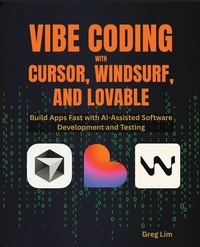
Vibe Coding with Cursor, Windsurf, and Lovable
Build Apps Fast with AI-Assisted Software Development and Testing
Published on 23. February 2026
196 pages
978-1-80730-162-0 (ISBN)
Description

Build, test, and deploy real-world applications faster using AI-powered tools like Cursor, Windsurf, and Lovable with modern vibe coding workflows.
Key Features
Master the emerging vibe coding mindset for AI-assisted software development
Build and deploy complete applications using Cursor, Windsurf, and Lovable
Apply real-world development practices including specifications, testing, version control, and CI-style workflows
Book DescriptionSoftware development is evolving rapidly, and working effectively with AI is becoming a core skill. Vibe Coding with Cursor, Windsurf & Lovable introduces a practical, AI-first approach to building applications by guiding intelligent coding agents instead of writing every line of code manually. Through hands-on examples, you'll learn how to create applications from scratch using Cursor, structure projects with specifications and to-do lists, manage code with Git, and add automated tests. You'll then explore Lovable's no-code and low-code workflows to build and deploy full-stack apps, before moving on to Windsurf to analyze and extend existing codebases. By the end of this book, you'll have a repeatable, professional workflow for building and shipping real-world applications faster, combining the speed of AI with sound engineering practices.What you will learn
Understand the vibe coding mindset and how it differs from traditional development
Build applications using natural language with Cursor's AI agents
Write effective specifications and to-do lists to guide AI-generated code
Add automated testing, refactor code, and manage changes with Git and GitHub
Build and deploy full-stack apps using Lovable and Supabase
Analyze and extend existing projects using Windsurf
Control AI output with rules and automate workflows for faster iteration
Deploy applications confidently using modern cloud platforms
Who this book is forThis book is for beginners curious about building apps without coding every line, developers who want to prototype faster and guide AI effectively, and anyone interested in how AI is transforming the entire software development process.
Key Features
Master the emerging vibe coding mindset for AI-assisted software development
Build and deploy complete applications using Cursor, Windsurf, and Lovable
Apply real-world development practices including specifications, testing, version control, and CI-style workflows
Book DescriptionSoftware development is evolving rapidly, and working effectively with AI is becoming a core skill. Vibe Coding with Cursor, Windsurf & Lovable introduces a practical, AI-first approach to building applications by guiding intelligent coding agents instead of writing every line of code manually. Through hands-on examples, you'll learn how to create applications from scratch using Cursor, structure projects with specifications and to-do lists, manage code with Git, and add automated tests. You'll then explore Lovable's no-code and low-code workflows to build and deploy full-stack apps, before moving on to Windsurf to analyze and extend existing codebases. By the end of this book, you'll have a repeatable, professional workflow for building and shipping real-world applications faster, combining the speed of AI with sound engineering practices.What you will learn
Understand the vibe coding mindset and how it differs from traditional development
Build applications using natural language with Cursor's AI agents
Write effective specifications and to-do lists to guide AI-generated code
Add automated testing, refactor code, and manage changes with Git and GitHub
Build and deploy full-stack apps using Lovable and Supabase
Analyze and extend existing projects using Windsurf
Control AI output with rules and automate workflows for faster iteration
Deploy applications confidently using modern cloud platforms
Who this book is forThis book is for beginners curious about building apps without coding every line, developers who want to prototype faster and guide AI effectively, and anyone interested in how AI is transforming the entire software development process.
All prices
More details
Edition
Digital original
Language
English
Place of publication
Birmingham
United Kingdom
Target group
Professional and scholarly
US School Grade: College Graduate Student
Edition type
Digital original
File size
23,67 MB
ISBN-13
978-1-80730-162-0 (9781807301620)
Copyright in bibliographic data and cover images is held by Nielsen Book Services Limited or by the publishers or by their respective licensors: all rights reserved.
Schweitzer Classification
Other editions
Additional editions
Greg Lim
Vibe Coding with Cursor, Windsurf, and Lovable
Build Apps Fast with AI-Assisted Software Development and Testing
Book
02/2026
Packt Publishing
€39.50
Shipment within 3-4 weeks
Person
Greg Lim is a technologist and the author of several books on programming. He has taught programming in tertiary institutions for many years and places a strong emphasis on learning by doing.
Content
Table of Contents
Introduction
Installing Software (Cursor, NodeJS, Git)
Vibe Coding with Cursor
Software Development - Traditional vs Vibe Coding workflow
Vibe Coding Fundamentals with Cursor
Configuring Version Control with Git
Iterating with New Features
Adding Automated Tests
Rules for Controlling the AI Behavior
Code Refactoring
Providing Context by Referencing Resources
GitHub Integration
Deployment
Building Apps with Lovable (No-code/Low-code)
Creating the Software Specifications Document
Supabase Integration
Adding Functionality
Source Code Extraction via GitHub Integration
Deploying Your Application with Lovable
Domain and External Hosting Options
Working on Existing Code Bases with Windsurf
Analyzing an Existing Code Base
Adding Features
Windsurf Rules
Windsurf Workflows
Deploying Your Application with Windsurf
Introduction
Installing Software (Cursor, NodeJS, Git)
Vibe Coding with Cursor
Software Development - Traditional vs Vibe Coding workflow
Vibe Coding Fundamentals with Cursor
Configuring Version Control with Git
Iterating with New Features
Adding Automated Tests
Rules for Controlling the AI Behavior
Code Refactoring
Providing Context by Referencing Resources
GitHub Integration
Deployment
Building Apps with Lovable (No-code/Low-code)
Creating the Software Specifications Document
Supabase Integration
Adding Functionality
Source Code Extraction via GitHub Integration
Deploying Your Application with Lovable
Domain and External Hosting Options
Working on Existing Code Bases with Windsurf
Analyzing an Existing Code Base
Adding Features
Windsurf Rules
Windsurf Workflows
Deploying Your Application with Windsurf
