

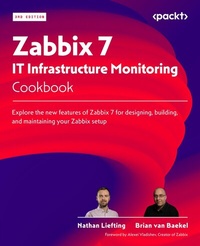
Zabbix 7 IT Infrastructure Monitoring Cookbook
Explore the new features of Zabbix 7 for designing, building, and maintaining your Zabbix setup
3rd Edition
Published on 23. September 2024
540 pages
978-1-80107-897-9 (ISBN)
Description

No detailed description available for "Zabbix 7 IT Infrastructure Monitoring Cookbook".
All prices
More details
Edition
3rd Revised edition
Language
English
Place of publication
Birmingham
United Kingdom
Target group
Professional and scholarly
US School Grade: College Graduate Student
Edition type
Revised edition
Product notice
Reflowable
File size
28,87 MB
ISBN-13
978-1-80107-897-9 (9781801078979)
Copyright in bibliographic data and cover images is held by Nielsen Book Services Limited or by the publishers or by their respective licensors: all rights reserved.
Schweitzer Classification
Other editions
Additional editions
Nathan Liefting | Brian van Baekel
Zabbix 7 IT Infrastructure Monitoring Cookbook
Explore the new features of Zabbix 7 for designing, building, and maintaining your Zabbix setup
Book
07/2024
3rd Edition
Packt Publishing
€59.10
Shipment within 3-4 weeks
Persons
Liefting Nathan :
Nathan Liefting, also known as Larcorba, is an IT consultant, trainer, and content creator (artist) with over 6 years of professional experience in IT. His experience ranges from managing networks running EVPN/VXLAN to Linux environments and programming. Nathan began working with Zabbix in 2016 when Zabbix 2 was still in use and Zabbix 3 had just been released. He currently works for Opensource ICT Solutions BV in the Netherlands as a Zabbix trainer and consultant, designing and building professional Zabbix environments and Zabbix components for some of the biggest companies worldwide.Baekel Brian van :
Brian van Baekel discovered the power of Zabbix early in his career as a network engineer. Since then, he has been working with Zabbix in various large environments, earning his official Zabbix Certified Trainer certification in early 2017. In 2018, Brian founded Opensource ICT Solutions BV in the Netherlands and Opensource ICT Solutions LLC in the US, focusing on building Zabbix environments globally. In 2021, the business expanded further with a subsidiary in the United Kingdom, dedicated entirely to the Zabbix product. All companies provide support, training, and consultancy services, ensuring Brian works with the Zabbix product around the clock. Fun fact: Even his cat is named Zabbix.Vladishev Alexei :
Creator of Zabbix Founder and CEO at Zabbix
Nathan Liefting, also known as Larcorba, is an IT consultant, trainer, and content creator (artist) with over 6 years of professional experience in IT. His experience ranges from managing networks running EVPN/VXLAN to Linux environments and programming. Nathan began working with Zabbix in 2016 when Zabbix 2 was still in use and Zabbix 3 had just been released. He currently works for Opensource ICT Solutions BV in the Netherlands as a Zabbix trainer and consultant, designing and building professional Zabbix environments and Zabbix components for some of the biggest companies worldwide.Baekel Brian van :
Brian van Baekel discovered the power of Zabbix early in his career as a network engineer. Since then, he has been working with Zabbix in various large environments, earning his official Zabbix Certified Trainer certification in early 2017. In 2018, Brian founded Opensource ICT Solutions BV in the Netherlands and Opensource ICT Solutions LLC in the US, focusing on building Zabbix environments globally. In 2021, the business expanded further with a subsidiary in the United Kingdom, dedicated entirely to the Zabbix product. All companies provide support, training, and consultancy services, ensuring Brian works with the Zabbix product around the clock. Fun fact: Even his cat is named Zabbix.Vladishev Alexei :
Creator of Zabbix Founder and CEO at Zabbix
Content
Table of Contents
Installing Zabbix and Getting Started Using the Frontend
Getting Things Ready with Zabbix User Management
Setting Up Zabbix Monitoring
Working with Triggers and Alerts
Building Your Own Structured Templates
Visualizing Data, Inventory and Reporting
Using Discovery for Automatic Creation
Setting Up Zabbix Proxies
Integrating Zabbix with External Services
Extending Zabbix Functionality with Custom Scripts and Zabbix API
Maintaining Your Zabbix Setup
Advanced Zabbix Database Management
Bringing Zabbix to the Cloud with Zabbix Cloud Integration
Installing Zabbix and Getting Started Using the Frontend
Getting Things Ready with Zabbix User Management
Setting Up Zabbix Monitoring
Working with Triggers and Alerts
Building Your Own Structured Templates
Visualizing Data, Inventory and Reporting
Using Discovery for Automatic Creation
Setting Up Zabbix Proxies
Integrating Zabbix with External Services
Extending Zabbix Functionality with Custom Scripts and Zabbix API
Maintaining Your Zabbix Setup
Advanced Zabbix Database Management
Bringing Zabbix to the Cloud with Zabbix Cloud Integration
