

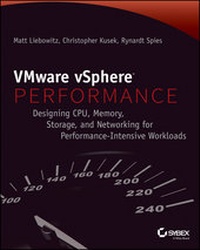
VMware vSphere Performance
Designing CPU, Memory, Storage, and Networking for Performance-Intensive Workloads
Published on 22. April 2014
264 pages
978-1-118-22182-2 (ISBN)
Description

Covering the latest VMware vSphere software, an essential book aimed at solving vSphere performance problems before they happen
VMware vSphere is the industry's most widely deployed virtualization solution. However, if you improperly deploy vSphere, performance problems occur. Aimed at VMware administrators and engineers and written by a team of VMware experts, this resource provides guidance on common CPU, memory, storage, and network-related problems. Plus, step-by-step instructions walk you through techniques for solving problems and shed light on possible causes behind the problems.
* Divulges troubleshooting methodologies, performance monitoring tools, and techniques and tools for isolating performance problems
* Details the necessary steps for handling CPU, memory, storage, and network-related problems
* Offers understanding on the interactions between VMware vSphere and CPU, memory, storage, and network
VMware vSphere Performance is the resource you need to diagnose and handle VMware vSphere performance problems, and avoid them in the future.
More details
Other editions
Additional editions
Matt Liebowitz | Christopher Kusek | Rynardt Spies
VMware vSphere Performance
Designing CPU, Memory, Storage, and Networking for Performance-Intensive Workloads
Book
05/2014
Wiley
€65.90
Article exhausted; check different version
Persons
Matt Liebowitz is an Advisory Solution Architect with EMCConsulting focusing on virtualizing mission-critical businessapplications. Christopher Kusek is a technology visionary,VMware expert, and Internet personality. Rynardt Spies is aPrivate Cloud Virtualization and Automation Consultant with one ofthe largest IT service providers in Europe.
Content
1 - Cover [Seite 1]
2 - Title Page [Seite 5]
3 - Copyright [Seite 6]
4 - Contents [Seite 17]
5 - Chapter 1 Performance Design [Seite 25]
5.1 - Starting Simple [Seite 26]
5.1.1 - Determine Parameters [Seite 26]
5.1.2 - Architect for the Application [Seite 27]
5.1.3 - Assess Physical Performance [Seite 27]
5.1.4 - Start with Defaults [Seite 27]
5.2 - Establishing a Baseline [Seite 28]
5.2.1 - Baseline CPU Infrastructure [Seite 28]
5.2.2 - Memory [Seite 30]
5.2.3 - Network [Seite 31]
5.2.4 - Storage [Seite 33]
5.3 - Architecting for the Application [Seite 35]
5.4 - Considering Licensing Requirements [Seite 36]
5.5 - Integrating Virtual Machines [Seite 37]
5.5.1 - Virtual Machine Scalability [Seite 37]
5.5.2 - vMotion [Seite 37]
5.5.3 - Distributed Resource Scheduler [Seite 39]
5.5.4 - High Availability [Seite 40]
5.6 - Understanding Design Considerations [Seite 40]
5.6.1 - Choosing a Server [Seite 40]
5.7 - Summary [Seite 42]
6 - Chapter 2 Building Your Toolbox [Seite 45]
6.1 - Capacity Planning Tools [Seite 45]
6.1.1 - VMware Capacity Planner [Seite 45]
6.1.2 - Microsoft Assessment and Planning Toolkit [Seite 46]
6.1.3 - Using Capacity Planning Tools [Seite 46]
6.1.4 - Ongoing Capacity Management [Seite 47]
6.2 - Performance Analysis Tools [Seite 50]
6.2.1 - esxtop [Seite 50]
6.2.2 - vscsiStats [Seite 55]
6.3 - Performance Benchmarking Tools [Seite 58]
6.3.1 - VMmark [Seite 58]
6.3.2 - vBenchmark [Seite 59]
6.4 - Performance Simulation Tools [Seite 60]
6.4.1 - CPU/Memory [Seite 60]
6.4.2 - Storage [Seite 62]
6.4.3 - Network [Seite 65]
6.5 - Summary [Seite 66]
7 - Chapter 3 The Test Lab [Seite 69]
7.1 - Why Build a Test Lab? [Seite 69]
7.1.1 - Test Changes before Applying in Production [Seite 70]
7.1.2 - Test New Applications and Patches [Seite 71]
7.1.3 - Re-Create Production Problems [Seite 72]
7.1.4 - Simulate Performance Problems for Troubleshooting [Seite 74]
7.1.5 - Benchmark New Hardware [Seite 75]
7.1.6 - Learn about Virtualization [Seite 75]
7.2 - Strategies for a Successful Test Lab [Seite 79]
7.2.1 - Build a Realistic Environment [Seite 79]
7.2.2 - Building the Lab [Seite 80]
7.2.3 - Use Proper Tools for Measurement [Seite 82]
7.3 - How to Build Your Lab [Seite 82]
7.3.1 - Test Objective [Seite 82]
7.3.2 - Lab Summary [Seite 82]
7.3.3 - Provisioning the Lab [Seite 84]
7.3.4 - Defining the Workload and Configuration of IOmeter [Seite 84]
7.3.5 - Lab Postmortem [Seite 84]
7.4 - Summary [Seite 85]
8 - Chapter 4 CPU [Seite 87]
8.1 - Getting to Know the Basics of CPU Virtualization [Seite 87]
8.1.1 - Understanding CPU Protected Mode in the x86 Architecture [Seite 88]
8.1.2 - Defining the Types of CPU Virtualization [Seite 89]
8.1.3 - Distinguishing between Physical CPUs and Virtual CPUs [Seite 92]
8.1.4 - Understanding vCPU States [Seite 92]
8.2 - Introducing the ESXi CPU Scheduler [Seite 93]
8.2.1 - Understanding the Proportional Share-Based Algorithm [Seite 93]
8.2.2 - Understanding CPU Co-Scheduling [Seite 96]
8.2.3 - The CPU Scheduler Cell [Seite 97]
8.2.4 - Understanding CPU Topology-Aware Load Balancing [Seite 98]
8.2.5 - Multicore-Aware Load Balancing [Seite 106]
8.3 - Sizing CPU for Virtual Machines [Seite 108]
8.3.1 - Considerations for vSMP [Seite 109]
8.3.2 - Considerations for NUMA and vNUMA [Seite 110]
8.3.3 - Hot Plug of CPU Resources [Seite 110]
8.4 - Understanding CPU Resource Management [Seite 110]
8.4.1 - Understanding CPU Reservations [Seite 111]
8.4.2 - Understanding CPU Limits [Seite 112]
8.4.3 - Configuring CPU Reservations and Limits [Seite 112]
8.4.4 - Understanding Resource Pools [Seite 112]
8.5 - Troubleshooting CPU Performance Problems [Seite 115]
8.5.1 - Using esxtop to Diagnose CPU Performance Issues [Seite 115]
8.5.2 - High CPU Ready Time [Seite 117]
8.5.3 - High ESXi Host CPU Utilization [Seite 117]
8.5.4 - High Guest CPU Utilization [Seite 119]
8.6 - Summary [Seite 119]
9 - Chapter 5 Memory [Seite 121]
9.1 - Getting to Know ESXi Memory Management [Seite 121]
9.1.1 - Memory Virtualization [Seite 122]
9.1.2 - Memory Management in ESXi [Seite 123]
9.1.3 - Hardware-Assisted MMU Virtualization [Seite 125]
9.2 - Reclaiming Memory from VMs [Seite 125]
9.2.1 - Transparent Page Sharing [Seite 126]
9.2.2 - Ballooning [Seite 127]
9.2.3 - Memory Compression [Seite 132]
9.2.4 - Hypervisor Swapping [Seite 135]
9.2.5 - Host SSD Cache Swapping [Seite 136]
9.2.6 - Host Memory Reclamation [Seite 138]
9.2.7 - Idle Page Reclamation [Seite 138]
9.3 - Managing Virtual Machine Memory Allocation [Seite 139]
9.3.1 - Working Set Size [Seite 140]
9.3.2 - Proportional Share-Based Algorithm [Seite 140]
9.3.3 - Sizing Memory for Virtual Machines [Seite 145]
9.3.4 - Memory Overhead [Seite 146]
9.3.5 - Memory Overcommitment [Seite 147]
9.4 - Troubleshooting Memory Performance Problems [Seite 147]
9.4.1 - Using esxtop to Diagnose Memory Performance Issues [Seite 148]
9.4.2 - High VM Consumed Memory [Seite 151]
9.4.3 - High Memory Ballooning [Seite 151]
9.4.4 - Hypervisor Swapping [Seite 152]
9.4.5 - Guest Operating System Swapping [Seite 153]
9.5 - Summary [Seite 154]
10 - Chapter 6 Network [Seite 155]
10.1 - Creating a Network Design [Seite 155]
10.1.1 - Designing Your Physical Network [Seite 156]
10.2 - Choosing a Virtual Switch [Seite 157]
10.2.1 - Considering the Standard vSwitch [Seite 158]
10.2.2 - Considering the vSphere Distributed Switch [Seite 159]
10.2.3 - Considering the Cisco Nexus 1000V dvSwitch [Seite 162]
10.2.4 - Which Virtual Switch Do I Choose? [Seite 162]
10.3 - Selecting Host Hardware [Seite 163]
10.3.1 - Host Server Type [Seite 163]
10.3.2 - Network Adapters [Seite 165]
10.4 - Designing for Performance [Seite 166]
10.4.1 - ESXi Host-Level Performance [Seite 166]
10.4.2 - Virtual Machine Performance [Seite 174]
10.5 - Troubleshooting Networking Issues [Seite 179]
10.5.1 - Slow Virtual Machine Networking Performance [Seite 179]
10.6 - Summary [Seite 189]
11 - Chapter 7 Storage [Seite 191]
11.1 - Choosing Your Storage Platform [Seite 191]
11.1.1 - Storage Area Networks [Seite 192]
11.1.2 - Network File System [Seite 194]
11.1.3 - Virtual SAN [Seite 195]
11.2 - Designing Physical Storage [Seite 196]
11.2.1 - Determine Your Requirements [Seite 196]
11.2.2 - RAID Levels [Seite 199]
11.2.3 - Flash Infrastructure Layer [Seite 204]
11.2.4 - Networking for IP Storage [Seite 204]
11.3 - Designing vSphere Storage [Seite 207]
11.3.1 - Why Is Storage So Important? [Seite 207]
11.3.2 - VAAI [Seite 208]
11.3.3 - Storage I/O Control [Seite 211]
11.3.4 - Storage Distributed Resource Scheduler [Seite 215]
11.3.5 - Profile-Driven Storage [Seite 218]
11.3.6 - Datastore Size [Seite 223]
11.3.7 - vFlash Read Cache [Seite 224]
11.3.8 - Virtual SAN [Seite 233]
11.3.9 - Jumbo Frames for IP Storage [Seite 237]
11.4 - Optimizing Virtual Machine Performance [Seite 239]
11.4.1 - Raw Device Mapping vs. VMDK Files [Seite 239]
11.4.2 - Virtual Disk Type [Seite 240]
11.4.3 - Virtual SCSI Adapter [Seite 241]
11.4.4 - Guest OS Disk Alignment [Seite 244]
11.5 - Troubleshooting Storage Performance Issues [Seite 246]
11.5.1 - Storage Latency [Seite 247]
11.5.2 - Misconfigured Storage for Your Applications [Seite 251]
11.5.3 - Storage Queues [Seite 252]
11.5.4 - End-to-End Networking [Seite 254]
11.6 - Summary [Seite 255]
12 - Index [Seite 257]
2 - Title Page [Seite 5]
3 - Copyright [Seite 6]
4 - Contents [Seite 17]
5 - Chapter 1 Performance Design [Seite 25]
5.1 - Starting Simple [Seite 26]
5.1.1 - Determine Parameters [Seite 26]
5.1.2 - Architect for the Application [Seite 27]
5.1.3 - Assess Physical Performance [Seite 27]
5.1.4 - Start with Defaults [Seite 27]
5.2 - Establishing a Baseline [Seite 28]
5.2.1 - Baseline CPU Infrastructure [Seite 28]
5.2.2 - Memory [Seite 30]
5.2.3 - Network [Seite 31]
5.2.4 - Storage [Seite 33]
5.3 - Architecting for the Application [Seite 35]
5.4 - Considering Licensing Requirements [Seite 36]
5.5 - Integrating Virtual Machines [Seite 37]
5.5.1 - Virtual Machine Scalability [Seite 37]
5.5.2 - vMotion [Seite 37]
5.5.3 - Distributed Resource Scheduler [Seite 39]
5.5.4 - High Availability [Seite 40]
5.6 - Understanding Design Considerations [Seite 40]
5.6.1 - Choosing a Server [Seite 40]
5.7 - Summary [Seite 42]
6 - Chapter 2 Building Your Toolbox [Seite 45]
6.1 - Capacity Planning Tools [Seite 45]
6.1.1 - VMware Capacity Planner [Seite 45]
6.1.2 - Microsoft Assessment and Planning Toolkit [Seite 46]
6.1.3 - Using Capacity Planning Tools [Seite 46]
6.1.4 - Ongoing Capacity Management [Seite 47]
6.2 - Performance Analysis Tools [Seite 50]
6.2.1 - esxtop [Seite 50]
6.2.2 - vscsiStats [Seite 55]
6.3 - Performance Benchmarking Tools [Seite 58]
6.3.1 - VMmark [Seite 58]
6.3.2 - vBenchmark [Seite 59]
6.4 - Performance Simulation Tools [Seite 60]
6.4.1 - CPU/Memory [Seite 60]
6.4.2 - Storage [Seite 62]
6.4.3 - Network [Seite 65]
6.5 - Summary [Seite 66]
7 - Chapter 3 The Test Lab [Seite 69]
7.1 - Why Build a Test Lab? [Seite 69]
7.1.1 - Test Changes before Applying in Production [Seite 70]
7.1.2 - Test New Applications and Patches [Seite 71]
7.1.3 - Re-Create Production Problems [Seite 72]
7.1.4 - Simulate Performance Problems for Troubleshooting [Seite 74]
7.1.5 - Benchmark New Hardware [Seite 75]
7.1.6 - Learn about Virtualization [Seite 75]
7.2 - Strategies for a Successful Test Lab [Seite 79]
7.2.1 - Build a Realistic Environment [Seite 79]
7.2.2 - Building the Lab [Seite 80]
7.2.3 - Use Proper Tools for Measurement [Seite 82]
7.3 - How to Build Your Lab [Seite 82]
7.3.1 - Test Objective [Seite 82]
7.3.2 - Lab Summary [Seite 82]
7.3.3 - Provisioning the Lab [Seite 84]
7.3.4 - Defining the Workload and Configuration of IOmeter [Seite 84]
7.3.5 - Lab Postmortem [Seite 84]
7.4 - Summary [Seite 85]
8 - Chapter 4 CPU [Seite 87]
8.1 - Getting to Know the Basics of CPU Virtualization [Seite 87]
8.1.1 - Understanding CPU Protected Mode in the x86 Architecture [Seite 88]
8.1.2 - Defining the Types of CPU Virtualization [Seite 89]
8.1.3 - Distinguishing between Physical CPUs and Virtual CPUs [Seite 92]
8.1.4 - Understanding vCPU States [Seite 92]
8.2 - Introducing the ESXi CPU Scheduler [Seite 93]
8.2.1 - Understanding the Proportional Share-Based Algorithm [Seite 93]
8.2.2 - Understanding CPU Co-Scheduling [Seite 96]
8.2.3 - The CPU Scheduler Cell [Seite 97]
8.2.4 - Understanding CPU Topology-Aware Load Balancing [Seite 98]
8.2.5 - Multicore-Aware Load Balancing [Seite 106]
8.3 - Sizing CPU for Virtual Machines [Seite 108]
8.3.1 - Considerations for vSMP [Seite 109]
8.3.2 - Considerations for NUMA and vNUMA [Seite 110]
8.3.3 - Hot Plug of CPU Resources [Seite 110]
8.4 - Understanding CPU Resource Management [Seite 110]
8.4.1 - Understanding CPU Reservations [Seite 111]
8.4.2 - Understanding CPU Limits [Seite 112]
8.4.3 - Configuring CPU Reservations and Limits [Seite 112]
8.4.4 - Understanding Resource Pools [Seite 112]
8.5 - Troubleshooting CPU Performance Problems [Seite 115]
8.5.1 - Using esxtop to Diagnose CPU Performance Issues [Seite 115]
8.5.2 - High CPU Ready Time [Seite 117]
8.5.3 - High ESXi Host CPU Utilization [Seite 117]
8.5.4 - High Guest CPU Utilization [Seite 119]
8.6 - Summary [Seite 119]
9 - Chapter 5 Memory [Seite 121]
9.1 - Getting to Know ESXi Memory Management [Seite 121]
9.1.1 - Memory Virtualization [Seite 122]
9.1.2 - Memory Management in ESXi [Seite 123]
9.1.3 - Hardware-Assisted MMU Virtualization [Seite 125]
9.2 - Reclaiming Memory from VMs [Seite 125]
9.2.1 - Transparent Page Sharing [Seite 126]
9.2.2 - Ballooning [Seite 127]
9.2.3 - Memory Compression [Seite 132]
9.2.4 - Hypervisor Swapping [Seite 135]
9.2.5 - Host SSD Cache Swapping [Seite 136]
9.2.6 - Host Memory Reclamation [Seite 138]
9.2.7 - Idle Page Reclamation [Seite 138]
9.3 - Managing Virtual Machine Memory Allocation [Seite 139]
9.3.1 - Working Set Size [Seite 140]
9.3.2 - Proportional Share-Based Algorithm [Seite 140]
9.3.3 - Sizing Memory for Virtual Machines [Seite 145]
9.3.4 - Memory Overhead [Seite 146]
9.3.5 - Memory Overcommitment [Seite 147]
9.4 - Troubleshooting Memory Performance Problems [Seite 147]
9.4.1 - Using esxtop to Diagnose Memory Performance Issues [Seite 148]
9.4.2 - High VM Consumed Memory [Seite 151]
9.4.3 - High Memory Ballooning [Seite 151]
9.4.4 - Hypervisor Swapping [Seite 152]
9.4.5 - Guest Operating System Swapping [Seite 153]
9.5 - Summary [Seite 154]
10 - Chapter 6 Network [Seite 155]
10.1 - Creating a Network Design [Seite 155]
10.1.1 - Designing Your Physical Network [Seite 156]
10.2 - Choosing a Virtual Switch [Seite 157]
10.2.1 - Considering the Standard vSwitch [Seite 158]
10.2.2 - Considering the vSphere Distributed Switch [Seite 159]
10.2.3 - Considering the Cisco Nexus 1000V dvSwitch [Seite 162]
10.2.4 - Which Virtual Switch Do I Choose? [Seite 162]
10.3 - Selecting Host Hardware [Seite 163]
10.3.1 - Host Server Type [Seite 163]
10.3.2 - Network Adapters [Seite 165]
10.4 - Designing for Performance [Seite 166]
10.4.1 - ESXi Host-Level Performance [Seite 166]
10.4.2 - Virtual Machine Performance [Seite 174]
10.5 - Troubleshooting Networking Issues [Seite 179]
10.5.1 - Slow Virtual Machine Networking Performance [Seite 179]
10.6 - Summary [Seite 189]
11 - Chapter 7 Storage [Seite 191]
11.1 - Choosing Your Storage Platform [Seite 191]
11.1.1 - Storage Area Networks [Seite 192]
11.1.2 - Network File System [Seite 194]
11.1.3 - Virtual SAN [Seite 195]
11.2 - Designing Physical Storage [Seite 196]
11.2.1 - Determine Your Requirements [Seite 196]
11.2.2 - RAID Levels [Seite 199]
11.2.3 - Flash Infrastructure Layer [Seite 204]
11.2.4 - Networking for IP Storage [Seite 204]
11.3 - Designing vSphere Storage [Seite 207]
11.3.1 - Why Is Storage So Important? [Seite 207]
11.3.2 - VAAI [Seite 208]
11.3.3 - Storage I/O Control [Seite 211]
11.3.4 - Storage Distributed Resource Scheduler [Seite 215]
11.3.5 - Profile-Driven Storage [Seite 218]
11.3.6 - Datastore Size [Seite 223]
11.3.7 - vFlash Read Cache [Seite 224]
11.3.8 - Virtual SAN [Seite 233]
11.3.9 - Jumbo Frames for IP Storage [Seite 237]
11.4 - Optimizing Virtual Machine Performance [Seite 239]
11.4.1 - Raw Device Mapping vs. VMDK Files [Seite 239]
11.4.2 - Virtual Disk Type [Seite 240]
11.4.3 - Virtual SCSI Adapter [Seite 241]
11.4.4 - Guest OS Disk Alignment [Seite 244]
11.5 - Troubleshooting Storage Performance Issues [Seite 246]
11.5.1 - Storage Latency [Seite 247]
11.5.2 - Misconfigured Storage for Your Applications [Seite 251]
11.5.3 - Storage Queues [Seite 252]
11.5.4 - End-to-End Networking [Seite 254]
11.6 - Summary [Seite 255]
12 - Index [Seite 257]
