

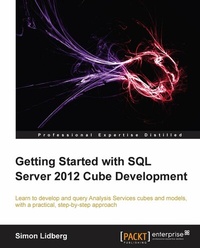
Getting Started with SQL Server 2012 Cube Development
Learn to develop and query Analysis Services cubes and models, with a practical, step-by-step approach with this book and ebook
Published on 13. January 2025
288 pages
978-1-84968-951-9 (ISBN)
Description

Learn to develop and query Analysis Services cubes and models, with a practical, step-by-step approach with this book and ebook
Key Features
Learn how to develop a complete business intelligence solution using SQL Server 2012
Understand the difference between tabular in-memory models and OLAP cubes, and which to use where and when
Add advanced features such as key performance indicators (KPIs) and calculated measures to your business intelligence model
Understand the use of cubes in a modern business intelligence solution
Go from a complete beginner to a developer who can build real-world projects through the use of easy step-by-step examples
Book DescriptionAnalysis Services have been the number one OLAP engine for years. With the increased focus on business intelligence solutions, there is a shortage of professionals in this area. Start your journey into becoming a BI developer using the popular tools included in every SQL Server installation. Getting Started with SQL Server 2012 Cube Development teaches you through clear step-by-step exercises to create business intelligence solutions using Analysis Services. The knowledge gained through these practical examples can immediately be applied to your real-world problems. Getting Started with SQL Server 2012 Cube Development begins with an introduction to business intelligence and Analysis Services, the world's most-used cube engine. Guiding you through easy-to-understand examples to become a cube developer. Learn how to create a cube including all the advanced features such as KPIs, calculated measures, and time intelligence. Security and performance tuning will also be explored. You will learn how to perform and automate core tasks like deployment and processing. The main focus is on multidimensional cubes, but the creation of in-memory models will also be covered. You will learn everything you need to get started with cube development using SQL Server 2012.What you will learn
Choose the correct model for solving your business problem
Set up Analysis Services and the development environment
Create user friendly dimensions and cubes
Automate cube processing and deployment
Query cubes using standard tools like Excel and Reporting Services
Add advanced functionality such as KPIs and calculations
Secure your business intelligence solutions
Performance tune your cube through the use of aggregations
Create tabular in-memory models
Understand business intelligence architecture
Who this book is forWritten for SQL Server developers who have not previously worked with Analysis Services. It is assumed that you have experience with relational databases, but no prior knowledge of cube development is required. You need SQL Server 2012 in order to follow along with the exercises in this book.
Key Features
Learn how to develop a complete business intelligence solution using SQL Server 2012
Understand the difference between tabular in-memory models and OLAP cubes, and which to use where and when
Add advanced features such as key performance indicators (KPIs) and calculated measures to your business intelligence model
Understand the use of cubes in a modern business intelligence solution
Go from a complete beginner to a developer who can build real-world projects through the use of easy step-by-step examples
Book DescriptionAnalysis Services have been the number one OLAP engine for years. With the increased focus on business intelligence solutions, there is a shortage of professionals in this area. Start your journey into becoming a BI developer using the popular tools included in every SQL Server installation. Getting Started with SQL Server 2012 Cube Development teaches you through clear step-by-step exercises to create business intelligence solutions using Analysis Services. The knowledge gained through these practical examples can immediately be applied to your real-world problems. Getting Started with SQL Server 2012 Cube Development begins with an introduction to business intelligence and Analysis Services, the world's most-used cube engine. Guiding you through easy-to-understand examples to become a cube developer. Learn how to create a cube including all the advanced features such as KPIs, calculated measures, and time intelligence. Security and performance tuning will also be explored. You will learn how to perform and automate core tasks like deployment and processing. The main focus is on multidimensional cubes, but the creation of in-memory models will also be covered. You will learn everything you need to get started with cube development using SQL Server 2012.What you will learn
Choose the correct model for solving your business problem
Set up Analysis Services and the development environment
Create user friendly dimensions and cubes
Automate cube processing and deployment
Query cubes using standard tools like Excel and Reporting Services
Add advanced functionality such as KPIs and calculations
Secure your business intelligence solutions
Performance tune your cube through the use of aggregations
Create tabular in-memory models
Understand business intelligence architecture
Who this book is forWritten for SQL Server developers who have not previously worked with Analysis Services. It is assumed that you have experience with relational databases, but no prior knowledge of cube development is required. You need SQL Server 2012 in order to follow along with the exercises in this book.
All prices
More details
Edition
Digital original
Language
English
Place of publication
Birmingham
United Kingdom
Edition type
Digital original
File size
9,73 MB
ISBN-13
978-1-84968-951-9 (9781849689519)
Copyright in bibliographic data and cover images is held by Nielsen Book Services Limited or by the publishers or by their respective licensors: all rights reserved.
Schweitzer Classification
Other editions
Additional editions
Simon Lidberg
Getting Started with SQL Server 2012 Cube Development
Book
07/2013
Packt Publishing
€63.00
Shipment within 3-4 weeks
Person
Lidberg Simon :
Simon Lidberg is a database veteran, who has worked in the Computer industry since the mid nineties. He has had roles as Consultant, Support Engineer, Escalation Engineer, and Technical Presales Specialist. In the past 15 years, he has worked with databases and ERP Systems at companies such as Digital Equipment, Compaq, and Microsoft. He has been an expert in Microsoft SQL Server since he started to work with Version 6.5 at Microsoft as a Support Engineer. Since 2006, he has worked with the Microsoft Business Intelligence stack that includes Analysis Services. Since then, he has helped numerous companies to start using Analysis Services as well as have trained hundreds of people on Microsoft BI. Simon is also a frequent speaker at conferences such as PASS SQLRally and Microsoft TechDays. He currently blogs at http://blogs.msdn.com/b/querysimon
Simon Lidberg is a database veteran, who has worked in the Computer industry since the mid nineties. He has had roles as Consultant, Support Engineer, Escalation Engineer, and Technical Presales Specialist. In the past 15 years, he has worked with databases and ERP Systems at companies such as Digital Equipment, Compaq, and Microsoft. He has been an expert in Microsoft SQL Server since he started to work with Version 6.5 at Microsoft as a Support Engineer. Since 2006, he has worked with the Microsoft Business Intelligence stack that includes Analysis Services. Since then, he has helped numerous companies to start using Analysis Services as well as have trained hundreds of people on Microsoft BI. Simon is also a frequent speaker at conferences such as PASS SQLRally and Microsoft TechDays. He currently blogs at http://blogs.msdn.com/b/querysimon
Content
Table of Contents

