

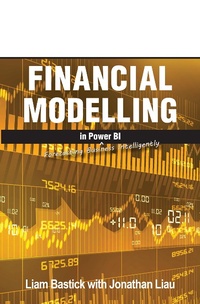
Financial Modelling in Power BI
Forecasting Business Intelligently
Published on 28. July 2022
354 pages
978-1-61547-161-4 (ISBN)
Description

Just like a shovel, this book is genuinely ground-breaking. It hits you over the head with the proverbial gardening tool, implementing the way forward for financial modelling. Many working in banking and finance create their financial models in Excel and then import them into Power BI for graphical interpretation and further analysis. Not on our watch. We're going to jettison the universal spreadsheet and build the entire model in Power BI. We can't stress how far off the range we're taking the horses. If you are reading this, you are a true pioneer. Some have managed to build the odd financial statement in Power BI, but all three? This is where you can gain a major advantage in the workplace. If you build the calculations for financial statements in Power BI, you can produce statements by product, by customer, by geography... Get the picture? The limitation will be restricted to the granularity of the underlying data and your imagination. This book unearths some of the tricks, measures, logic and tools needed to build the model (there is no need to bury your mistakes). We just can't promise you a rose garden... With the usual jokes in spades, it's just a shame we couldn't get Doug (get it?) to assist.
More details
Other editions
Additional editions
Jonathan Liau | Liam Bastick
Financial Statements in Power BI
Bring All 3 Financial Statements to Life at Any Granularity
Book
09/2022
Holy Macro! Books
€56.00
Shipment within 3-4 weeks
Content
- Cover
- Title page
- Copyright
- About the Author
- Preface
- Editor's notes
- Downloadable Resources
- Contents
- CHAPTER 1: Introduction
- CHAPTER 2: Introduction to Power BI
- Getting Power BI
- And finally.
- CHAPTER 3: Best Practice Methodology
- Consistency
- Robustness
- Flexibility
- Transparency
- In summary
- Chapter 4: Financial Statements Theory
- Income Statement
- Balance Sheet
- Cash Flow Statement
- Linking financial statements
- Appropriate order of the financial statements
- CHAPTER 5: Control Accounts
- Building a Financial Model in Power BI
- CHAPTER 6: Getting Started
- Power BI keeps updating!
- Unable to open document (old PBI version)
- Privacy warning
- Programming languages
- Star schema
- Introducing the data
- Using Windows Settings to control Power Query date display
- Opening the Power Query editor
- FilePath
- Source data
- Referencing a query
- Reliable references
- Source tables
- Depreciation
- Grouping queries
- Dividends
- Equity
- Actuals
- Appending queries
- Close & Apply
- Auto Date / Time
- Date Table
- StartDate
- EndDate
- Calendar
- Creating a Fulldates query
- Relationships
- Cross filter direction
- Cardinality
- Control account measures and financial account measures
- Memory usage
- Table.Buffer
- Table.View() optimisations
- Dividends Table.View step
- Equity Table.View step
- Calendar Table.View step
- CHAPTER 7: Creating Parameters
- Days receivable
- Back to creating parameters
- CHAPTER 8: Calculating Sales
- The SUM function
- The CALCULATE function
- The DATEADD function
- Sales cash receipts measure
- The FILTER function
- Power BI - CALCULATE function update
- The ALL function
- The MAX function
- Cumulative sales measures
- Sales control account
- CHAPTER 9: Formatting Matrix Visualisations
- CHAPTER 10: Calculating COGS (Part 1)
- CHAPTER 11: VAR Variables
- Considerations with variables
- CHAPTER 12: Calculating Inventory (FIFO)
- Important side note
- Creating the inventory query
- Creating the inventory query (continued)
- The SUMX function
- The MAXX function
- Inventory (FIFO) DAX columns
- Purchases control account
- Inventory control account
- CHAPTER 13: Average Inventory Calculation
- How it works
- Why we aren't using this
- Average inventory table setup
- List.Buffer
- Average inventory custom function
- Inventory cost table query
- Average inventory calculation query
- Table.NestedJoin vs. Table.Join
- Average inventory cost control account
- CHAPTER 14: Calculating COGS (Part 2)
- CHAPTER 15: Calculating Operating Expenditure (Opex)
- CHAPTER 16: Calculating Capital Expenditure (Capex)
- Accounting depreciation
- Creating the depreciation function
- Creating the depreciation table
- Capex control account
- CHAPTER 17: Calculating Debt
- The 3 R's of debt modelling
- Returning to the case study
- CHAPTER 18: Calculating Interest
- Capitalised vs. rolled up
- Avoiding circularity
- Returning to the case study
- Calculating the cumulative debt drawdown
- Calculating the interest control account
- CHAPTER 19: Income Statement (Part 1)
- Gross Profit
- Creating blank lines
- EBITDA
- EBIT
- NPBT
- CHAPTER 20: Calculating Tax (Part 1)
- Liam's Law of Tax
- Creating the tax depreciation table
- Creating the custom function for tax depreciation
- Creating the tax depreciation table (continued)
- Creating the tax measures (depreciation timing difference)
- Creating the tax measures (tax losses memorandum)
- CHAPTER 21: Recursion Aversion
- Tax recursion workaround method A
- Tax recursion workaround method B
- CHAPTER 22: Calculating Tax (Part 2)
- Calculating the DTA control account
- Tax payable and paid
- Tax control account
- CHAPTER 23: Income Statement (Part 2)
- CHAPTER 24: Calculating Equity and Dividends
- Creating the equity control account
- Creating the dividends control account
- CHAPTER 25: Cash Flow Statement
- Operating Cash Flows
- Investing Cash Flows
- Financing Cash Flows
- Net increase / (decrease) in cash held measure
- Indirect cash flow extract
- CHAPTER 26: Balance Sheet
- Calculating Total Assets
- Calculating Total Liabilities
- Calculating Equity
- Checks
- CHAPTER 27: And Finally.
- Index
