

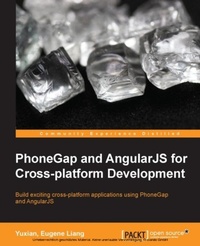
PhoneGap and AngularJS for Cross-platform Development
Build exciting cross-platform applications using PhoneGap and AngularJS
Published on 7. October 2025
122 pages
978-1-78398-893-8 (ISBN)
Description

Build exciting cross-platform applications using PhoneGap and AngularJS
Key Features
Book DescriptionPhoneGap is a mobile development framework that allows developers to build cross-platform mobile applications. Building PhoneGap apps is traditionally done using HTML, CSS, jQuery Mobile, Eclipse Editor, and/or Xcode. The process can be cumbersome, from setting up your editor to optimizing your usage of jQuery, and so on. However, AngularJS, a new but highly popular JavaScript framework, eases these tasks with APIs to get access to mobile APIs such as notifications, geo-location, accelerometers, and more. Starting with the absolute basics of building an AngularJS application, this book will teach you how to quickly set up PhoneGap apps using the command-line interface. You will learn how to create simple to advanced to-do lists and add authentication capabilities using PhoneGap's plugins. You will enhance your skills by writing a PhoneGap app using your newly learned AngularJS skills. Furthermore, you will learn about adding animation and interactive designs to your mobile web apps using PhoneGap plugins. By the end of the book, you will know everything you need to launch your app on both Android and iOS devices.What you will learn
Learn about the features of AngularJS and use it to organize your code
Create RESTful web apps using AngularJS
Reduce the hassle of developing PhoneGap apps using the commandline interface
Quickly integrate AngularJS to enhance authentication capabilities via PhoneGap plugins
Use AngularJS touch modules to optimize your PhoneGap app
Build a crossplatform application with PhoneGap and AngularJS
Learn how to use the concepts of twoway data binding and directives along with PhoneGap for mobile application development
Who this book is forThis book is intended for people who are not familiar with AngularJS and who want to take their PhoneGap development skills further by developing apps using different JavaScript libraries. People with some knowledge of PhoneGap, HTML, CSS, and JavaScript will find this book immediately useful.
Key Features
Book DescriptionPhoneGap is a mobile development framework that allows developers to build cross-platform mobile applications. Building PhoneGap apps is traditionally done using HTML, CSS, jQuery Mobile, Eclipse Editor, and/or Xcode. The process can be cumbersome, from setting up your editor to optimizing your usage of jQuery, and so on. However, AngularJS, a new but highly popular JavaScript framework, eases these tasks with APIs to get access to mobile APIs such as notifications, geo-location, accelerometers, and more. Starting with the absolute basics of building an AngularJS application, this book will teach you how to quickly set up PhoneGap apps using the command-line interface. You will learn how to create simple to advanced to-do lists and add authentication capabilities using PhoneGap's plugins. You will enhance your skills by writing a PhoneGap app using your newly learned AngularJS skills. Furthermore, you will learn about adding animation and interactive designs to your mobile web apps using PhoneGap plugins. By the end of the book, you will know everything you need to launch your app on both Android and iOS devices.What you will learn
Learn about the features of AngularJS and use it to organize your code
Create RESTful web apps using AngularJS
Reduce the hassle of developing PhoneGap apps using the commandline interface
Quickly integrate AngularJS to enhance authentication capabilities via PhoneGap plugins
Use AngularJS touch modules to optimize your PhoneGap app
Build a crossplatform application with PhoneGap and AngularJS
Learn how to use the concepts of twoway data binding and directives along with PhoneGap for mobile application development
Who this book is forThis book is intended for people who are not familiar with AngularJS and who want to take their PhoneGap development skills further by developing apps using different JavaScript libraries. People with some knowledge of PhoneGap, HTML, CSS, and JavaScript will find this book immediately useful.
All prices
More details
Edition
Digital original
Language
English
Place of publication
Birmingham
United Kingdom
Target group
Professional and scholarly
US School Grade: College Graduate Student
Edition type
Digital original
File size
4,87 MB
ISBN-13
978-1-78398-893-8 (9781783988938)
Copyright in bibliographic data and cover images is held by Nielsen Book Services Limited or by the publishers or by their respective licensors: all rights reserved.
Schweitzer Classification
Other editions
Additional editions
Book
09/2014
Packt Publishing
€42.70
Shipment within 3-4 weeks
Persons
Liang Eugene :
Y.E Liang is a researcher, author, web developer, and business developer. He has experience in both frontend and backend development, particularly in engineering, user experience using JavaScript/CSS/HTML, and performing social network analysis. He has authored multiple books and research papers.E Liang Yuxian :
Yuxian, Eugene Liang is a frontend engineer with working knowledge of UX and data mining / machine learning. He builds applications predominantly using JavaScript/Python, and related frameworks such as AngularJS, ReactJS, Node.js, Tornado, and Django. He led a team of two (including himself) to win Startup Weekend at Taiwan recently. He has also completed academic research on social network analysis (link prediction) using machine learning techniques, while interning as a frontend engineer at Yahoo!. To know more about him, visit http://www.liangeugene.com.
Y.E Liang is a researcher, author, web developer, and business developer. He has experience in both frontend and backend development, particularly in engineering, user experience using JavaScript/CSS/HTML, and performing social network analysis. He has authored multiple books and research papers.E Liang Yuxian :
Yuxian, Eugene Liang is a frontend engineer with working knowledge of UX and data mining / machine learning. He builds applications predominantly using JavaScript/Python, and related frameworks such as AngularJS, ReactJS, Node.js, Tornado, and Django. He led a team of two (including himself) to win Startup Weekend at Taiwan recently. He has also completed academic research on social network analysis (link prediction) using machine learning techniques, while interning as a frontend engineer at Yahoo!. To know more about him, visit http://www.liangeugene.com.
Content
Table of Contents
An introduction to AngularJS
Getting Ready for PhoneGap
Adding Authentication capabilities with PhoneGap Plugins
From Simple Todo List to Advanced To-do List
Animations on our PhoneGap App
Ready to Launch
Appendix: Commonly used AngularJS References
An introduction to AngularJS
Getting Ready for PhoneGap
Adding Authentication capabilities with PhoneGap Plugins
From Simple Todo List to Advanced To-do List
Animations on our PhoneGap App
Ready to Launch
Appendix: Commonly used AngularJS References

