

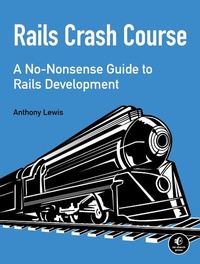
Rails Crash Course
A No-Nonsense Guide to Rails Development
Published on 8. October 2014
296 pages
978-1-59327-623-2 (ISBN)
Description

Rails is a robust, flexible development platform that lets you build complex websites quickly. Major websites like GitHub, Hulu, and Twitter have run Rails under the hood, and if you know just enough HTML and CSS to be dangerous, Rails Crash Course will teach you to harness Rails for your own projects and create web applications that are fast, stable, and secure.
In Part I, you'll learn Ruby and Rails fundamentals and then dive straight into models, controllers, views, and deployment. As you work through the basics, you'll learn how to:
-Craft persistent models with Active Record
-Build view templates with Embedded Ruby
-Use Git to roll back to previous versions of your code base
-Deploy applications to Heroku
In Part II, you'll take your skills to the next level as you build a social networking app with more advanced Ruby tools, such as modules and metaprogramming, and advanced data modeling techniques within Rails's Active Record. You'll learn how to:
-Implement an authentication system to identify authorized users
-Write your own automated tests and refactor your code with confidence
-Maximize performance with the asset pipeline and turbolinks
-Secure your app against SQL injection and cross-site scripting
-Set up a server and deploy applications with Capistrano
Each chapter is packed with hands-on examples and exercises to reinforce what you've learned. Whether you're completely new to Ruby or you've been mucking around for a bit, Rails Crash Course will take you from the basics to shipping your first Rails application, fast.
In Part I, you'll learn Ruby and Rails fundamentals and then dive straight into models, controllers, views, and deployment. As you work through the basics, you'll learn how to:
-Craft persistent models with Active Record
-Build view templates with Embedded Ruby
-Use Git to roll back to previous versions of your code base
-Deploy applications to Heroku
In Part II, you'll take your skills to the next level as you build a social networking app with more advanced Ruby tools, such as modules and metaprogramming, and advanced data modeling techniques within Rails's Active Record. You'll learn how to:
-Implement an authentication system to identify authorized users
-Write your own automated tests and refactor your code with confidence
-Maximize performance with the asset pipeline and turbolinks
-Secure your app against SQL injection and cross-site scripting
-Set up a server and deploy applications with Capistrano
Each chapter is packed with hands-on examples and exercises to reinforce what you've learned. Whether you're completely new to Ruby or you've been mucking around for a bit, Rails Crash Course will take you from the basics to shipping your first Rails application, fast.
More details
Other editions
Additional editions
Book
10/2014
1st Edition
No Starch Press
€33.00
Shipment within 3-4 weeks
Person
Anthony Lewis has been building websites since 1994. A Senior Engineer at Spredfast (formerly Mass Relevance) and one of the developers behind the Spark social marketing platform, Lewis writes Ruby on Rails and JavaScript code daily. He runs workshops at the Lone Star Ruby Conference, provides in-depth Rails trainings, and is an active member of Austin on Rails.
Content
- Intro
- Rails Crash Course: A No-Nonsense Guide to Rails Development
- Foreword
- Acknowledgments
- Introduction
- Who This Book Is For
- Overview
- Installation
- Ruby, Rails, and Git
- Mac OS X
- Linux
- Windows
- Multiple Ruby Versions
- Installing rbenv
- Installing Ruby
- I. Ruby on Rails Fundamentals
- 1. Ruby Fundamentals
- Interactive Ruby
- Data Types
- Numbers
- Strings
- Symbols
- Arrays
- Hashes
- Booleans
- Constants
- Variables
- Control Flow
- Conditionals
- Iteration
- Methods
- Classes
- Class Methods
- Inheritance
- Summary
- Exercises
- 2. Rails Fundamentals
- Your First Rails Application
- Rails Principles
- Convention over Configuration
- Don't Repeat Yourself
- Rails Architecture
- Model
- View
- Controller
- Rails Application Structure
- The app Directory
- The bin Directory
- The config Directory
- The db Directory
- The lib Directory
- The log Directory
- The public Directory
- The test Directory
- The tmp Directory
- The vendor Directory
- Rails Commands
- The gem Command
- The bundle Command
- The rake Command
- The rails Command
- Rails Scaffold
- Summary
- Exercises
- 3. Models
- The Post Model
- Active Record
- Create, Read, Update, and Delete
- Create
- Read
- Update
- Delete
- More Active Record Methods
- Query Conditions
- Calculations
- Migrations
- The Schema
- Adding a Column
- Inside the Author Migration
- Validations
- Adding a Validation
- Testing Data
- Associations
- Generating the Model
- Adding Associations
- Using Associations
- The has_many Methods
- The belongs_to Methods
- Summary
- Exercises
- 4. Controllers
- Representational State Transfer
- Routing
- Resources
- Nested Resources
- Restricted Resources
- Custom Routes
- The Root Route
- Paths and URLs
- Controller Actions
- A Brief Detour from Actions
- Parameters
- Render or Redirect
- Response Formats
- The Flash
- Back to Controller Actions
- Adding Comments
- Summary
- Exercises
- 5. Views
- Embedded Ruby
- Output
- Control Flow
- Comments
- Helpers
- URL Helpers
- Number Helpers
- Your Own Helpers
- The Posts Index Page
- Layouts
- Asset Tag Helpers
- stylesheet_link_tag
- javascript_include_tag
- CSRF Meta Tags Helper
- Yield
- Partials
- Collections
- Showing Comments
- Forms
- Form Helpers
- Form Errors
- Form Controls
- Comment Form
- Summary
- Exercises
- 6. Deployment
- Version Control
- Git
- Setup
- Getting Started
- Basic Usage
- Other Useful Commands
- Branches
- Remotes
- Heroku
- Getting Started
- Updating Your Gemfile
- Deploying Your Application
- Summary
- Part I Remarks
- Exercises
- II. Building A Social Net Working App
- 7. Advanced Ruby
- Modules
- Modules as Namespaces
- Modules as Mixins
- include
- prepend
- extend
- Ruby Object Model
- Ancestors
- Methods
- Class
- Introspection
- Duck Typing
- Metaprogramming
- define_method
- class_eval
- method_missing
- Summary
- Exercises
- 8. Advanced Active Record
- Advanced Data Modeling
- Self Join Associations
- Many-to-Many Associations
- has_and_belongs_to_many
- has_many :through
- Single-Table Inheritance
- Polymorphic Associations
- The Social Application
- User Model
- Post Models
- Comment Model
- Summary
- Exercises
- 9. Authentication
- The Authentication System
- Post Index and Show
- Sign Up
- Log In
- Sessions
- Implementation
- Current User
- Authenticate User
- Use Current User
- Summary
- Exercises
- 10. Testing
- Testing in Rails
- Preparing to Test
- Running Tests
- Using Fixtures
- User Fixtures
- Post Fixtures
- Putting Assertions to Work
- Eliminating Duplication with Callbacks
- Model Tests
- Controller Tests
- Controller Test Helpers
- Controller Test Assertions
- Integration Tests
- Integration Helpers
- Testing a Flow
- Adding Features with Test-Driven Development
- Show User
- Create Post
- Summary
- Exercises
- 11. Security
- Authorization Attacks
- Injection Attacks
- SQL Injection
- Bypassing an Authentication System
- Preventing SQL Injection
- Cross-Site Scripting
- Built-in Protection
- The sanitize method
- Cross-Site Request Forgery Attacks
- How CSRF Works
- Preventing CSRF
- Summary
- Exercises
- 12. Performance
- Built-in Optimization Features
- Asset Pipeline
- Manifests
- Debug Mode
- Asset Precompilation
- Turbolinks
- Turbolinks in Action
- JavaScript Events
- Code Optimizations
- Reducing Database Queries
- Examining SQL Output
- N + 1 Queries
- Pagination
- Caching
- Cache Keys
- Low-Level Caching
- Fragment Caching
- Issues
- Summary
- Exercises
- 13. Debugging
- The debug Helper
- The Rails Logger
- Log Levels
- Logging
- Debugger
- Entering the Debugger
- Debugger Commands
- Summary
- Exercises
- 14. Web APIs
- The GitHub API
- HTTP
- Status Codes
- Curl
- Authentication
- Your Own API
- API Routes
- API Controllers
- Customizing JSON Output
- as_json
- Jbuilder
- Token-Based Authentication
- Generating Tokens
- Authenticating Requests
- Using Token-Based Authentication
- Summary
- Exercises
- 15. Custom Deployment
- Virtual Private Servers
- Amazon AWS Setup
- Ubuntu Linux Setup
- Installing Ruby
- Installing Apache and Passenger
- Installing PostgreSQL
- Installing Build Tools
- Installing Gems
- Capistrano
- Getting Started
- Configuration
- Database Setup
- Secrets Setup
- Add to Git
- Deployment
- Adding a Virtual Host
- Summary
- Exercises
- A. Solutions
- Chapter 1
- Chapter 2
- Chapter 3
- Chapter 4
- Chapter 5
- Chapter 6
- Chapter 7
- Chapter 8
- Chapter 9
- Chapter 10
- Chapter 11
- Chapter 12
- Chapter 13
- Chapter 14
- Chapter 15
- Index
- About the Author
- Copyright
