

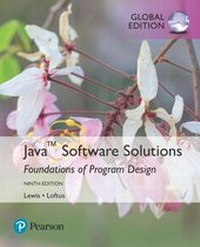
Java Software Solutions, Global Edition
Description

For courses in Java programming
Java Software Solutions establishes a strong foundation of programming techniques to foster well-designed object-oriented software. Heralded for its integration of small and large real-world examples, the worldwide best-selling text emphasises problem-solving and design skills and introduces students to the process of constructing high-quality software systems. The 9th Edition features a sweeping overhaul of Graphics Track coverage, to fully embrace the JavaFX API. This fresh approach enriches programmers' understandings of core object-oriented principles. The text uses a natural progression of concepts, focusing on the use of objects before teaching how to write them-equipping students with the knowledge and skill they need to design true object-oriented solutions.
The full text downloaded to your computer
With eBooks you can:
- search for key concepts, words and phrases
- make highlights and notes as you study
- share your notes with friends
eBooks are downloaded to your computer and accessible either offline through the Bookshelf (available as a free download), available online and also via the iPad and Android apps.
Upon purchase, you'll gain instant access to this eBook.
Time limit
The eBooks products do not have an expiry date. You will continue to access your digital ebook products whilst you have your Bookshelf installed.
All prices
More details
Other editions
Additional editions
Content
1. Introduction
1.1 Computer Processing
1.2 Hardware Components
1.3 Networks
1.4 The Java Programming Language
1.5 Programming Development
1.6 Object-Oriented Programming
2. Data and Expressions
2.1 Character Strings
2.2 Variables and Assignment
2.3 Primitive Data Types
2.4 Expressions
2.5 Data Conversion
Software Failure: NASA Mars Climate Orbiter and Polar Lander
3. Using Classes and Objects
3.1 Creating Objects
3.2 The String Class
3.3 Packages
3.4 The Random Class
3.5 The Math Class
3.6 Formatting Output
3.7 Enumerated Types
3.8 Wrapper Classes
3.9 Introduction to JavaFX
3.10 Basic Shapes
3.11 Representing Colors
4. Writing Classes
4.1 Classes and Objects Revisited
4.2 Anatomy of a Class
4.3 Encapsulation
4.4 Anatomy of a Method
4.5 Constructors Revisited
4.6 Arcs
4.7 Images
4.8 Graphical User Interfaces
4.9 Text Fields
Software Failure: Denver Airport Baggage Handling System
5. Conditionals and Loops
5.1 Boolean Expressions
5.2 The If Statement
5.3 Comparing Data
5.4 The While Statement
5.5 Iterators
5.6 The ArrayList Class
5.7 Determining Event Sources
5.8 Managing Fonts
5.9 Checkboxes
5.10 Radio Buttons
Software Failure: Therac-25
6. More Conditionals and Loops
6.1 The Switch Statement
6.2 The Conditional Operator
6.3 The Do Statement
6.4 The For Statement
6.5 Using Loops and Conditionals with Graphics
6.6 Graphic Transformations
7. Object-Oriented Design
7.1 Software Development Activities
7.2 Identifying Classes and Objects
7.3. Static Class Members
7.4 Class Relationships
7.5 Interfaces
7.6 Enumerated Types Revisited
7.7 Method Design
7.8 Method Overloading
7.9 Testing
7.10 GUI Design
7.11 Key Events
Software Failure: 2003 Northeast Blackout
8. Arrays
8.1 Array Elements
8.2 Declaring and Using Arrays
8.3 Arrays of Objects
8.4 Command-Line Arguments
8.5 Variable Length Parameter Lists
8.6 Two-Dimensional Arrays
8.7 Polygons and Polylines
8.8 An Array of Color Objects
8.9 Choice Boxes
Software Failure: LA Air Traffic Control
9. Inheritance
9.1 Creating Subclasses
9.2 Overriding Methods
9.3 Class Hierarchies
9.4 Visibility
9.5 Designing for Inheritance
9.6 Inheritance in JavaFX
9.7 Color and Date Pickers
9.8 Dialog Boxes
Software Failure: Ariane 5 Flight 501
10. Polymorphism
10.1 Late Binding
10.2 Polymorphism via Inheritance
10.3 Polymorphism vis Interfaces
10.4 Sorting
10.5 Searching
10.6 Designing for Polymorphism
10.7 Properties
10.8 Sliders
10.9 Spinners
11. Exceptions
11.1 Exception Handling
11.2 Uncaught Exceptions
11.3 The Try-Catch Statement
11.4 Exception Propagation
11.5 The Exception Class Hierarchy
11.6 I/O Exceptions
11.7 Tool Tips and Disabling Controls
11.8 Scroll Panes
11.9 Split Panes and List Views
12. Recursion
12.1 Recursive Thinking
12.2 Recursive Programming
12.3 Using Recursion
12.4 Tiled Images
12.5 Fractals
13. Collections
13.1 Collections and Data Structures
13.2 Dynamic Representations
13.3 Linear Collections
13.4 Non-Linear Data Structures
13.5 The Java Collections API
Appendix A: Glossary
Appendix B: Number S
