

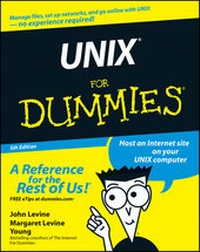
UNIX For Dummies
5th Edition
Published on 24. February 2011
412 pages
978-1-118-04390-5 (ISBN)
Description

* UNIX For Dummies has been the standard for beginning UNIXreferences for nearly ten years, and this latest edition continuesthat tradition of success
* This unparalled resource is updated to cover the latestapplications of UNIX technology, including Linux and Mac desktopsas well as how UNIX works with Microsoft server software
* Thorough coverage of how to handle UNIX installation, filemanagement, software, utilities, networks, Internet access, andother basic tasks
* Aimed at the first-time UNIX desktop user growing accustomed tothe ins and outs of the OS, as well as the beginning administratorwho needs to get a handle on UNIX networking basics
* Written by John Levine and Margaret Levine Young, longtime UNIXexperts and highly experienced For Dummies authors
* This unparalled resource is updated to cover the latestapplications of UNIX technology, including Linux and Mac desktopsas well as how UNIX works with Microsoft server software
* Thorough coverage of how to handle UNIX installation, filemanagement, software, utilities, networks, Internet access, andother basic tasks
* Aimed at the first-time UNIX desktop user growing accustomed tothe ins and outs of the OS, as well as the beginning administratorwho needs to get a handle on UNIX networking basics
* Written by John Levine and Margaret Levine Young, longtime UNIXexperts and highly experienced For Dummies authors
All prices
More details
Other editions
Additional editions
John R. Levine | Margaret Levine Young
UNIX For Dummies
Book
01/2004
5th Edition
Wiley
€27.50
Shipment within 15-20 days
Persons
John Levine and Margaret Levine Young are the dynamic For Dummies duo with more than 50 books to their credit, including eight editions of The Internet For Dummies.
Content
Introduction 1
Part I: Before the Beginning 7
Chapter 1: Log Me In, UNIX! 9
Chapter 2: What Is UNIX, Anyway? 19
Chapter 3: A Few Lines on Linux 33
Part II: Some Basic Stuff 39
Chapter 4: Opening Windows on UNIX 41
Chapter 5: Files for Fun and Profit 77
Chapter 6: Directories for Fun and Profit 91
Chapter 7: The Shell Game 103
Chapter 8: Where's That File? 119
Chapter 9: Printing (The Gutenberg Thing) 133
Part III: Getting Things Done 147
Chapter 10: Writing Deathless Prose 149
Chapter 11: Umpteen Useful UNIX Utilities 175
Chapter 12: Installing Software Can Be Tricky 185
Chapter 13: Juggling a Bunch of Programs 199
Chapter 14: Taming Linux 211
Part IV: UNIX and the Net 217
Chapter 15: Your Computer Is Not Alone 219
Chapter 16: Across a Crowded Network 229
Chapter 17: Automating Your Office Gossip 243
Chapter 18: Web Surfing for UNIX Users 263
Chapter 19: Grabbing Files from the Net 279
Chapter 20: Now Serving the Internet 293
Part V: Help! 303
Chapter 21: Disaster Relief 305
Chapter 22: The Case of the Missing Files 311
Chapter 23: Some Programs Just Won't Die 325
Chapter 24: "My Computer Hates Me" 3 31
Part VI: The Part of Tens 343
Chapter 25: Ten Common Mistakes 345
Chapter 26: Ten Times More Information Than You Want about UNIX 351
Index 361
Part I: Before the Beginning 7
Chapter 1: Log Me In, UNIX! 9
Chapter 2: What Is UNIX, Anyway? 19
Chapter 3: A Few Lines on Linux 33
Part II: Some Basic Stuff 39
Chapter 4: Opening Windows on UNIX 41
Chapter 5: Files for Fun and Profit 77
Chapter 6: Directories for Fun and Profit 91
Chapter 7: The Shell Game 103
Chapter 8: Where's That File? 119
Chapter 9: Printing (The Gutenberg Thing) 133
Part III: Getting Things Done 147
Chapter 10: Writing Deathless Prose 149
Chapter 11: Umpteen Useful UNIX Utilities 175
Chapter 12: Installing Software Can Be Tricky 185
Chapter 13: Juggling a Bunch of Programs 199
Chapter 14: Taming Linux 211
Part IV: UNIX and the Net 217
Chapter 15: Your Computer Is Not Alone 219
Chapter 16: Across a Crowded Network 229
Chapter 17: Automating Your Office Gossip 243
Chapter 18: Web Surfing for UNIX Users 263
Chapter 19: Grabbing Files from the Net 279
Chapter 20: Now Serving the Internet 293
Part V: Help! 303
Chapter 21: Disaster Relief 305
Chapter 22: The Case of the Missing Files 311
Chapter 23: Some Programs Just Won't Die 325
Chapter 24: "My Computer Hates Me" 3 31
Part VI: The Part of Tens 343
Chapter 25: Ten Common Mistakes 345
Chapter 26: Ten Times More Information Than You Want about UNIX 351
Index 361
