

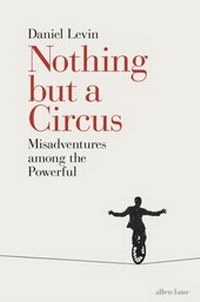
Nothing but a Circus
Misadventures among the Powerful
1st Edition
Published on 26. January 2017
192 pages
978-0-14-198465-0 (ISBN)
Description

'Brilliant observations on the anthropology of power. You will laugh aloud and you won't put it down' Daniel Kahneman
In this eye-opening exploration of the human weaknesses for power, Daniel Levin takes us on a hilarious journey through the absurd world of our global elites, drawing unforgettable sketches of some of the puppets who stand guard, and the jugglers and conjurers employed within. Most spectacular of all, however, are the astonishing contortions performed by those closest to the top in order to maintain the illusion of integrity, decency, and public service.
Based on the author's first hand experiences of dealing with governments and political institutions around the world, Nothing but a Circus offers a rare glimpse of the conversations that happen behind closed doors, observing the appalling lengths that people go to in order to justify their unscrupulous choices, from Dubai to Luanda, Moscow to Beijing, and at the heart of the UN and the US government.
In this eye-opening exploration of the human weaknesses for power, Daniel Levin takes us on a hilarious journey through the absurd world of our global elites, drawing unforgettable sketches of some of the puppets who stand guard, and the jugglers and conjurers employed within. Most spectacular of all, however, are the astonishing contortions performed by those closest to the top in order to maintain the illusion of integrity, decency, and public service.
Based on the author's first hand experiences of dealing with governments and political institutions around the world, Nothing but a Circus offers a rare glimpse of the conversations that happen behind closed doors, observing the appalling lengths that people go to in order to justify their unscrupulous choices, from Dubai to Luanda, Moscow to Beijing, and at the heart of the UN and the US government.
More details
Language
English
Place of publication
London
United Kingdom
Target group
Professional and scholarly
College/higher education
File size
0,49 MB
ISBN-13
978-0-14-198465-0 (9780141984650)
Copyright in bibliographic data and cover images is held by Nielsen Book Services Limited or by the publishers or by their respective licensors: all rights reserved.
Schweitzer Classification
Other editions
Additional editions
Book
01/2018
Penguin Books Ltd
€41.03
Shipment within 15-20 days
Book
01/2017
Allen Lane
€41.03
Article exhausted; check different version
Person
Daniel Levin has spent the last twenty years working with governments and development institutions worldwide. A lawyer by profession, he is an advisor on political and economic affairs, from financial development to conflict resolution. He is currently a member of the board of the Liechtenstein Foundation for State Governance. Nothing but a Circus is his first book.
